QRcard - digital business card
In-app purchases
4.7star
871 reviews
10K+
Downloads

Everyone
info
About this app
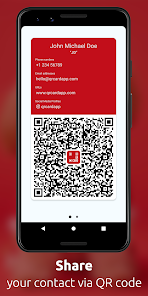
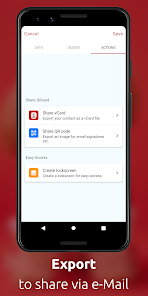
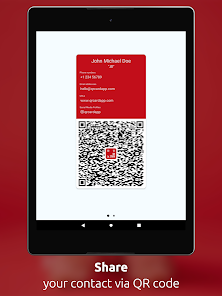
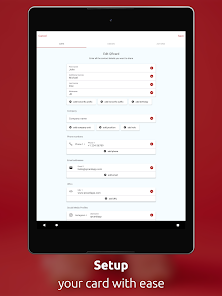
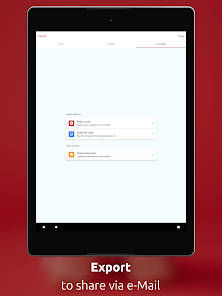
QRcard makes sharing your contact information a breeze with a sleek, customizable digital business card. Tailor your information, then seamlessly share it through your personalized QR code. Ideal for entrepreneurs, sales professionals, and anyone looking to expand their network.
Effortless sharing:
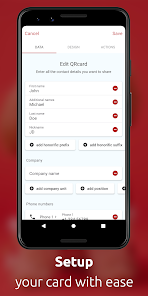
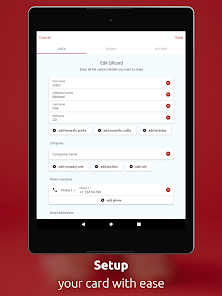
- Select the contact information you want to share
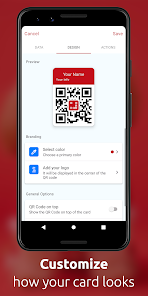
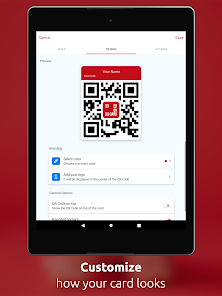
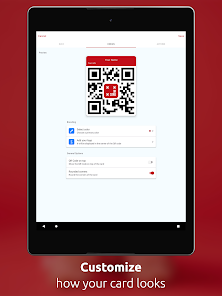
- Personalize your card with unique colors and logos
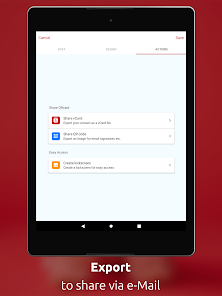
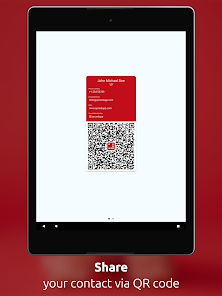
- Anyone who scans your QR card will instantly receive your contact information
Additional features:
- No Internet connection required for your card to work
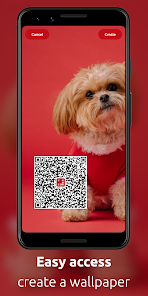
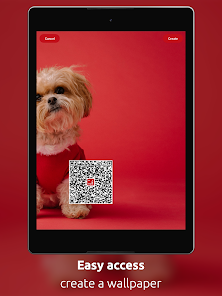
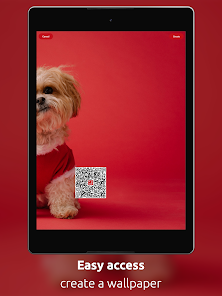
- Add your card as a widget to your home and lock screen
- Create multiple cards (in-app purchase required)
- Your data is stored locally on your device, ensuring privacy
Supported data:
- Full name, including academic titles
- Company name, department, title, and role
- Telephone numbers
- Email addresses
- Web sites
- Mailing Addresses
- Social media: LinkedIn, Facebook, Twitter, Instagram, Snapchat, Telegram, and GitHub
In-App Purchases:
- Premium: Unlock unlimited fields for your card
- Additional cards: Create additional cards to separate business and personal contacts
For enterprises, the QRcard Enterprise Edition" app (sold separately) offers a business-optimized version with Mobile Device Management (MDM) support.
Contact us at hello@qrcardapp.com
Follow us on Facebook, Instagram and Twitter: @qrcardapp
Effortless sharing:
- Select the contact information you want to share
- Personalize your card with unique colors and logos
- Anyone who scans your QR card will instantly receive your contact information
Additional features:
- No Internet connection required for your card to work
- Add your card as a widget to your home and lock screen
- Create multiple cards (in-app purchase required)
- Your data is stored locally on your device, ensuring privacy
Supported data:
- Full name, including academic titles
- Company name, department, title, and role
- Telephone numbers
- Email addresses
- Web sites
- Mailing Addresses
- Social media: LinkedIn, Facebook, Twitter, Instagram, Snapchat, Telegram, and GitHub
In-App Purchases:
- Premium: Unlock unlimited fields for your card
- Additional cards: Create additional cards to separate business and personal contacts
For enterprises, the QRcard Enterprise Edition" app (sold separately) offers a business-optimized version with Mobile Device Management (MDM) support.
Contact us at hello@qrcardapp.com
Follow us on Facebook, Instagram and Twitter: @qrcardapp
Updated on
Safety starts with understanding how developers collect and share your data. Data privacy and security practices may vary based on your use, region, and age. The developer provided this information and may update it over time.

This app may share these data types with third parties
App activity and Device or other IDs

No data collected
Learn more about how developers declare collection

Data is encrypted in transit
Ratings and reviews
4.7
855 reviews

Bogdan Dusa
- Flag inappropriate
October 24, 2025
1 star for the issue with the widget - can't be added to the homescreen. Emailed the company, got a reply pretty quick requesting more details, sent them back all the info and from that moment....good luck! No more answers, no more solutions to fix the issue, widget still not on the homescreen. I tried to avoid this review by contacting the company first, to solve the problem, but the way they (not) communicate, I've decided to post the review.

Suchart Chumsilsiri
- Flag inappropriate
- Show review history
October 28, 2024
User friendly, but there are still bugs in adding the widget to the home screen on Android S22 Ultra. Quite offer that the app can't open up. Even clear up cache. Please update to solve this bug. Thank you. After the new update today, the widget still has a bug, and the app can't open after trying to add a widget. Uninstall and reinstall again. It's still the same.
1 person found this review helpful

Scott Clapp
- Flag inappropriate
August 9, 2024
Disappointed. After purchasing the premium service I discover you can only create 1 QR code. You are required to pay for each additional card you need to create. So, if you need multiple cards as I do be prepared to pay or find another app. Also, when I scan the QR code I created with my contact information with another phone it adds the web address into the notes section of the other phones contact listing. And I cannot get the widget to work on my phone
What’s new
Minor improvements
App support
About the developer
Lukas Hechenberger
office@hechenbros.com
Hintergasse 5
7204 Untervaz
Switzerland
+41 78 300 46 15


