Picture Extractor
Contains ads
4.0star
2.54K reviews
100K+
Downloads

Everyone
info

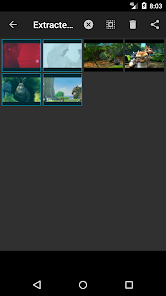
About this app
Safety starts with understanding how developers collect and share your data. Data privacy and security practices may vary based on your use, region, and age. The developer provided this information and may update it over time.

No data shared with third parties
Learn more about how developers declare sharing

This app may collect these data types
App activity, App info and performance, and Device or other IDs

Data is encrypted in transit

You can request that data be deleted
Ratings and reviews
4.0
2.45K reviews

feekus
- Flag inappropriate
- Show review history
April 10, 2025
works great! my only complaint is there's no way to get rid of ads... I would definitely pay for a ad free version! EDIT : please change the names of saved images back to what they were before the newer "IMG-00000" name format, its caused all my images to be out of order and I am NOT going through and individually renaming over 500 images just so they're in correct order when alphabetically sorted😭😭

A Google user
- Flag inappropriate
March 21, 2020
Some improvement needed - the app works well when the video is taken in landscape camera positiob but not in potrait. Because of that, the cropping process of any selected image will distort or damage the main object in the picture. Also, if the app provides a jog knob that would be a plus.
15 people found this review helpful
A Google user
- Flag inappropriate
October 20, 2019
The app is amazing and works really well, it's usually very easy to get a photo, and the parts that come out weird, which ISN'T the apps fault can be fixed by editing.
10 people found this review helpful
What’s new
- Bug fixes.
App support
About the developer
Fabricio Alexander Cordova Lucero
lunorm88@gmail.com
C. de los Manzanos, 18, Planta Piso 1, Puerta B
28703 San Sebastián de los Reyes
Spain


