
Ink&Paper

star
324 reviews

Everyone
info
5K+
Downloads

Everyone
Learn more


About this app
A tutorial, where the most common features of the app are shown, is online at the following link:
https://www.youtube.com/playlist?list=PL3VL6s-M7yoeFSHGs-Z2qJdVV_WcdMuy6
With the release of the latest version the videos are a little bit out of date: at this link you will find a short manual that shows how to use the buttons in the new format:
https://inkandpaper-app.github.io/website/SHORT_MANUAL.pdf
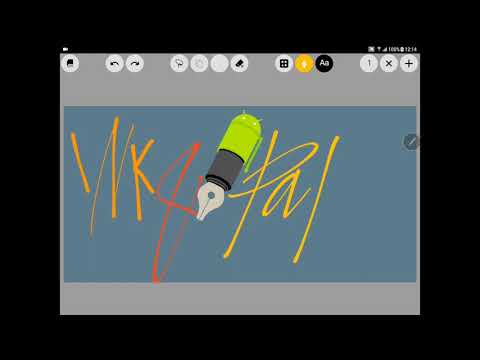
• Write on your Android device like you would on a sheet of paper.
• Six customisable types of pens with the best digital inking features are available.
• Insert in the most natural way typed texts, images, geometrical shapes in your pages.
• Select and move, zoom, rotate, stretch any object using your fingers.
• Control undo and redo actions with the undo/redo bar.
• Overlay objects and manage their opacity using layers.
• Take full advantage of an active stylus by configuring the erase methods.
• Work with close up writing mode on small screen devices.
• Use gestures to select or delete objects while you are writing.
• Set the background of any page by the import of JPEG, PNG and PDF documents.
• Create new notepads from the most common document templates.
• Save and load customised sets of colours, pens, typewriters.
• Organise your notes into library folders. Cut, copy and paste notepads and pages.
• Export and share documents in PDF, JPEG, PNG formats. The PDF format is entirely vector based.
• Backup and restore any section of the library in ZIP format.
Before purchasing, you can download the free trial version, which lacks PDF export feature, at this link:
https://play.google.com/store/apps/details?id=com.inkandpaper.trial
https://www.youtube.com/playlist?list=PL3VL6s-M7yoeFSHGs-Z2qJdVV_WcdMuy6
With the release of the latest version the videos are a little bit out of date: at this link you will find a short manual that shows how to use the buttons in the new format:
https://inkandpaper-app.github.io/website/SHORT_MANUAL.pdf
• Write on your Android device like you would on a sheet of paper.
• Six customisable types of pens with the best digital inking features are available.
• Insert in the most natural way typed texts, images, geometrical shapes in your pages.
• Select and move, zoom, rotate, stretch any object using your fingers.
• Control undo and redo actions with the undo/redo bar.
• Overlay objects and manage their opacity using layers.
• Take full advantage of an active stylus by configuring the erase methods.
• Work with close up writing mode on small screen devices.
• Use gestures to select or delete objects while you are writing.
• Set the background of any page by the import of JPEG, PNG and PDF documents.
• Create new notepads from the most common document templates.
• Save and load customised sets of colours, pens, typewriters.
• Organise your notes into library folders. Cut, copy and paste notepads and pages.
• Export and share documents in PDF, JPEG, PNG formats. The PDF format is entirely vector based.
• Backup and restore any section of the library in ZIP format.
Before purchasing, you can download the free trial version, which lacks PDF export feature, at this link:
https://play.google.com/store/apps/details?id=com.inkandpaper.trial
Take handwritten notes on your device and keep them organised in a library.
Updated on
Safety starts with understanding how developers collect and share your data. Data privacy and security practices may vary based on your use, region, and age. The developer provided this information and may update it over time.
- No data shared with third partiesLearn more about how developers declare sharing
- No data collectedLearn more about how developers declare collection


Ratings and reviews
95 reviews

Llama
- Flag inappropriate
September 4, 2020
Best note taking app on Android for my Samsung Galaxy Tab S6, and I've tried them all. Works well with s-pen. The controls took some getting used to, but after I knew how they worked I couldn't go back to INKredible Pro, Squid, or OneNote, which were my go-tos before. I honestly can't believe that this app isn't more popular than it is. It's so cheap too; I've already wasted like $20 trying all the other note-taking apps and this was the cheapest option!
1 person found this review helpful

A Google user
- Flag inappropriate
November 10, 2019
The note-taking aspect of the app is great: great pen, great organizing ability, great eraser, stylus support, etc. However, I have two main problems: 1) The inability to sync between devices automatically. There's also no way to see your notes on your PC. I'm always afraid about my device getting lost. 2) Some settings get reset as soon as you go back to the library. For example, locking the zoom does not get saved. You have to lock the zoom each time you open your notes. This is still one of the best note-taking app on android. If only this had a onenote-like sync feature (and multiplatform support)...
11 people found this review helpful

Paulina Delgadillo
- Flag inappropriate
September 24, 2020
I love this app! I use it for school on my chromebook, and it works perfectly. My only gripe with it is that there is no sort of cloud storage or connection to google drive to save my notes online. My chromebook crashed and reset a few days ago and I lost everything, which wouldn't have happened if I had it connected to an online storage. I know there is a way to zip and backup the files, but I think that's tedious to do manually every day. Otherwise, fantastic app!
18 people found this review helpful
What’s new
Chinese translation by dhy. German translation by Walter Bütikoer. Support for 16kb page sizes.
Everyone
Learn moreApp support
About the developer
Francesco Paolo Torre
inkandpaper.app@gmail.com
Via Francesco Freschi, 3
29121 Piacenza
Italy