
Instant Church Directory
4.1star
580 reviews
100K+
Downloads

Everyone
info



About this app
Instant Church Directory is a simple way to view your Church Directory. Never deal with an outdated directory again, any changes made by the admin are immediately synced to the app.
Use Instant Church Directory to:
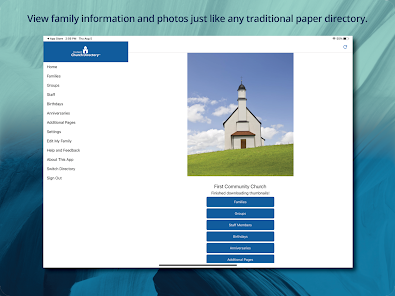
* View family information and photos just like any traditional paper directory.
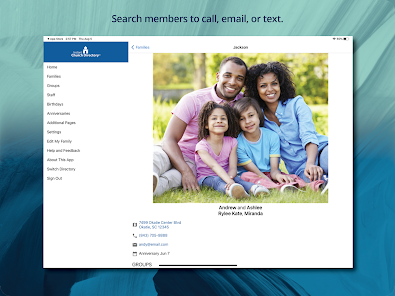
* Search members to call, email, or text.
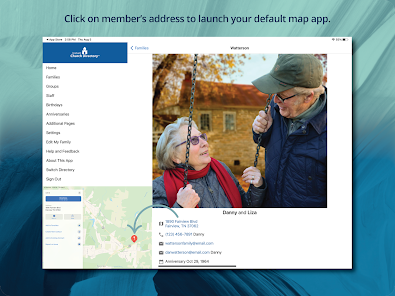
* Click on member's address to launch your default map app.
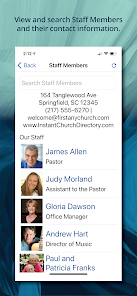
* View and search Staff Members and their contact information.
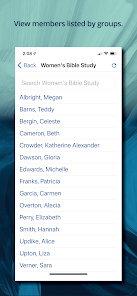
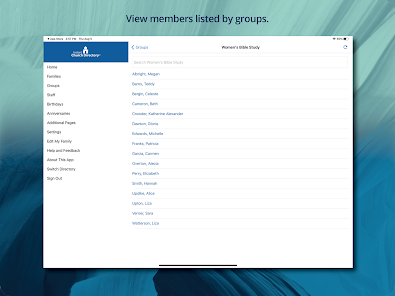
* View members listed by groups.
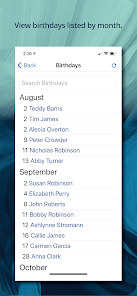
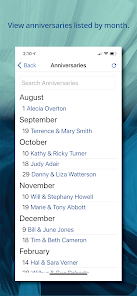
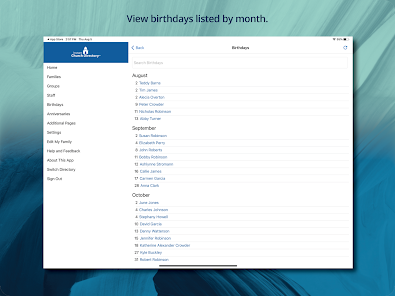
* View birthdays listed by month.
Your church must have a paid membership to Instant Church Directory Online (a subscription service) and you must be listed in their directory in order to use this Free Member App.
Use Instant Church Directory to:
* View family information and photos just like any traditional paper directory.
* Search members to call, email, or text.
* Click on member's address to launch your default map app.
* View and search Staff Members and their contact information.
* View members listed by groups.
* View birthdays listed by month.
Your church must have a paid membership to Instant Church Directory Online (a subscription service) and you must be listed in their directory in order to use this Free Member App.
Updated on
Safety starts with understanding how developers collect and share your data. Data privacy and security practices may vary based on your use, region, and age. The developer provided this information and may update it over time.

No data shared with third parties
Learn more about how developers declare sharing

This app may collect these data types
Personal info, App activity, and App info and performance

Data is encrypted in transit

You can request that data be deleted
Ratings and reviews
4.1
531 reviews

Sandy Cheney
- Flag inappropriate
January 10, 2024
I have been the admin for our church ICD for 1.5 years. All the features work as described, on the website or the app. I would like to see a little more control over the layout of the printed Roster page, but that is minor compared to what I can do. My biggest challenge is convincing my fellow church members to even try it. Many still want a "handbook" printed version. They don't understand how tedious those are to keep up to date and how simple this is. Cheers!
11 people found this review helpful

Kelvin Odoemene
- Flag inappropriate
August 2, 2021
Would have been nice to allow members update certain features about themselves, like profile pictures and personal information (address, phone number etc). The church should be able to enable that if they want. We currently struggle to keep the directory updated because we don't have a dedicated person to do it. Even if we do, it is not easy to get everyone to submit updated information each time their information changes.
47 people found this review helpful
Communication Resources, Inc.
August 2, 2021
Hi Kelvin,
The ability for members to update their own information is now a feature of Instant Church Directory. Members can update their photo, address, and contact info. from the app or member website. This help document explains more: https://help.instantchurchdirectory.com/article/1295-how-members-submit-updates-to-their-information

Lisa Brown
- Flag inappropriate
April 17, 2024
As admin, this site and app are very simple yet elegant. It is very affordable. The ease of adding, changing, updating and including information is absolutely wonderful. We just went live today and already have positive feedback. Thank you so much! This is EXACTLY what I have been looking for so that everyone can be up to date and have contacts at their fingertips!!
2 people found this review helpful
What's new
Miscellaneous bug fixes including updates to color customizations.