Voice Text - Text Voice
Contains ads
3.5star
3.08K reviews
1M+
Downloads

Everyone
info



About this app
VOICE TO TEXT (Talk and write your words as text)
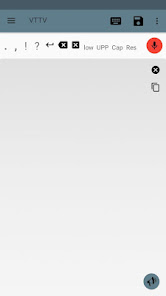
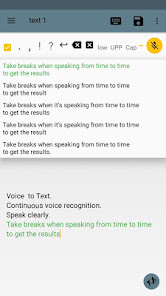
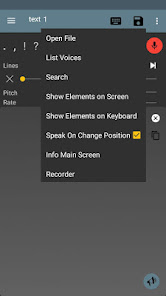
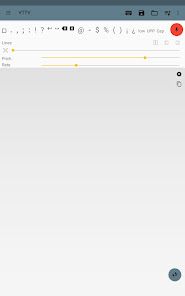
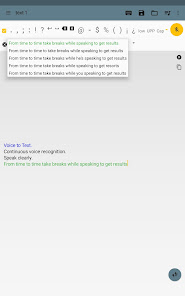
-Thanks to "Speech Recognition" you can talk and your words will be converted into characters and written as a text on the screen.
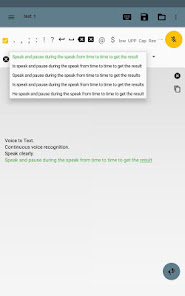
-Continuous voice recognition.
-Select different results (interpretations).
-Better results with Internet, but you can use without Internet (only one result).
TEXT TO VOICE (Write or import text and listen to it with the robot voice)
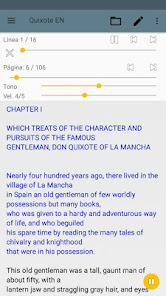
-Thanks to "Text To Speech" you can type any text which will be spoken by a digital voice.
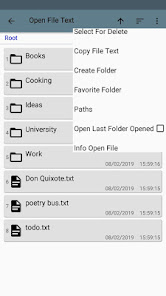
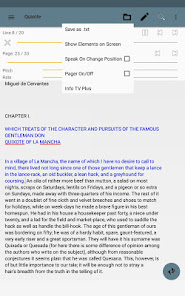
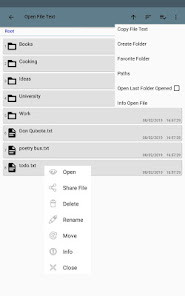
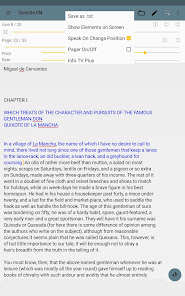
-You can add files from your device into the app and read it aloud.
-Text to speech is very useful for people with no speech communication, since you can write your words and they will be read by the digital voice.
-Listen to books.
FEATURES
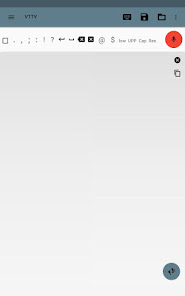
-Small keyboard scrollable with interchangeable positions.
-Working with files: txt.
-Save notes as file, as audio.
-List files.
-Copy audio and text files into the app.
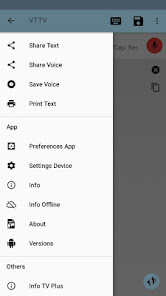
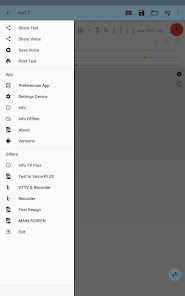
-Share text and files to others apps on your device.
(The application neither synchronize nor save files on the cloud, easily, you can share it to do your own backup).
ENGINE(S)
-Text to Voice depends on the motor(s) or engine(s) of your device (rare case there is none, you must download some).
LANGUAGES AND VOICES
-You can set it in any language and any voice supported for your device and engines.
-Without Internet you may need to download some languages first.
-The robot voices can be male or female (this depends on the engines).
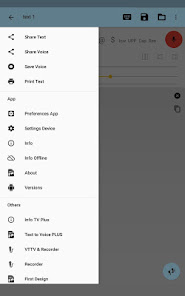
-See Menu-Info if you have troubles.
PREFERENCES
-See Menu-Preferences to adapt the most personal use.
AUDIO RECORDER
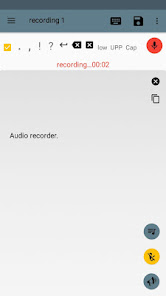
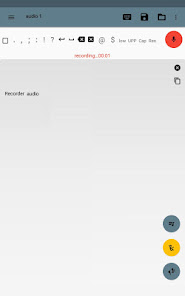
-The app include an Audio Recorder.
AUDIO TO TEXT (experimental)
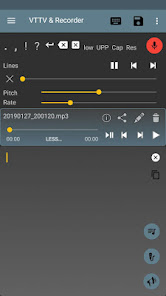
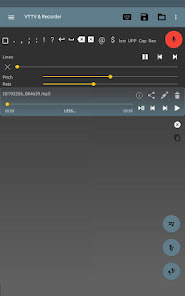
-An Audio Player is used to play and pause a file so that you can use Voice to Text (red microphone) and capture the results.
IMPORTANT
-It is not an automatic conversion.
-An audio file is not magically converted into a text file in one click.
-Video to Text is not supported.
-It is an experimental part.
PERMISSIONS
- Write/Read on external storage.
- Record using the microphone.
UTILITY
-Write text that you want to send or share with others apps.
-Use this app before using others to avoid error typing.
-It is helpful in your daily use of Android.
-Speak and take notes without using the keyboard.
PUBLICITY
-The app has publicity and is free.
Thanks for your suggestions, opinions, comments!
-Thanks to "Speech Recognition" you can talk and your words will be converted into characters and written as a text on the screen.
-Continuous voice recognition.
-Select different results (interpretations).
-Better results with Internet, but you can use without Internet (only one result).
TEXT TO VOICE (Write or import text and listen to it with the robot voice)
-Thanks to "Text To Speech" you can type any text which will be spoken by a digital voice.
-You can add files from your device into the app and read it aloud.
-Text to speech is very useful for people with no speech communication, since you can write your words and they will be read by the digital voice.
-Listen to books.
FEATURES
-Small keyboard scrollable with interchangeable positions.
-Working with files: txt.
-Save notes as file, as audio.
-List files.
-Copy audio and text files into the app.
-Share text and files to others apps on your device.
(The application neither synchronize nor save files on the cloud, easily, you can share it to do your own backup).
ENGINE(S)
-Text to Voice depends on the motor(s) or engine(s) of your device (rare case there is none, you must download some).
LANGUAGES AND VOICES
-You can set it in any language and any voice supported for your device and engines.
-Without Internet you may need to download some languages first.
-The robot voices can be male or female (this depends on the engines).
-See Menu-Info if you have troubles.
PREFERENCES
-See Menu-Preferences to adapt the most personal use.
AUDIO RECORDER
-The app include an Audio Recorder.
AUDIO TO TEXT (experimental)
-An Audio Player is used to play and pause a file so that you can use Voice to Text (red microphone) and capture the results.
IMPORTANT
-It is not an automatic conversion.
-An audio file is not magically converted into a text file in one click.
-Video to Text is not supported.
-It is an experimental part.
PERMISSIONS
- Write/Read on external storage.
- Record using the microphone.
UTILITY
-Write text that you want to send or share with others apps.
-Use this app before using others to avoid error typing.
-It is helpful in your daily use of Android.
-Speak and take notes without using the keyboard.
PUBLICITY
-The app has publicity and is free.
Thanks for your suggestions, opinions, comments!
Updated on
Safety starts with understanding how developers collect and share your data. Data privacy and security practices may vary based on your use, region, and age. The developer provided this information and may update it over time.

This app may share these data types with third parties
Location, Personal info and 3 others

No data collected
Learn more about how developers declare collection

Data is encrypted in transit

Data can’t be deleted
Ratings and reviews
3.7
2.91K reviews

Richard C.
- Flag inappropriate
- Show review history
October 2, 2023
This is seriously one of the ''Very Best'' VTT Programs I've ''EVER'' come across. To bad we can't purchase a licence and get rid of the ads. Please consider doing so as many would certainly pay just to get rid of those ads. Other than that; Best VTT i've ever come accros. EXELLENT PROGRAM !
2 people found this review helpful
Jesús Rojo
October 2, 2023
You can get the PRO version with no ads. Same name with PRO at the end. Thanks!

Minerva Minus
- Flag inappropriate
November 23, 2025
perfect app if not for the fact that it stores files in the data folder which isn't accessible from phone 😭 please fix that and I'll be happy to pay for the pro ver 🙏
Jesús Rojo
November 23, 2025
Long click in each file to see info, route, share...
Files are saved in:
1 /storage/emulated/0/Android/data/com.jesusrojo.voztextotextovoz/files/VozTextoTextVoz
or if you change the preference to SD card:
2 /storage/SDCard/Android/data/com.jesusrojo.voztextotextovoz/files/VozTextoTextVoz
You can use an app that allows browse all files on your phone

A Google user
- Flag inappropriate
July 2, 2019
how can I upload prerecorded voice noted and convert to text on the app.. becuase that's one of your listed features. I tried to open file bit had an error that file is not txt
20 people found this review helpful
Jesús Rojo
July 2, 2019
All the info is in:
Menu (top-left) - Info - Audio a Texto (experimental) (at the bottom)
What’s new
Updated to Android 15.
App support
About the developer
Jesús Rojo Hernando
developer.vttv@gmail.com
C. Alta, 18
40235 Aldeasoña
Spain


