Kainy (Remote Gaming/Desktop)
Loading device compatibility...
Item added to wishlist.
Item removed from wishlist.
1
Special price $2.99 instead of $4.99.
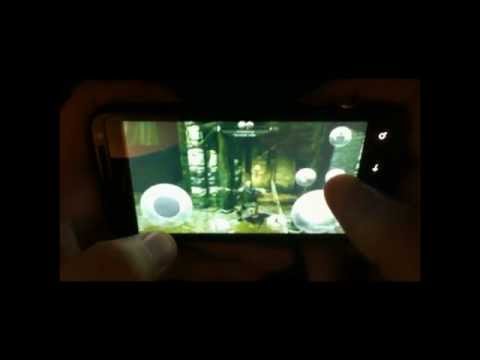
Kainy is a remote desktop oriented for Gaming and Performance.
Stream your games from your PC into your Phone/Tablet.
Play your PC Games Everywhere (Wifi/3G/4G).
- HD/native resolution.
- About 100 Preset Templates for Controls and UI.
- Up to 60 fps.
- Customize your Interfaces (Buttons and Controls).
- Apply your Custom Pages (Interfaces) for each of your Games/Applications.
- Use Accelerometer to control your Games.
- Support Fullscreen, Sounds, Bluetooth Keyboard...
- Authentication/Data encryption in 128 bits.
- Use Kainy as Game Controller.
- Optimized for Neon, Tegra2 and Tegra3.
- Multi-Devices connections (Up to 5).
Video Samples:
Super Meat Boy: http://youtu.be/ows43vjJsd8
Multi-Devices connections: http://youtu.be/6I-mbJhQb-Y
Minecraft/XBox Controller: http://youtu.be/eRyX_yF9suM
Kainy is a remote desktop oriented for Gaming and Performance.
Stream your games from your PC into your Phone/Tablet.
Play your PC Games Everywhere (Wifi/3G/4G).
- HD/native resolution.
- About 100 Preset Templates for Controls and UI.
- Up to 60 fps.
- Customize your Interfaces (Buttons and Controls).
- Apply your Custom Pages (Interfaces) for each of your Games/Applications.
- Use Accelerometer to control your Games.
- Support Fullscreen, Sounds, Bluetooth Keyboard...
- Authentication/Data encryption in 128 bits.
- Use Kainy as Game Controller.
- Optimized for Neon, Tegra2 and Tegra3.
- Multi-Devices connections (Up to 5).
Video Samples:
Super Meat Boy: http://youtu.be/ows43vjJsd8
Multi-Devices connections: http://youtu.be/6I-mbJhQb-Y
Minecraft/XBox Controller: http://youtu.be/eRyX_yF9suM
My review
Review from
Reviews
3.8
1,558 total
5 739
4 303
3 188
2 86
1 242
Razu
Server unreachable Done all things, port forward, allowed in fw, open reopen app, reinstall on pc. Wth i thought if i buy the app i would be able to connect. Cant even connect on local. The logs said network ready but i cant wven connect. Until i get to connect i will give this 1 star.. running on galaxy s4 btw and not having prob with other remote app
Hijinio Reynoso
Near Perfect Update: Still works great on Cm12.1!!! ... Original review: Bioshock 2, Deus Ex HR, Pacman DX+ ... all playable, but you need ethernet from server to router and 5ghz from router to phone. Only complaint is better MOGA pro HID support... L2 and R2 do not work at all, but other buttons do. Otherwise smooth graphics and clear sound.
Tanweer Al-qarni
Dont read the negative feedback This app is great. It functions the best it could, software wise. Most negative feedback are based on poor hardware. Thats your own problem. Not the makers of this great App. Remember if you have good hardware such as a good gpu with a good 2.5ghz router (5ghz recommended) and a phone that can handle the streaming, then your good to go. Tested on Moto G 2013 8GB
Jason Byrd
Works good. I tried the ads version and it didnt work at all. I read the paid version is better so for the 3 bucks I figured worth a try. really glad I did the paid one runs way better. Pretty awesome ap but one complaint I would really like it to be able to stream a game outside its local network like on a wan, but I realize that its hard to do it and all other devices have same limitations,hopefully in future it will have that capability
David Kunz
Fastest Remote Desktop for Gaming that I've found. Very customizable and well thought out application. Can take a while to get used to mapping pages but once it's configured it works very well. Not sure how much controller support is available seeing as I havn't messed around with that yet. Been using it to play PS2 emulators on my tablet streaming from PC while the girlfriend watches TV. (My PC uses my TV as a moniter)
Erik Lentz
Kainy shows great promise. The streaming is smooth and fast, even over slow connections. Unfortunately, the control configuration is not quite ready for prime-time. For every game, it appears you have to spend a huge chunk of time awkwardly mapping and testing controls. If it used x-input or simulated a gamepad, it would really simplify the configuration process and make many games ready to play with no configuration. There really needs to be a site/platform/something for sharing templates, so people who have spent the hours needed to put a control set together can share it to those who don't have that sort of free time. I was hoping to play some aRPGs with this, but it's just not ready.
User reviews
Server unreachable Done all things, port forward, allowed in fw, open reopen app, reinstall on pc. Wth i thought if i buy the app i would be able to connect. Cant even connect on local. The logs said network ready but i cant wven connect. Until i get to connect i will give this 1 star.. running on galaxy s4 btw and not having prob with other remote app
Near Perfect Update: Still works great on Cm12.1!!! ... Original review: Bioshock 2, Deus Ex HR, Pacman DX+ ... all playable, but you need ethernet from server to router and 5ghz from router to phone. Only complaint is better MOGA pro HID support... L2 and R2 do not work at all, but other buttons do. Otherwise smooth graphics and clear sound.
Dont read the negative feedback This app is great. It functions the best it could, software wise. Most negative feedback are based on poor hardware. Thats your own problem. Not the makers of this great App. Remember if you have good hardware such as a good gpu with a good 2.5ghz router (5ghz recommended) and a phone that can handle the streaming, then your good to go. Tested on Moto G 2013 8GB
Works good. I tried the ads version and it didnt work at all. I read the paid version is better so for the 3 bucks I figured worth a try. really glad I did the paid one runs way better. Pretty awesome ap but one complaint I would really like it to be able to stream a game outside its local network like on a wan, but I realize that its hard to do it and all other devices have same limitations,hopefully in future it will have that capability
Fastest Remote Desktop for Gaming that I've found. Very customizable and well thought out application. Can take a while to get used to mapping pages but once it's configured it works very well. Not sure how much controller support is available seeing as I havn't messed around with that yet. Been using it to play PS2 emulators on my tablet streaming from PC while the girlfriend watches TV. (My PC uses my TV as a moniter)
Kainy shows great promise. The streaming is smooth and fast, even over slow connections. Unfortunately, the control configuration is not quite ready for prime-time. For every game, it appears you have to spend a huge chunk of time awkwardly mapping and testing controls. If it used x-input or simulated a gamepad, it would really simplify the configuration process and make many games ready to play with no configuration. There really needs to be a site/platform/something for sharing templates, so people who have spent the hours needed to put a control set together can share it to those who don't have that sort of free time. I was hoping to play some aRPGs with this, but it's just not ready.
Don't recommend for nvidia shield Button mappings don't keep their assigned binding, and when I try to use my assigned keys I get an error that breaks the program. It has the potential to be the best, but right now splashtop thd is the best streamer for the shield for anyone with an amd card. It would be nice to have a preset gamepad option for nvidia shield as manually mapping the buttons doesn't work for me.
Skyrim on my phone This app is incredible. Currently playing skyrim ultra with full gfx mods, d3 and leftfordead2 on my phone touchscreen at 60fps. All other alternatives to this require tegra chips and gamepads. People who downrate this are using bad routers. If you experience lag its due to your router speeds. I got a gaming one now and no lag. Amazing app!! Please keep developing it!!
I gotta say I tried splashtop kinoconsole and remotr none of them come close to this one I'm glad I bought it work flawlessly 60fps on nvidia-shield portable. Of course your experience may differ if you're using a crappy router
Awesome for Nvidia Shield Kainy is very good at streaming when you have an AMD card. The only downside for the Shield, is that the Gamepad seems to not work in all of the games, which is why I removed one star. The dev hasn't updated the app in a while too, I wonder if it's dead.
Consider it recommended It took a minute to set up, but then I was of playing Kerbal Space Program on my phone.. i cant express how happy I am with this purchase! Thank you so much for the mass of features, I love the custom buttons!!!! :D
Horrible Controls An absolute nightmare to configure. Something I'd expect from freeware, not something I paid for. Haven't managed to get any use out of it. Furthermore, on some games that use a custom cursor the mouse cursor will simply disappear. Definitely needs some improvement.
I like but... I would like to see settings for google cardboard. Like the acelemometer. When i look up i want to look up in the game. And double screen needs some work too. I cant see the bottom of the screen via google cardboard. Fix these issues and i will rate 5 stars.
It works It does work and has many useful setting. But it has a longish learning curve that makes kinda hard for a few individual to understand. The worst flaw is the abandonment from the developer. It's been about a year and no updates. This could of really been great. specially now with the vr thing going on. I'm using tridef on my PC and streaming SBS gamed to my phone. I'm also using the gyroscope for mouse control for the head tracking.
Works well Using nexus 6 connected to my win 7 pc playing Witcher 3. A bit confusing setting up buttons initially. No rectangular buttons as yet.
I use a fiber connection at home and at work. Playing games like CIV5, GTA5, cities skylines is unreal! I have 2 suggestions: - Video quality options, users should have the abitlitiy to change lose quality for lower lag. - F1-F12 keys as buttons to add on, games like CIV use the F keys and it sucks not being able to jump to them.
It mostly works It's fairly reliable but some games don't work, not sure why but it is better than the other streaming apps. It's great too for parties when your playing music off your pc and you don't want it on or where everyone can mess with it. I'd recommend this to anyone even at this stage. I just hope the guy can get some marketing in, ps if you need help I would be willing to help promote this
Works but needs tweaks No one has fixed the sensor drift in this so you can't use the accelerometer feature. Works great with any vr headset. Lag for me is about a key click or less. Fix the sensor problem and it'll be great! No it isn't my phone, other apps don't do it.
Works as intended, however. . Works as intended, however, it would be nice to have some more advanced control over the stream quality for use on cellular networks where the throughput can vary wildly from foot to foot. Perhaps auto degredation would be an option, versus what appears to now be dropped video packets.
UPDATE I recently got a new phone, the Note 4 and now this app runs perfectly even when im at school! Playing Civ 5 is easy when im in lecture but now I pose a high risk of failing my classes! If you have a recent phone like the note 4 the S5 or any recent phone, you should be able to run this program perfectly but if you have an s3 then steer clear this program requires alot of power.
I clearly bought this wtf! I paid for this over a year ago and redownloaded it today from the play store, but I'm getting lisence errors telling me to restart my brand new galaxy s5 even though I've done it countless times and got the same error. Fix this bullshit smh
its good and lots of people will be looking at kainy as diy vr takes off. best used with usb tethering. cant get the android lolipop system bar to go away on an LG G3s which is a problem and loses 1 star.
Freaking brilliant. First impressions were a bit negative. But there is help on the program which I overlooked. This program is genious, and beats the others due to its features. There are so many! Definitely recommend and might even donate an extra 5er because its so cheap!
Good app Very promising but I have no clue how to set up any controller. I tried 360 ps3 and ps4. Phone recognised them straight away but not the app. I have spent 3 hours so far
Price:Performance, Can't be beat So far, aside from buying an Nvidia Shield, this has been the best app for streaming PC games to Android. $3, one time, unlimited use. There is a bit of trouble playing some games in fullscreen, but it has an autofocus feature that works quite well with windows. I've been streaming 1080 windowed games on a 4k monitor and have never seen edges behind the game. The next best thing is Splashtop, but you don't get on-screen controls unless you're using a tablet. This is by far the best choice for streaming to high-powered phones. Phone: OnePlus One
Fave 1 Great app playing crysis 3 on your phone awesome. The best part of the app is being able to get a cheap tablet and make your desktop mobile. Don't view this is app just for gaming it is so much more.
Awesome for gaming I tried to find a remote desktop app that would work well for gaming and this is the best one out there. Tried Splashtop and the lag was abysmal. No lag here with Kainy. I also have an AMD gfx card in my PC so that rules out anything based on Nvidia Gamestream technology. The only downside to Kainy is its confusing and ugly interface. But it offers so much in terms of controls customization that I don't care how it looks. Awesome app. Very satisfied.
Best game/app streaming app Works as advertised. A tiny bit of lag, but not enough to stop me playing. Control pages are great, and easily edited for whatever you require.
Mouse out of focus when image is doubled, disconnects all the time. Image quality not good even highest is selected it distorts in fast motion. This app is good only for reading.
tried to hold out for a better rating Purchased over a year ago, still a beta release at best. No improvement. One of them apps i regret buying...even on sale
No sound on device On most of my devices the app functions somewhat well, but on my first gen galaxy tab 10.1 i only get video but no audio, even when i tinker around with the settings. This saddens me as I love the potential things that I could do with this app. Also. It does not save any of my "pages" or other changed settings after I have closed the app. But the sound problem is the most annoying. I hope that it can be addressed soon if at all. Otherwise great job on the app so far!!
Slow too slow 5ghz router 120mbps, 20fps with graphical glitches. Kino console is 720p 30fps but at least it's smooth as butter and no graphic errors. Wish I can get a refund.
amazing playing crysis 2 at 60fps on googlecardboard. WARNING, set game priority higher than kainy or ull have severe performance issues
Excellent Great app very low latency but it's a bit glitchy from my modem so maybe eventually I'll get a better modem to get full enjoyment from this plus theres some serious audio delay even on low quality... but overall, this is a great proof of concept. Looking forward to seeing more updates. May I suggest moga pro support (mode a) that would complete this app.
dont listen to the nay-sayers just because they dont feel like spending time to set up a few controls, or because they have crappy low end device or poor home network/internet speeds. currently playing stick of truth on my phone and it works flawlessly. I also use the app to access work files from pc while im away.
Amazing app just one problem I've noticed that after a few days after installing Kainy on my desktop, I can still connect to the desktop from my phone but I cannot control anything. Nothing works. It's really frustrating because it seems like the only way to fix it is to uninstall Kainy from my desktop and reinstall it. If that problem never happened then I'd give this 5 stars. Anyone know why that problem exists in the first place?
Great for nvidia shield with amd This app has made me so happy. I have a nvidia shield and my rig has a amd r9 270x graphics card. I have never been able to play my PC games on my shield, but I am also a developer and I have taken this app and made it work perfect with native nvidia shield controls to play titanfall and all steam games on a single band 802.11 n router. This is flawless and finally opens up my shield to gaming with my amd card with no onscreen overlays. If you have a shield buy now.
Needs work I would like a smoother connection even when set into controller only mode, this app tends to lag sometimes and randomly disconnect and reconnect itself and yes I have full Wi-Fi signal, and the PC/server is on a cat 5 cable.
Good Performance; MOGA Controller Support is Lacking The streaming is great. Graphics and sounds look and sound great, however my MOGA controller does not map the L2 and R2 buttons properly. All of the other buttons work flawlessly, but the controller is practically useless without the triggers.
Love the app, but slightly confused The app itself is great, it works where Limelight failed on my devices. Thank you Developer! I am slightly confused though, as to how I can have my control setup so I can scroll my finger to move the mouse, but without it clicking as soon as I take my finger off the screen. I've gone through all the controller types, and every one seems to do it. Other than that, I was playing all my favourite roguelikes on my phone and they kept me up well into the early hours. Now I'm off to work, thank you Kainy! <3
Review deleted
What's New
Latest changelists: www.kainy.com
Additional information
Eligible for Family Library
Updated
March 18, 2014
Installs
10,000 - 50,000
Current Version
1.74
Requires Android
2.2 and up
Permissions
Report
Flag as inappropriate Offered By
Jean-Sebastien Royer
Developer
