
KLANG:app

star
90 reviews

Everyone
info
10K+
Downloads

Everyone
Learn more


About this app
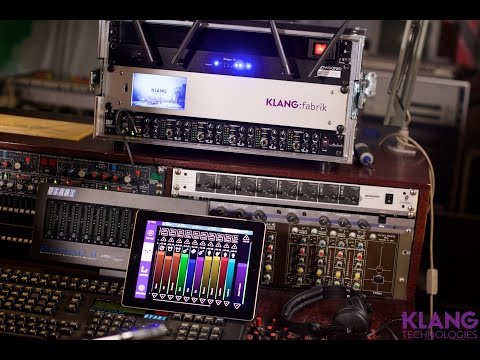
Our app provides each musician with control over his own unique and individual sound mix.
Place each instrument spatially via drag’n’drop anywhere around your head as well as above and below. Choose between conventional stereo and 3D. Some of the world’s highest decorated sound engineers worked with us while tailoring everything exactly to their daily needs. Musicians and sound engineers can now simultaneously work on individual mixes in real-time.
Place each instrument spatially via drag’n’drop anywhere around your head as well as above and below. Choose between conventional stereo and 3D. Some of the world’s highest decorated sound engineers worked with us while tailoring everything exactly to their daily needs. Musicians and sound engineers can now simultaneously work on individual mixes in real-time.
KLANG:app lets you to control your immersive KLANG processor.
Updated on
Featured stories

Safety starts with understanding how developers collect and share your data. Data privacy and security practices may vary based on your use, region, and age. The developer provided this information and may update it over time.
- No data shared with third partiesLearn more about how developers declare sharing
- No data collectedLearn more about how developers declare collection


Ratings and reviews
83 reviews

Topher Barnett
- Flag inappropriate
February 11, 2025
Not in par with the rest of the system. This app feels like it was made for a PC, then hastily ported over to Android. Text and icons are tiny and hard to see on the Pixel 8 Pro. Buttons are too small to press, and the Stage page cannot be zoomed in to make it easier to see. When moving a fader, the whole bank still scrolls side to side. Even the About section doesn't scroll correctly, it just highlights text. No way would I give this to musicians to use. Maybe the iOS version is better?

David Tam
- Flag inappropriate
- Show review history
July 12, 2026
Split screen doesn't work well after most recent update. I used to use in split screen with music stand. After update, klang no longer sizes correctly in split screen. An annoyance to say the least of needing to adjust levels during live. update: split screen is back. wish there was an easy way to adjust eq in personal mode on phone app. Our sound man showed me how to adjust it on his tablet but I can't find the same control on my phone.
KLANG:technologies GmbH
July 2, 2026
Thanks for the report — and sorry for the hassle during live use, that's exactly when it matters most. The split-screen sizing bug on Android is fixed in 6.0.3, rolling out soon. Once you're on it, KLANG should resize correctly again. Let us know if anything's still off! — The KLANG team

Boon Leng Teo
- Flag inappropriate
March 24, 2024
Very useful in band rehearsal n performance. Only thing is that occasionally, it switches out of the specific mixer config into a generic one, so can't control the sound. Then would've to exit n log in agn, n wait. But this doesn't affect existing mixer arrangements.
KLANG:technologies GmbH
September 17, 2024
Hi, thanks for reporting this issue to us. We'll check it and improve our app. Please send us logs ( KLANG:app > CONFIG > INFO > Collect all logs ) via Email.
What’s new
Bug fixes:
• Demo mode no longer forces 44.1 kHz, so Bluetooth headphones keep working.
• Demo mode no longer makes a loud noise when starting, stopping or switching songs.
• The METER screen in demo mode no longer shows all channels in red.
• Fixed a crash with preset or show names in characters such as Japanese.
• STAGE view: stereo channels keep their width; prev / next stay within a focused group.
• Demo mode no longer forces 44.1 kHz, so Bluetooth headphones keep working.
• Demo mode no longer makes a loud noise when starting, stopping or switching songs.
• The METER screen in demo mode no longer shows all channels in red.
• Fixed a crash with preset or show names in characters such as Japanese.
• STAGE view: stereo channels keep their width; prev / next stay within a focused group.
Everyone
Learn moreApp support
phone
Phone number
+4924189030120
About the developer
KLANG:technologies GmbH
de-support@klang.com
Wespienstr. 8-10
52062 Aachen
Germany
+49 241 89030120