WhatWeather - Weather Station
인앱 구매
4.4star
리뷰 3.9천개
50만+
다운로드

전체이용가
info
앱 정보
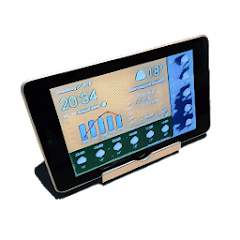
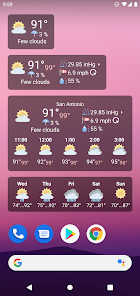
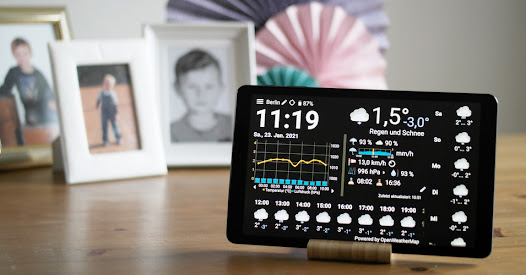
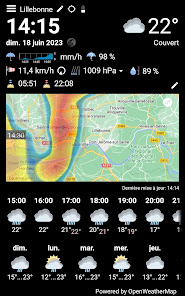
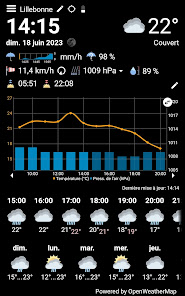
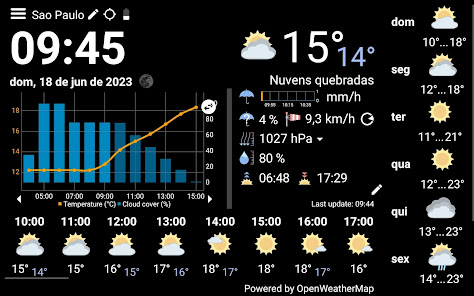
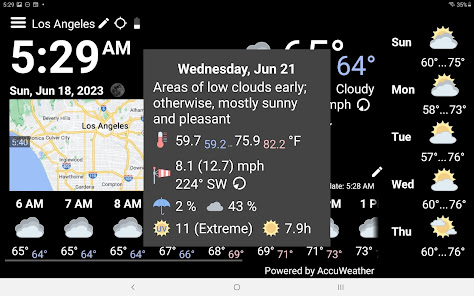
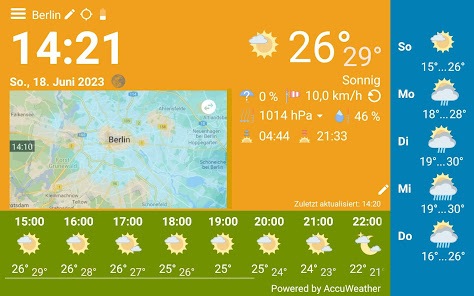
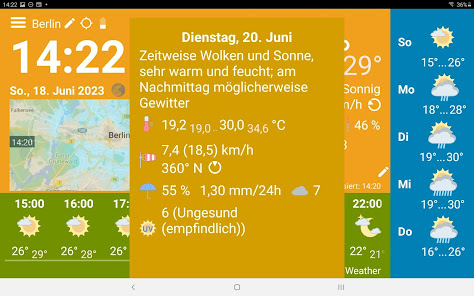
기존 Android 휴대폰이나 태블릿을 기상 관측소로 사용하세요. 이 앱을 설치하기만 하면 됩니다. 디스플레이는 항상 켜져 있고 콘텐츠는 자동으로 업데이트됩니다. 현재 날씨, 시간별 일기예보, 일일 예보 및 최대 3일 동안의 날씨 기록을 한 눈에 볼 수 있습니다. 완전 무료이며 귀찮은 광고도 없습니다.
앱 내에서 다음과 같은 추가 기능을 구매할 수 있습니다.
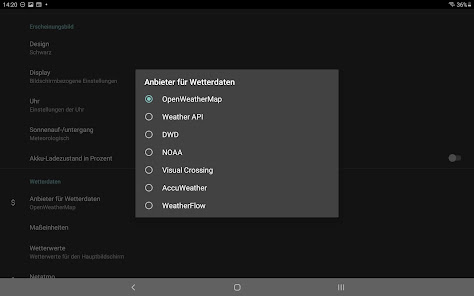
* 다양한 날씨 데이터 제공업체를 무료로 선택: OpenWeatherMap, Weather API, DWD, NOAA, Visual Crossing, WeatherFlow 및 AccuWeather
* Netatmo, Weather Underground 또는 WeatherFlow를 통해 개인 기상 관측소와 선택적으로 통합
* 더 자주 자동 새로고침
* 분별 비 예보
* 강수량 레이더
* 디스플레이가 자동으로 어두워지거나 꺼질 수 있습니다.
* 구름량과 비와 눈의 양을 구분하는 아이콘
* 달의 위상
* 체감온도
* 기록 그래프는 항상 채워집니다.
* 추가 값: 비 확률 및 강도, 구름량, 이슬점, UV 지수, 오존 및 팝업 창 가시성
* 시간별 예측 및 기록에 대한 가변 간격
* 전환 가능한 전체 화면
FAQ
이 앱의 용도는 무엇인가요?
초기 아이디어는 아직 작동하지만 오래된 Android 버전으로 인해 너무 느리거나 안전하지 않은 오래된 태블릿을 부활시키는 것이었습니다. 일반적으로 이러한 태블릿은 WhatWeather를 실행하기에 충분합니다.
앱을 무료로 언제까지 사용할 수 있나요?
당신이 원하는 한. 기본 기능 세트를 제공하며 인앱 구매를 통해 업그레이드할 수 있습니다.
WhatWeather Pro란 무엇인가요?
WhatWeather Pro는 WhatWeather가 인앱 구매와 동일한 기능을 제공하므로 더 이상 사용되지 않습니다. 더 이상 별도의 앱을 설치할 필요가 없습니다.
각 기기마다 업그레이드를 별도로 구매해야 하나요?
아니요. 인앱 구매는 Google 계정에 할당된 모든 기기에서 사용할 수 있습니다.
연중무휴 24시간 지원을 제공합니까?
우리는 매일 이메일을 확인하고 귀하의 요청에 답변하기 위해 최선을 다하고 있습니다.
XY 기능이 누락된 이유는 무엇인가요?
별 1개 리뷰를 작성하는 것보다 저희에게 연락하는 것이 더 나은 생각입니다. 이를 목록에 올리거나 구현하고 싶지 않은 이유를 설명할 기회를 주십시오.
화면에 빈 공간이 많은데 더 큰 글꼴이나 추가 데이터로 채워보는 것은 어떨까요?
다양한 화면 비율, 시간 및 날짜 형식, 언어 및 선택적 데이터를 모두 충족해야 하며 켜고 끌 수 있는 하나의 레이아웃이 있습니다. 우리가 참고한 제품은 오래된 Google Nexus 7입니다. 우리는 레이아웃을 지속적으로 개선하고 있지만 귀하의 특정 장치에 완벽하게 맞지 않을 수도 있습니다.
WhatWeather가 GPS 권한을 요청합니다. 어떤 용도로 사용하시나요?
날씨 데이터 제공업체에는 귀하의 위치가 필요합니다. WhatWeather는 자동으로 장치를 찾으려고 시도합니다. 권한을 거부하거나 기기의 위치 서비스를 끄는 경우 위치를 수동으로 입력해야 합니다. 백엔드 서버에 제출된 좌표, 언어, 앱 버전 외에는 개인 데이터가 없습니다.
이 앱에는 https://icons8.com의 아이콘이 사용되었습니다.
앱 내에서 다음과 같은 추가 기능을 구매할 수 있습니다.
* 다양한 날씨 데이터 제공업체를 무료로 선택: OpenWeatherMap, Weather API, DWD, NOAA, Visual Crossing, WeatherFlow 및 AccuWeather
* Netatmo, Weather Underground 또는 WeatherFlow를 통해 개인 기상 관측소와 선택적으로 통합
* 더 자주 자동 새로고침
* 분별 비 예보
* 강수량 레이더
* 디스플레이가 자동으로 어두워지거나 꺼질 수 있습니다.
* 구름량과 비와 눈의 양을 구분하는 아이콘
* 달의 위상
* 체감온도
* 기록 그래프는 항상 채워집니다.
* 추가 값: 비 확률 및 강도, 구름량, 이슬점, UV 지수, 오존 및 팝업 창 가시성
* 시간별 예측 및 기록에 대한 가변 간격
* 전환 가능한 전체 화면
FAQ
이 앱의 용도는 무엇인가요?
초기 아이디어는 아직 작동하지만 오래된 Android 버전으로 인해 너무 느리거나 안전하지 않은 오래된 태블릿을 부활시키는 것이었습니다. 일반적으로 이러한 태블릿은 WhatWeather를 실행하기에 충분합니다.
앱을 무료로 언제까지 사용할 수 있나요?
당신이 원하는 한. 기본 기능 세트를 제공하며 인앱 구매를 통해 업그레이드할 수 있습니다.
WhatWeather Pro란 무엇인가요?
WhatWeather Pro는 WhatWeather가 인앱 구매와 동일한 기능을 제공하므로 더 이상 사용되지 않습니다. 더 이상 별도의 앱을 설치할 필요가 없습니다.
각 기기마다 업그레이드를 별도로 구매해야 하나요?
아니요. 인앱 구매는 Google 계정에 할당된 모든 기기에서 사용할 수 있습니다.
연중무휴 24시간 지원을 제공합니까?
우리는 매일 이메일을 확인하고 귀하의 요청에 답변하기 위해 최선을 다하고 있습니다.
XY 기능이 누락된 이유는 무엇인가요?
별 1개 리뷰를 작성하는 것보다 저희에게 연락하는 것이 더 나은 생각입니다. 이를 목록에 올리거나 구현하고 싶지 않은 이유를 설명할 기회를 주십시오.
화면에 빈 공간이 많은데 더 큰 글꼴이나 추가 데이터로 채워보는 것은 어떨까요?
다양한 화면 비율, 시간 및 날짜 형식, 언어 및 선택적 데이터를 모두 충족해야 하며 켜고 끌 수 있는 하나의 레이아웃이 있습니다. 우리가 참고한 제품은 오래된 Google Nexus 7입니다. 우리는 레이아웃을 지속적으로 개선하고 있지만 귀하의 특정 장치에 완벽하게 맞지 않을 수도 있습니다.
WhatWeather가 GPS 권한을 요청합니다. 어떤 용도로 사용하시나요?
날씨 데이터 제공업체에는 귀하의 위치가 필요합니다. WhatWeather는 자동으로 장치를 찾으려고 시도합니다. 권한을 거부하거나 기기의 위치 서비스를 끄는 경우 위치를 수동으로 입력해야 합니다. 백엔드 서버에 제출된 좌표, 언어, 앱 버전 외에는 개인 데이터가 없습니다.
이 앱에는 https://icons8.com의 아이콘이 사용되었습니다.
업데이트 날짜
보안은 개발자가 데이터를 수집 및 공유하는 방식을 파악하는 것에서 시작됩니다. 데이터 개인 정보 보호 및 보안 관행은 사용자의 앱 사용, 지역, 연령에 따라 다를 수 있습니다. 이는 개발자가 제공한 정보이며 추후 업데이트될 수 있습니다.


평가 및 리뷰
4.2
리뷰 2.82천개

허일성
- 부적절한 리뷰로 신고
- 리뷰 기록 표시
2023년 11월 4일
100% 무료 인가요? 보시는데로 답변 바랍니다 다른 어플들은 오늘 흐림으로 나오는데 이어플은 맑음으로 나오네요 그래서 별점수 깍겠습니다 날씨 온도도 안맞고 다른 어플은 17도를 가르키는데 이앱은 12도? 황당하네 재대로 맞는게 없어.👎👎
kolov.com
2023년 9월 12일
Basic features are 100% free. You can purchase additional features.

Dae Kwang KIM
- 부적절한 리뷰로 신고
2021년 1월 21일
구형 스마트폰을 구글 스마트시계처럼 쓸 수 있게 해주는 어플
사용자 9명이 이 리뷰가 유용하다고 평가함
새로운 기능
* Minutely precipitation optionally in inch/h
* Optimized support request
* Bug fixes
* Optimized support request
* Bug fixes


