
Service Freezer (Root)
Contains adsIn-app purchases
3.3star
1.68K reviews
500K+
Downloads

Everyone
info
About this app
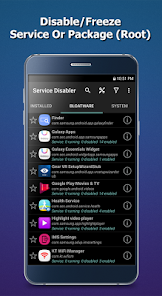
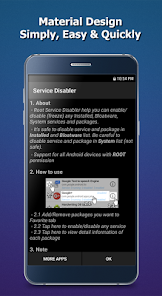
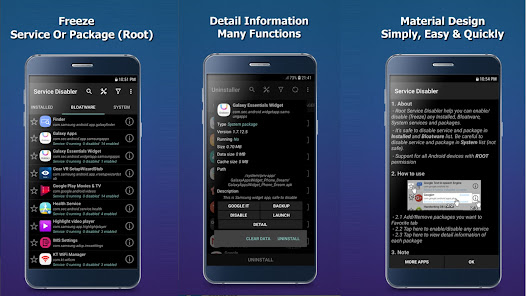
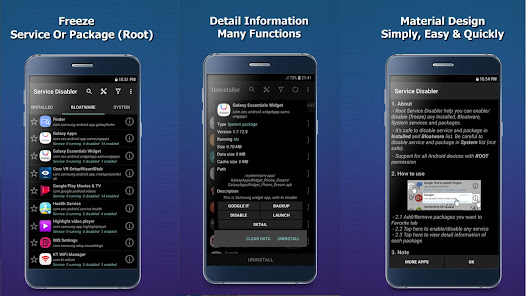
📱Service Freezer (Root) is a utility app designed to help advanced users manage installed apps and services on rooted Android devices. The app allows you to freeze selected services or packages to reduce background activity and improve device control.
The app works with most rooted Android devices, including Samsung, Sony, LG, Xiaomi, Oppo, HTC, and more.
🔑 Main Features
✔Freeze services or packages
freeze selected installed apps, preinstalled apps, or system services (root access required).
✔Custom bloatware list
Create and manage your own list by marking packages as bloatware or non-bloatware.
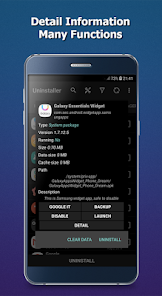
✔Package management tools
View detailed information, launch apps, or uninstall packages.
✔Clear cached data of app
Remove cached data of selected applications.
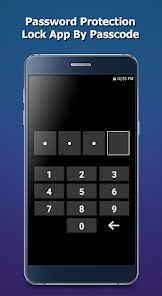
✔Biometric authentication
Optional fingerprint/biometric lock for app access.
⚠️ Important Notes
- Only freeze services or packages if you clearly understand their function. Disabling essential system components may cause unexpected behavior.
- Before installing Android system updates (OTA), make sure all frozen services and packages are re-enabled.
- Please back up your device and important data before using this app.
- Root access is required for freezing functionality. Rooting may affect device security or warranty. This app does not encourage or guide users to root their devices.
- We do not collect personal data. The app only uses Google Crashlytics and Google Analytics to collect anonymous crash and performance information for stability improvements.
📩 Support
We value your feedback.
If you have questions, issues, or suggestions, please contact us at:
📧 kunkunsoft@gmail.com
The app works with most rooted Android devices, including Samsung, Sony, LG, Xiaomi, Oppo, HTC, and more.
🔑 Main Features
✔Freeze services or packages
freeze selected installed apps, preinstalled apps, or system services (root access required).
✔Custom bloatware list
Create and manage your own list by marking packages as bloatware or non-bloatware.
✔Package management tools
View detailed information, launch apps, or uninstall packages.
✔Clear cached data of app
Remove cached data of selected applications.
✔Biometric authentication
Optional fingerprint/biometric lock for app access.
⚠️ Important Notes
- Only freeze services or packages if you clearly understand their function. Disabling essential system components may cause unexpected behavior.
- Before installing Android system updates (OTA), make sure all frozen services and packages are re-enabled.
- Please back up your device and important data before using this app.
- Root access is required for freezing functionality. Rooting may affect device security or warranty. This app does not encourage or guide users to root their devices.
- We do not collect personal data. The app only uses Google Crashlytics and Google Analytics to collect anonymous crash and performance information for stability improvements.
📩 Support
We value your feedback.
If you have questions, issues, or suggestions, please contact us at:
📧 kunkunsoft@gmail.com
Updated on
Safety starts with understanding how developers collect and share your data. Data privacy and security practices may vary based on your use, region, and age. The developer provided this information and may update it over time.


Ratings and reviews
3.4
1.59K reviews

Chad May
- Flag inappropriate
January 23, 2026
I have successfully used this with my rooted OnePlus 8 t and I have prevented iPhone from updating to newer Android versions this way. so far so good.

A Google user
- Flag inappropriate
- Show review history
November 3, 2019
Works well to disable unwanted services but has a few bugs that need to be addressed: 1. Searching for services inside of a package does not provide all the expected results 2. Why can't we disable more than one service at the same time? App refreshes the selection and returns to a blank home screen. Then I need to navigate back to the bloatware page and then back to my favorites (to reactivate my favorites for whatever reason) and then scroll to the next service (since I can't search for it)
96 people found this review helpful

k fronde
- Flag inappropriate
September 17, 2021
Works for Android 9 to disable two "system update" related sub-services under "Google play services" group to prevent persistent automatic ota update of a particular buggy system update which causes "sim card not detected" problem. Phone is Blu G9 android 9 rooted, it was a case of choosing between buying a new phone versus living without future ota updates, I chose the latter. Just select & click the service(s) to disable & reboot, they display as sub-service(s) under parent service group(s).
53 people found this review helpful
What’s new
- improve performance and fix bug
App support
About the developer
Vũ Đan Hoài Vũ
koffeeteam@gmail.com
Cự Khê, Thanh Oai
Hà Nội 13513
Vietnam


