
MyMedia iFile Manager & Music
Contains adsIn-app purchases
4.2star
1.01K reviews
50K+
Downloads

Everyone
info


About this app
MyMedia is a powerful download and file manager that enables you to play music and videos offline. You can download files, play, manage, organize and export them to other apps.
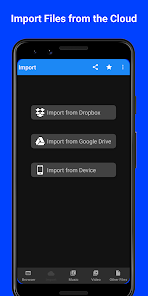
You can import your files from Cloud providers such as Google Drive and Dropbox.
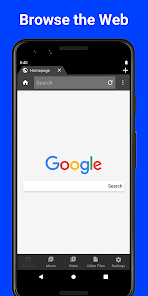
Web Browser:
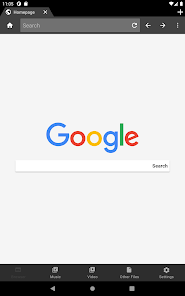
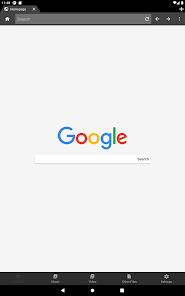
- Full featured web browser.
- The browser is fast and secure.
- Unlimited tabs. Bookmarks and History.
- Built in AdBlock.
- Easily customizable Browser.
- Incognito (Private) tabs that increase your privacy and security. The Incognito tabs enable anonymous browsing history and keep your browsing private by protecting you from trackers.
Download Manager:
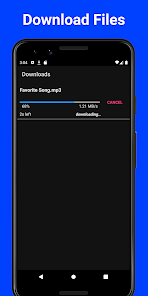
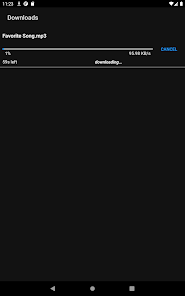
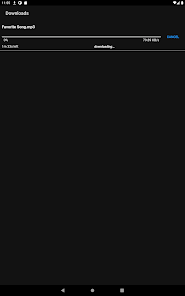
- Download your files easily and securely to access them offline.
- Supports parallel downloading and from Incognito mode.
- All file types can be downloaded.
- Supports Background mode.
- Download from the Browser and Cloud providers such as Google Drive and Dropbox.
Cloud Manager:
- Import your files from Cloud providers such as Dropbox and Google Drive.
- Easily browse your files in cloud providers Dropbox and Google Drive.
- Download from the Cloud without limits.
- Right now we support Google Drive and Dropbox but more providers will be supported in the future.
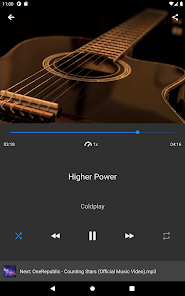
Audio player:
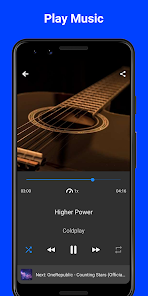
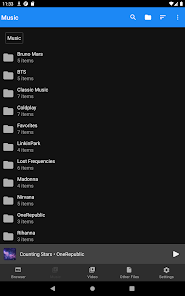
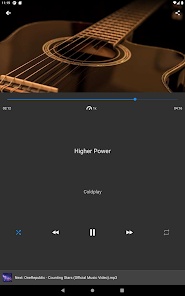
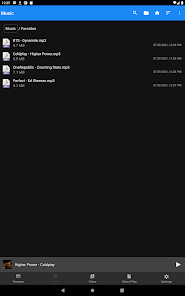
- A superb MP3 player to play your music offline.
- Repeat and shuffle songs in your playlist.
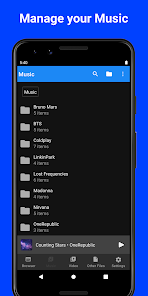
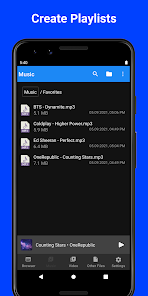
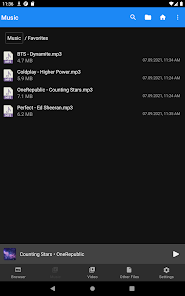
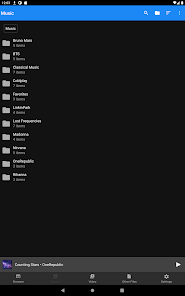
- Create folders to group your music into playlists.
- Playlists allow you to play your MP3 tracks sequentially.
- Music playback continues with the screen locked and in the background.
- Background audio.
- The Audio Player supports many music formats such as MP3, MIDI, APE, FLAC, AAC ,WAV.
- Export your music to a video editing app.
- Powerful Equalizer. Change the music effects according to the type of music you listen to (Classic, Pop, Rock, Dance, Techno, Latino, Flat, etc)
Tag Editor
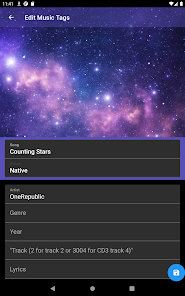
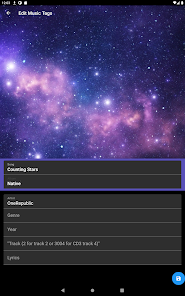
- The tag editor allows you to easily edit the tags of your audio files.
- Edit audio tags such as title, artist, album name, album cover, genre and lyrics.
- You can download the album cover automatically (From Last.fm)
- You can also use local images as your album cover.
- The ability to edit tags will enable you to create personalized playlists (Each playlist can match an album)
- The audio tags persist offline.
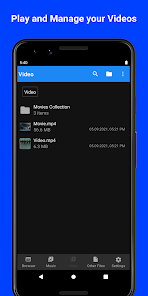
Video player:
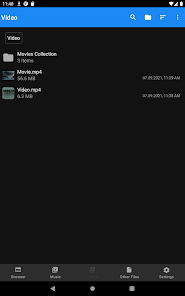
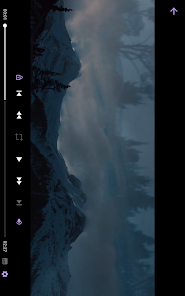
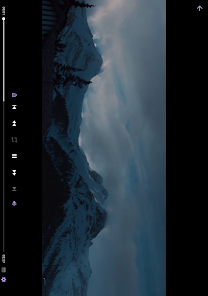
- Built-in Video Player to play your videos inside the app.
- Great MP4 player with many controls.
- Create collections of your favorite movies.
- Play your videos offline.
- The Video Player supports many formats such as MP4, M4A, FMP4, WebM, MKV, MP3.
- The video files can be exported to other apps, for example to create Gacha videos.
- Support PiP (Picture in Picture) to play your videos outside the app.
File manager:
- Organize your files in Folders.
- Reorder, move and sort your files.
- Add extra security by setting a Passcode lock to keep your files private.
- Extract ZIP files. The contents of the ZIP file can then be played like any other file. For example if you extracted an MP4 file, you can move it to the Videos tab and play it there.
- 'Open with' feature allows opening files in different apps installed on the device. For example you can open an MP3 audio file in other music apps.
- Open files from other apps.
- Share your music and video files with your friends.
- You can use your downloaded audio files for your Gacha videos! You can export your music to a video editing app that is used by Gacha life users and edit your Gacha video there by adding the music file.
Security and Privacy:
- Use Incognito tabs to browse the web in a private mode for extra security. Incognito tabs improve your security and privacy by making sure that your history is not saved and you are protected from tracking.
- Choose the best way for you keep your files private - Pattern, Pin-Code and Fingerprint are available to secure your files.
Visit us on our website for more help and updates - https://mediaplus.firebaseapp.com
You can import your files from Cloud providers such as Google Drive and Dropbox.
FEATURES
Web Browser:
- Full featured web browser.
- The browser is fast and secure.
- Unlimited tabs. Bookmarks and History.
- Built in AdBlock.
- Easily customizable Browser.
- Incognito (Private) tabs that increase your privacy and security. The Incognito tabs enable anonymous browsing history and keep your browsing private by protecting you from trackers.
Download Manager:
- Download your files easily and securely to access them offline.
- Supports parallel downloading and from Incognito mode.
- All file types can be downloaded.
- Supports Background mode.
- Download from the Browser and Cloud providers such as Google Drive and Dropbox.
Cloud Manager:
- Import your files from Cloud providers such as Dropbox and Google Drive.
- Easily browse your files in cloud providers Dropbox and Google Drive.
- Download from the Cloud without limits.
- Right now we support Google Drive and Dropbox but more providers will be supported in the future.
Audio player:
- A superb MP3 player to play your music offline.
- Repeat and shuffle songs in your playlist.
- Create folders to group your music into playlists.
- Playlists allow you to play your MP3 tracks sequentially.
- Music playback continues with the screen locked and in the background.
- Background audio.
- The Audio Player supports many music formats such as MP3, MIDI, APE, FLAC, AAC ,WAV.
- Export your music to a video editing app.
- Powerful Equalizer. Change the music effects according to the type of music you listen to (Classic, Pop, Rock, Dance, Techno, Latino, Flat, etc)
Tag Editor
- The tag editor allows you to easily edit the tags of your audio files.
- Edit audio tags such as title, artist, album name, album cover, genre and lyrics.
- You can download the album cover automatically (From Last.fm)
- You can also use local images as your album cover.
- The ability to edit tags will enable you to create personalized playlists (Each playlist can match an album)
- The audio tags persist offline.
Video player:
- Built-in Video Player to play your videos inside the app.
- Great MP4 player with many controls.
- Create collections of your favorite movies.
- Play your videos offline.
- The Video Player supports many formats such as MP4, M4A, FMP4, WebM, MKV, MP3.
- The video files can be exported to other apps, for example to create Gacha videos.
- Support PiP (Picture in Picture) to play your videos outside the app.
File manager:
- Organize your files in Folders.
- Reorder, move and sort your files.
- Add extra security by setting a Passcode lock to keep your files private.
- Extract ZIP files. The contents of the ZIP file can then be played like any other file. For example if you extracted an MP4 file, you can move it to the Videos tab and play it there.
- 'Open with' feature allows opening files in different apps installed on the device. For example you can open an MP3 audio file in other music apps.
- Open files from other apps.
- Share your music and video files with your friends.
- You can use your downloaded audio files for your Gacha videos! You can export your music to a video editing app that is used by Gacha life users and edit your Gacha video there by adding the music file.
Security and Privacy:
- Use Incognito tabs to browse the web in a private mode for extra security. Incognito tabs improve your security and privacy by making sure that your history is not saved and you are protected from tracking.
- Choose the best way for you keep your files private - Pattern, Pin-Code and Fingerprint are available to secure your files.
Visit us on our website for more help and updates - https://mediaplus.firebaseapp.com
Updated on
Safety starts with understanding how developers collect and share your data. Data privacy and security practices may vary based on your use, region, and age. The developer provided this information and may update it over time.


Ratings and reviews
4.2
949 reviews

Sam Pochi
- Flag inappropriate
August 30, 2025
I use to use this app a LOT to make animations, but tubiby (I think that what it is) kept saying '403, forbidden' It happened many times and I was able to use the app after deleting it and downloading it back, but now I kept doing it over and over but kept getting '403, Forbidden'
LK SKY Apps
January 2, 2026
Hey there! We would like to learn more what is your problem. Please send an email to mymediahelp@gmail.com

Carlos Herrera
- Flag inappropriate
- Show review history
November 29, 2025
Edit: (11-26-2025) My wish has been granted, got the ad free ad on in a flash, this app is superb!
22 people found this review helpful

TheFailGamer
- Flag inappropriate
September 28, 2021
Iove this app so much and I'm happy to see it back but I have one singular problem: when your transferring stuff from one phone to another, why is there no "transfer all" button? It would be easier for those who want it over quick, especially for people like me with 700+ songs on the old app that's no longer on the app store
12 people found this review helpful
LK SKY Apps
September 28, 2021
Hey there!
Currently there are 2 ways to transfer MyMedia files from iOS to Android:
1. Simply transfer your files from iOS to the computer, then connect your Android and transfer them to the MyMedia app.
2. Open MyMedia on iOS, go to Settings and turn on WIFI transfer. Then go to the address on Android using MyMedia and download the files.
What’s new
This release contains the following -
1. Support for PiP (Picture in Picture) mode to watch your videos even when outside the app.
2. Bug fixes and stability improvements.
Visit us on our website for more help and updates - https://mediaplus.firebaseapp.com
1. Support for PiP (Picture in Picture) mode to watch your videos even when outside the app.
2. Bug fixes and stability improvements.
Visit us on our website for more help and updates - https://mediaplus.firebaseapp.com
App support
About the developer
Liana Kelerman
lkskyapps@gmail.com
Katzanelson 14, 2
Rishon LeZion, 7521843
Israel