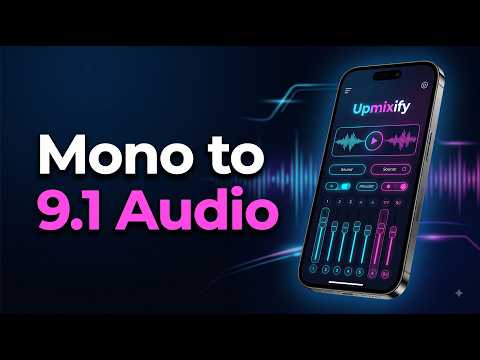

Upmixify — 5.1 Audio Converter
Contains adsIn-app purchases


Everyone
info
50+
Downloads

Everyone
Learn more


About this app
Upmixify helps you convert mono or stereo audio into multi-channel surround audio using on-device processing. Import an audio file or record sound using your device microphone, choose a channel layout, and create surround audio for compatible playback systems.
Made for Modern Content Creators
Useful for:
• Vloggers and video creators
• Podcasters and voice creators
• Influencers and short-form creators
• Filmmakers and editors
• Musicians and audio enthusiasts
Create your surround audio first, then import it into a compatible video editor and sync it with your video, animation, speaker test, or channel-identification graphic.
Surround Audio Converter
Convert mono or stereo audio into:
• 5.1 surround audio
• 7.1 surround audio
• 9.1 spatial surround audio
Choose processing presets for balanced audio, music, cinema, or voice content.
Custom Channel Control
Fine-tune individual speaker groups, including:
• Front Left / Right
• Center
• Subwoofer / LFE
• Surround Left / Right
• Rear Left / Right
• Wide Left / Right
Front Left + Right controls are available in the standard experience. Full Custom speaker controls are included with Premium.
Live Audio Recorder
Record audio using your device microphone and process it into a selected multi-channel layout.
Available controls may include:
• Input device selection
• Noise suppression
• Automatic gain control
• Echo cancellation
• Adjustable noise gate
• Live input level display
Real-Time Channel Drive
View individual channel activity while previewing supported audio. Colorful real-time level animation helps you see how audio energy is distributed across the selected surround layout.
Speaker Visualizer
Animated speakers respond to individual channel activity, helping you inspect dialogue, music, ambience, bass, and effects across the selected layout.
Export Options
Depending on the selected layout and supported workflow, Upmixify can create:
• Multi-channel WAV
• Multi-channel FLAC
• WavPack surround audio
Export support may vary by channel configuration, Android device capabilities, and playback software.
Playback and History
Preview imported or processed audio inside the app. Saved sessions are listed in History, where you can review file details, play converted audio again, inspect Channel Drive activity, open saved files, and share supported outputs.
Upmixify Surround Player Integration
Converted WavPack surround files can be opened directly in Upmixify Surround Player when installed.
Premium — One-Time Lifetime Unlock
Unlock Premium to get:
• 9.1 surround conversion
• Full Custom speaker-level controls
• Saved Custom mixes
• Premium surround features
• Ad-free experience
Premium is a one-time purchase. There is no subscription.
5.1 and 7.1 surround conversion remain available in the standard experience with ads.
Privacy-Focused Audio Processing
Audio conversion and channel analysis are performed locally on your device. Your selected audio content is not uploaded to an external audio-processing server for conversion.
Important Information
Upmixing creates additional channels from mono or stereo source material through audio processing. It does not restore original studio-recorded surround channels that are not present in the source.
Actual multi-channel playback depends on your Android device, media player, video editor, HDMI or USB audio path, television, AV receiver, sound system, supported codecs, and publishing platform.
Some devices, Bluetooth connections, editors, media players, and online platforms may re-encode or downmix multi-channel audio.
For true discrete surround playback, use compatible multi-channel hardware and a supported playback path.
Made for Modern Content Creators
Useful for:
• Vloggers and video creators
• Podcasters and voice creators
• Influencers and short-form creators
• Filmmakers and editors
• Musicians and audio enthusiasts
Create your surround audio first, then import it into a compatible video editor and sync it with your video, animation, speaker test, or channel-identification graphic.
Surround Audio Converter
Convert mono or stereo audio into:
• 5.1 surround audio
• 7.1 surround audio
• 9.1 spatial surround audio
Choose processing presets for balanced audio, music, cinema, or voice content.
Custom Channel Control
Fine-tune individual speaker groups, including:
• Front Left / Right
• Center
• Subwoofer / LFE
• Surround Left / Right
• Rear Left / Right
• Wide Left / Right
Front Left + Right controls are available in the standard experience. Full Custom speaker controls are included with Premium.
Live Audio Recorder
Record audio using your device microphone and process it into a selected multi-channel layout.
Available controls may include:
• Input device selection
• Noise suppression
• Automatic gain control
• Echo cancellation
• Adjustable noise gate
• Live input level display
Real-Time Channel Drive
View individual channel activity while previewing supported audio. Colorful real-time level animation helps you see how audio energy is distributed across the selected surround layout.
Speaker Visualizer
Animated speakers respond to individual channel activity, helping you inspect dialogue, music, ambience, bass, and effects across the selected layout.
Export Options
Depending on the selected layout and supported workflow, Upmixify can create:
• Multi-channel WAV
• Multi-channel FLAC
• WavPack surround audio
Export support may vary by channel configuration, Android device capabilities, and playback software.
Playback and History
Preview imported or processed audio inside the app. Saved sessions are listed in History, where you can review file details, play converted audio again, inspect Channel Drive activity, open saved files, and share supported outputs.
Upmixify Surround Player Integration
Converted WavPack surround files can be opened directly in Upmixify Surround Player when installed.
Premium — One-Time Lifetime Unlock
Unlock Premium to get:
• 9.1 surround conversion
• Full Custom speaker-level controls
• Saved Custom mixes
• Premium surround features
• Ad-free experience
Premium is a one-time purchase. There is no subscription.
5.1 and 7.1 surround conversion remain available in the standard experience with ads.
Privacy-Focused Audio Processing
Audio conversion and channel analysis are performed locally on your device. Your selected audio content is not uploaded to an external audio-processing server for conversion.
Important Information
Upmixing creates additional channels from mono or stereo source material through audio processing. It does not restore original studio-recorded surround channels that are not present in the source.
Actual multi-channel playback depends on your Android device, media player, video editor, HDMI or USB audio path, television, AV receiver, sound system, supported codecs, and publishing platform.
Some devices, Bluetooth connections, editors, media players, and online platforms may re-encode or downmix multi-channel audio.
For true discrete surround playback, use compatible multi-channel hardware and a supported playback path.
Convert stereo audio to 5.1, 7.1 and 9.1 surround with custom channel control.
Updated on
Safety starts with understanding how developers collect and share your data. Data privacy and security practices may vary based on your use, region, and age. The developer provided this information and may update it over time.


What’s new
• Refreshed the app with a premium glossy black-and-white Material 3 UI.
• Improved speaker animation with stronger, more responsive visual movement.
• Enhanced Channel Drive with colorful neon level animations.
• Added smoother startup visual feedback before real channel analysis becomes available.
• Fixed the Record screen microphone button visibility.
• Improved Android TV focus styling and overall UI polish.
• General stability and visual improvements.
• Improved speaker animation with stronger, more responsive visual movement.
• Enhanced Channel Drive with colorful neon level animations.
• Added smoother startup visual feedback before real channel analysis becomes available.
• Fixed the Record screen microphone button visibility.
• Improved Android TV focus styling and overall UI polish.
• General stability and visual improvements.
Everyone
Learn moreApp support
About the developer
Pradeep Singh Tomar
esolution2010@live.com
J-15/230
Dayal Park, West Sagarpur
New Delhi, Delhi 110046
India


