
PDF AI Scanner & Editor
Contains adsIn-app purchases


Everyone
info
500+
Downloads

Everyone
Learn more


About this app
SmartPDF: Scan, Edit, AI Chat & Summarize
Looking for a powerful, all-in-one PDF workspace that fits in your pocket? SmartPDF makes managing, scanning, editing, and understanding documents faster and smarter than ever.
Powered by intelligent on-device tools and next-generation AI, SmartPDF lets you chat with your documents, listen to instant audio summaries, translate text across languages, and scan paperwork in crystal-clear quality.
🌟 Key Features
🤖 Next-Gen AI Document Assistant
Chat with Your PDF: Ask questions, clarify complex clauses, and extract key data points from lengthy contracts, textbooks, and reports in seconds.
AI Summary & Audio Listener: Generate quick executive bullet-point summaries or listen to hands-free audio overviews on the go.
AI Multi-Language Translator: Translate entire documents or selected pages across 50+ languages while preserving original formatting.
📸 Smart Document Scanner
Turn your camera into a high-resolution portable scanner.
Auto-detect document edges, correct perspective distortion, and enhance text clarity.
Digitize physical receipts, book chapters, whiteboards, and handwritten notes into searchable PDFs.
✏️ Advanced PDF Editor & Tools
Annotate, highlight, sign, crop, rotate, and reorder pages on the fly.
Merge multiple files into a single master PDF or split large documents into chapters.
Export and share in multiple formats with custom watermarking and page numbering.
🗜️ Smart PDF Compression
Shrink oversized files by up to 90% without sacrificing visual quality.
Select custom compression presets (High, Medium, Low) for email, messaging, or web uploads.
Batch compress multiple files simultaneously.
🔒 Privacy & Security First
Keep sensitive files safe with built-in encryption and password protection.
Secure document processing designed to keep your private data under your control.
🎨 Modern, Intuitive Design
Sleek interface with seamless dark-mode support for comfortable reading.
Quick-access folder organization and custom default export locations.
Looking for a powerful, all-in-one PDF workspace that fits in your pocket? SmartPDF makes managing, scanning, editing, and understanding documents faster and smarter than ever.
Powered by intelligent on-device tools and next-generation AI, SmartPDF lets you chat with your documents, listen to instant audio summaries, translate text across languages, and scan paperwork in crystal-clear quality.
🌟 Key Features
🤖 Next-Gen AI Document Assistant
Chat with Your PDF: Ask questions, clarify complex clauses, and extract key data points from lengthy contracts, textbooks, and reports in seconds.
AI Summary & Audio Listener: Generate quick executive bullet-point summaries or listen to hands-free audio overviews on the go.
AI Multi-Language Translator: Translate entire documents or selected pages across 50+ languages while preserving original formatting.
📸 Smart Document Scanner
Turn your camera into a high-resolution portable scanner.
Auto-detect document edges, correct perspective distortion, and enhance text clarity.
Digitize physical receipts, book chapters, whiteboards, and handwritten notes into searchable PDFs.
✏️ Advanced PDF Editor & Tools
Annotate, highlight, sign, crop, rotate, and reorder pages on the fly.
Merge multiple files into a single master PDF or split large documents into chapters.
Export and share in multiple formats with custom watermarking and page numbering.
🗜️ Smart PDF Compression
Shrink oversized files by up to 90% without sacrificing visual quality.
Select custom compression presets (High, Medium, Low) for email, messaging, or web uploads.
Batch compress multiple files simultaneously.
🔒 Privacy & Security First
Keep sensitive files safe with built-in encryption and password protection.
Secure document processing designed to keep your private data under your control.
🎨 Modern, Intuitive Design
Sleek interface with seamless dark-mode support for comfortable reading.
Quick-access folder organization and custom default export locations.
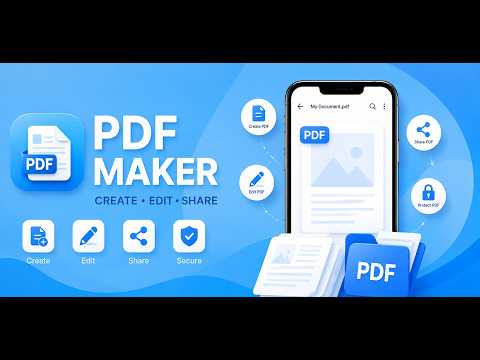
Scan, edit, and compress PDF documents quickly and securely on your device.
Updated on
Featured stories

Safety starts with understanding how developers collect and share your data. Data privacy and security practices may vary based on your use, region, and age. The developer provided this information and may update it over time.


What’s new
Bug Fixes and improvement
Everyone
Learn moreApp support
About the developer
NANA SUBHASH DHAWALE
appinnovationltd7171@gmail.com
905,DHALEVADI PATODA BEED,
BEED,PARGAON GUMRA
BEED, Maharashtra 414204
India


