
Nero Streaming Player Pro
In-app purchases

star
415 reviews

Everyone
info
10K+
Downloads

Everyone
Learn more


About this app
-------------------------------------------------------
Compared to the free Nero Streaming Player, the PRO version removes all ads.
* You can try Nero Streaming Player for free before paying PRO version.
-------------------------------------------------------
Turn your Android device into the ultimate streaming remote!
With Nero Streaming Player Pro, you can cast, stream, and mirror videos, music, and photos from your phone or tablet to any Smart TV or supported device – fast, wireless, and ad-free.
Stop watching on a small screen! Enjoy big-screen entertainment in stunning Full HD & 4K with just one tap.
KEY FEATURES:
⭐ Video Casting: Stream Full HD & 4K videos to Smart TVs, Chromecast, Roku, Fire TV, and more
⭐ Music Streaming: Play songs and playlists wirelessly on your TV or speakers
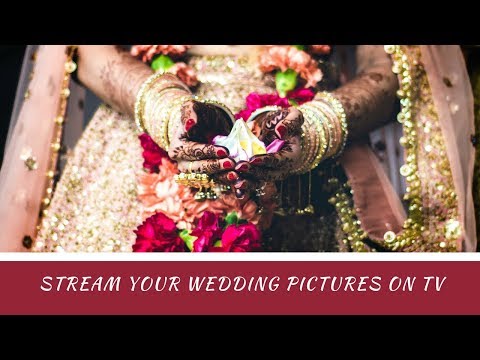
⭐ Photo Casting: Display photos on the big screen – single or slideshow
⭐ PC & NAS Access: Stream media directly from your computer or NAS via WiFi
⭐ YouTube Streaming: Watch YouTube videos on your TV
PRO FEATURES & VIP PRIVILEGES:
✔ No Ads: Block all advertisements permanently
✔ Unlimited Streaming: Browse and stream content without restrictions
✔ Advanced Player: Supports more formats and higher-quality playback
✔ VIP Customer Support
✔ Lifetime Updates
WHY CHOOSE NERO STREAMING PLAYER PRO?
✔ Compatible with most devices: Smart TVs, Chromecast, Roku, Fire TV, Sonos and more
✔ Wireless casting – no HDMI cable or extra hardware required
✔ Automatically discovers devices on your WiFi network
✔ Use your phone or tablet as a remote control
✔ Smooth & reliable WiFi streaming
✔ Browse and stream media from SD card, phone storage, USB OTG
✔ Rotate & Zoom photos with intuitive gestures
How does it work?
Connect your phone, PC, NAS, and TV to the same WiFi. Open Nero Streaming Player Pro, select a photo, video, or song, and tap the TV icon to cast instantly.
Need even more?
Install Nero MediaHome on your PC for advanced features like timeline browsing, face recognition, and location-based organization of your photos and videos.
Compared to the free Nero Streaming Player, the PRO version removes all ads.
* You can try Nero Streaming Player for free before paying PRO version.
-------------------------------------------------------
Turn your Android device into the ultimate streaming remote!
With Nero Streaming Player Pro, you can cast, stream, and mirror videos, music, and photos from your phone or tablet to any Smart TV or supported device – fast, wireless, and ad-free.
Stop watching on a small screen! Enjoy big-screen entertainment in stunning Full HD & 4K with just one tap.
KEY FEATURES:
⭐ Video Casting: Stream Full HD & 4K videos to Smart TVs, Chromecast, Roku, Fire TV, and more
⭐ Music Streaming: Play songs and playlists wirelessly on your TV or speakers
⭐ Photo Casting: Display photos on the big screen – single or slideshow
⭐ PC & NAS Access: Stream media directly from your computer or NAS via WiFi
⭐ YouTube Streaming: Watch YouTube videos on your TV
PRO FEATURES & VIP PRIVILEGES:
✔ No Ads: Block all advertisements permanently
✔ Unlimited Streaming: Browse and stream content without restrictions
✔ Advanced Player: Supports more formats and higher-quality playback
✔ VIP Customer Support
✔ Lifetime Updates
WHY CHOOSE NERO STREAMING PLAYER PRO?
✔ Compatible with most devices: Smart TVs, Chromecast, Roku, Fire TV, Sonos and more
✔ Wireless casting – no HDMI cable or extra hardware required
✔ Automatically discovers devices on your WiFi network
✔ Use your phone or tablet as a remote control
✔ Smooth & reliable WiFi streaming
✔ Browse and stream media from SD card, phone storage, USB OTG
✔ Rotate & Zoom photos with intuitive gestures
How does it work?
Connect your phone, PC, NAS, and TV to the same WiFi. Open Nero Streaming Player Pro, select a photo, video, or song, and tap the TV icon to cast instantly.
Need even more?
Install Nero MediaHome on your PC for advanced features like timeline browsing, face recognition, and location-based organization of your photos and videos.
Cast videos, music & photos in 4K to Smart TV, Chromecast, Roku & Fire TV
Updated on
Safety starts with understanding how developers collect and share your data. Data privacy and security practices may vary based on your use, region, and age. The developer provided this information and may update it over time.
- No data shared with third partiesLearn more about how developers declare sharing
- No data collectedLearn more about how developers declare collection
- Data is encrypted in transit
- You can request that data be deleted


Ratings and reviews
384 reviews

Phil Church
- Flag inappropriate
October 4, 2022
A nice and simple casting service that basically works, unlike many I have tried! The best feature for me is that you can select files in another app, such as gallery, and then share/send to Nero Streamer and they will play as a slideshow on your DNLA, Chromecast etc renderer/display. Hence cast enabling apps that otherwise are not castable. Only a few casting apps do this but it is a game changer for me. Many thanks.
10 people found this review helpful

Leroy Brown
- Flag inappropriate
- Show review history
December 5, 2024
Don't bother paying for the pro version because they just replace the ads with their own to induce you to upgrade to a payed plan. It's just as slow and annoying as the free version.
16 people found this review helpful

Dave Cochran
- Flag inappropriate
April 15, 2023
I did love this app. I used it regularly to stream from my NAS to my TV. I bought Nero Platinum for my home computer and this app worked well. Now the money grabbers want to charge a subscription for it use. I'm uninstalling the app and won't purchase Nero software again until they drop the subscription fee.
11 people found this review helpful
What’s new
Fix bugs and improve compatibility.
Everyone
Learn moreApp support
About the developer
Nero AG
vipsupport@nero.com
Rüppurrer Str. 1 a
76137 Karlsruhe
Germany
+49 721 627260


