
Gallery
Contains ads


Everyone
info
5K+
Downloads

Everyone
Learn more


About this app
Gallery is a fast, on-device photo gallery for people who shoot rooms, palettes, and renovations. Keep every room shot, mood board, and before/after pair in one timeline — then tag what matters so the next client walkthrough is a tap, not a hunt.
Open Photos, choose a Style lane, and the same library you already captured is ready to browse, star, share, or collage. No account. No cloud album to upload first.
KEY FEATURES
Style Desk on Photos. Filter your camera roll with Room, Mood, Before, and After chips. Tags live next to your real photos (not a separate demo tab), so the grid you already use becomes a style board.
Tag from the timeline or viewer. Long-press or open a shot, assign a lane, or clear the tag. Filters update immediately. Empty lanes show a calm empty state instead of a blank grid.
Date-grouped Photos. Scroll a timeline of images and videos grouped by day. Pinch the grid, open a full-screen viewer, zoom, share, delete, or star — the gallery job stays first.
Albums from device folders. Jump into Camera, Downloads, and other folders the system already created. Cover art and counts stay in sync with MediaStore.
Videos tab. Watch clips without leaving the app. Duration badges on the grid keep long walkthroughs easy to spot.
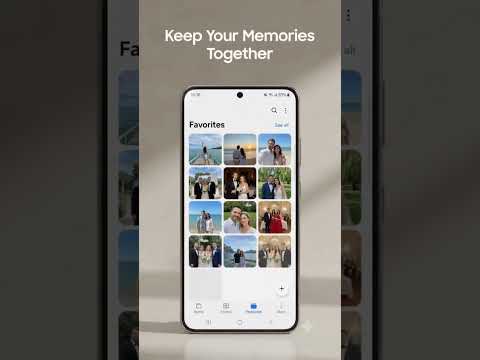
Favorites. Star the hero shot of a kitchen or the winning paint swatch. Favourites persist on-device and survive a restart.
Collage for mood boards. Combine 2–9 photos into a shareable board. Cleanup scanning is hidden so Photos stays focused on styling, not storage junk.
Light editor. Crop, rotate, adjust, and apply filters, then save back to the library.
After-call shortcut. When enabled, jump back to Gallery at the end of a call so you can pull up the room you just discussed.
Private by default. Photos stay on the device. Change language, theme, and grid density in Settings. Privacy policy opens as a real page, not a dummy chip.
PERFECT FOR
Interior designers collecting room shots between site visits.
Home stylists building a palette or furniture mood board from existing photos.
Renovation DIYers pairing Before and After of the same wall, floor, or kitchen.
Hosts who need a clean after set without mixing in marketplace listing drafts.
Anyone who wants a simple Gallery that still understands style work.
HOW STYLE DESK WORKS
1. Grant photos when Gallery asks — the primer explains the benefit and tells you to tap Allow on the next screen.
2. Browse Photos as usual. Everything untagged stays under All.
3. Tag a shot Room, Mood, Before, or After. The chip on the thumbnail is your only extra chrome.
4. Filter the desk when you need one lane for a client, a contractor, or a before/after post.
5. Collage a mood board, share the set, or star keepers. Clear a tag anytime.
WHY THIS GALLERY
Most galleries dump every screenshot, meme, and receipt into one endless grid. Style Desk does not invent a new app type. It keeps Photos, Albums, Videos, Favourites, viewer, editor, and collage — then adds four honest lanes on the library you already have. Cleanup is out of the way so you are not hunting blurry-photo tools when you meant the west-wall after shot.
TECHNICAL DETAILS
Works on Android 10 and newer. Uses on-device MediaStore (no All Files Access). Light and dark themes. Optional notifications, phone-state, and Home app role only when those features are actually needed. Ads may appear after you finish setup. Language picker keeps translations on the device so you can switch anytime.
GET STARTED
Install Gallery, agree on the welcome screen, pick your language, and tap Allow for photos. Tag one Before and one After today — tomorrow the desk is already sorted. Download Gallery and keep every room shot where you can find it.
Open Photos, choose a Style lane, and the same library you already captured is ready to browse, star, share, or collage. No account. No cloud album to upload first.
KEY FEATURES
Style Desk on Photos. Filter your camera roll with Room, Mood, Before, and After chips. Tags live next to your real photos (not a separate demo tab), so the grid you already use becomes a style board.
Tag from the timeline or viewer. Long-press or open a shot, assign a lane, or clear the tag. Filters update immediately. Empty lanes show a calm empty state instead of a blank grid.
Date-grouped Photos. Scroll a timeline of images and videos grouped by day. Pinch the grid, open a full-screen viewer, zoom, share, delete, or star — the gallery job stays first.
Albums from device folders. Jump into Camera, Downloads, and other folders the system already created. Cover art and counts stay in sync with MediaStore.
Videos tab. Watch clips without leaving the app. Duration badges on the grid keep long walkthroughs easy to spot.
Favorites. Star the hero shot of a kitchen or the winning paint swatch. Favourites persist on-device and survive a restart.
Collage for mood boards. Combine 2–9 photos into a shareable board. Cleanup scanning is hidden so Photos stays focused on styling, not storage junk.
Light editor. Crop, rotate, adjust, and apply filters, then save back to the library.
After-call shortcut. When enabled, jump back to Gallery at the end of a call so you can pull up the room you just discussed.
Private by default. Photos stay on the device. Change language, theme, and grid density in Settings. Privacy policy opens as a real page, not a dummy chip.
PERFECT FOR
Interior designers collecting room shots between site visits.
Home stylists building a palette or furniture mood board from existing photos.
Renovation DIYers pairing Before and After of the same wall, floor, or kitchen.
Hosts who need a clean after set without mixing in marketplace listing drafts.
Anyone who wants a simple Gallery that still understands style work.
HOW STYLE DESK WORKS
1. Grant photos when Gallery asks — the primer explains the benefit and tells you to tap Allow on the next screen.
2. Browse Photos as usual. Everything untagged stays under All.
3. Tag a shot Room, Mood, Before, or After. The chip on the thumbnail is your only extra chrome.
4. Filter the desk when you need one lane for a client, a contractor, or a before/after post.
5. Collage a mood board, share the set, or star keepers. Clear a tag anytime.
WHY THIS GALLERY
Most galleries dump every screenshot, meme, and receipt into one endless grid. Style Desk does not invent a new app type. It keeps Photos, Albums, Videos, Favourites, viewer, editor, and collage — then adds four honest lanes on the library you already have. Cleanup is out of the way so you are not hunting blurry-photo tools when you meant the west-wall after shot.
TECHNICAL DETAILS
Works on Android 10 and newer. Uses on-device MediaStore (no All Files Access). Light and dark themes. Optional notifications, phone-state, and Home app role only when those features are actually needed. Ads may appear after you finish setup. Language picker keeps translations on the device so you can switch anytime.
GET STARTED
Install Gallery, agree on the welcome screen, pick your language, and tap Allow for photos. Tag one Before and one After today — tomorrow the desk is already sorted. Download Gallery and keep every room shot where you can find it.
Tag room shots Before/After. Browse albums, collage, and star. Open Gallery.
Updated on
Featured stories

Safety starts with understanding how developers collect and share your data. Data privacy and security practices may vary based on your use, region, and age. The developer provided this information and may update it over time.
- This app may share these data types with third partiesDevice or other IDs
- No data collectedLearn more about how developers declare collection
- Data is encrypted in transit
- Data can’t be deleted


