
LogoLicious Add Your Logo App
In-app purchases

star
42.4K reviews

Everyone
info
1M+
Downloads

Everyone
Learn more


About this app
Your photos. Your logo. Your way.
Add your own logo, watermark or text to photos with LogoLicious. Position your branding, adjust the size and transparency, and save your image for sharing.
Made for those “let me post this” moments, LogoLicious helps you brand your photos straight from your phone. No ads. No AI edits. You stay in control of how your pictures look.
Add your logo in a few simple steps
• Open a photo from your phone or take one with your camera.
• Add your own logo, watermark or text.
• Drag, resize and rotate it into position.
• Adjust transparency for a subtle watermark or a bold logo.
• Save your photo and share it.
Already have a logo? Bring it with you. LogoLicious overlays your existing logo on photos.
Save time with reusable templates
Keep your logo and text arrangement as a template for future photos. Load your saved setup, make any adjustments, and get your next image ready without starting over.
Useful for product photos, portfolios, customer projects and social media posts that need consistent branding.
Tools for getting your branding right
• Add multiple logos to a photo.
• Import PNG, GIF and JPG logo files.
• Use transparent PNG logos without a background.
• Add text, a website address, social handle or hashtag.
• Change text colors and choose from a variety of fonts.
• Import your own .ttf fonts.
• Resize, rotate and align your logo or text.
• Adjust logo and text transparency.
• Add a protective X-grid overlay.
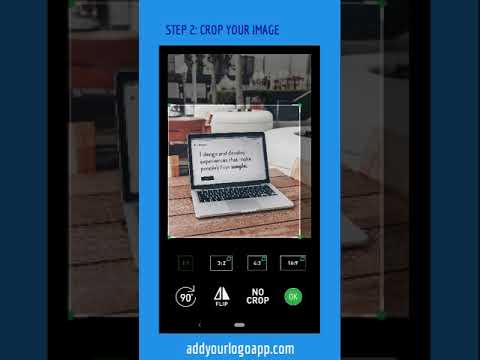
• Crop photos before sharing.
• Access your saved logos for future projects.
• Rename your finished image.
• Choose high-resolution or lower-resolution saving.
Made for the work you want to share
Show who created it. Brand your business photos, put your name on your artwork, or add a watermark before posting online.
LogoLicious is useful for small business owners, photographers, artists, makers, tattoo artists, designers and anyone who wants their work to be recognized.
No ads. No AI. Hands-on editing.
You choose what to add and where it goes. LogoLicious keeps the focus on your photos and your branding, without advertising interrupting your work.
Free to download, with optional subscriptions
LogoLicious is free to download and contains no ads. After repeated use, a subscription prompt and saving delay appear. You can continue using the editing features and saving photos without subscribing. An active subscription removes the saving delay.
A quick tip before you start
Save your logo to your phone so it is ready to import. For a logo without a visible background, use a transparent PNG file.
Add your logo. Make it yours. Get recognized.
Add your logo, watermark or text to photos. Easy templates. Zero ads.
Updated on
Safety starts with understanding how developers collect and share your data. Data privacy and security practices may vary based on your use, region, and age. The developer provided this information and may update it over time.
- No data shared with third partiesLearn more about how developers declare sharing
- No data collectedLearn more about how developers declare collection


Ratings and reviews
41.2K reviews

A Google user
- Flag inappropriate
March 20, 2019
Overall I love it! The last star will come when there are more fonts to use and it's easier to manipulate text. Right now I have to fully create a picture with text in another app and then import it to put the watermark on when adding text is technically an option in this app. Centering, sizing etc are not easily done, if it's possible at all.
77 people found this review helpful

Tiffany Connor-Watts
- Flag inappropriate
- Show review history
September 28, 2021
I originally provided a rating of 5 stars, because the app kind of makes you rate the app right away. Well that was before I used it and I'm providing a lower rating now after I added a logo to about 4 or 5 pics. As a cake artist, it doesn't help me that the images created are "memory intensive" and now I can't save anymore due to lack of space (and I take hundreds of pics). So I will go back to searching for an adequate app.
15 people found this review helpful
A Google user
- Flag inappropriate
- Show review history
November 10, 2019
Great app, however - after switching phones, I had to fight through getting my logos to work again. Saw them in the templates, but they wouldn't appear. I tried uploading then again, but still wouldn't appear. Had to save a photo out of the app in order to create a Logolicious folder, could them select the logo again. I can now save a template, but when loading from the template, the scale is wrong - loads much bigger, not sure what's going on... Any thoughts on a fix?
30 people found this review helpful
Everyone
Learn moreApp support
About the developer
Michiel Ferdinand Schut
email@micschut.com
2490 Bonniebrook Dr
Maryland Heights, MO 63043-1110
United States


