
모아(MOA Tools) - AI 플랫폼
In-app purchases


Teen
info
100+
Downloads


About this app
MOA Tools is an all-in-one AI platform that brings together scattered AI services in one place, enabling you to search, recommend, create, and share. Don't worry about which AI to use or how to write prompts. Simply enter your desired action in natural language. MOA will find the right AI for your situation and connect you to a ready-to-use tool screen. ■ AI Tool Search and Recommendation – Notion DB-based AI search engine
Explore popular domestic and international AI tools at a glance by category, price, and features.
Search using natural language, such as "free image creation AI" or "code generation tool that speaks Korean well."
Filters include price (free/paid), Korean language support, and API availability.
Intuitively view tool information, usage restrictions, and ratings organized in card format.
■ AI Comprehensive Chat – Search, Summary, and Recommendations all at once.
A conversational interface that connects information search, summary, tool recommendations, and usage suggestions with a single question.
Automatically selects the right AI combination for topics such as marketing, video production, coding, and document writing.
Recommended AI tools are displayed as cards and taken directly to the detailed page.
■ Image and Video Creation – AI Studio for Creators
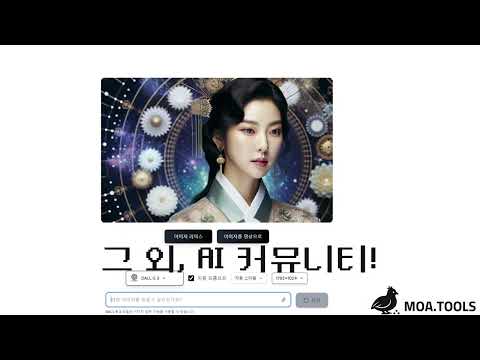
Generate images in various styles, including photorealistic, illustrative, 3D, and watercolor, using just a text prompt.
Automatic prompting converts Korean input into model-friendly English prompts.
Advanced remixing features, such as changing the background, replacing characters, changing colors, and repainting specific areas (Inpaint), are available based on the generated image. Provided
Automatically generate short videos in 16:9 and 9:16 aspect ratios using generated images using AI.
■ A collection of productivity tools for practical work.
AI Perfect Summary: Summarizes long reports, articles, and lectures into a concise summary of key points.
AI Report Writing: Simply enter a topic and a structured report draft is generated, complete with a table of contents, body, and conclusion.
Self-introduction and Interview Preparation: Supplement your resume for specific positions, generate expected interview questions, and model answers.
Lecture Recording Notes: Upload an audio file and receive summary notes and key points.
PPT Generator: Simply enter a presentation topic and automatically generate a 12-page storyline and slide content, exporting to PPTX/PDF.
■ Community – Share AI know-how and results. Feel free to post beginner questions on the Q&A board and share answers with other users. Share prompts, result images, and video work to share ideas and feedback. Check today's trends with the real-time Best tab, which ranks popular posts, views, and comments.
■ Why MOA Tools? Instead of having to search and compare AIs across multiple sites, a single app provides the entire search, recommendation, and execution flow.
Even beginners can simply tell MOA Tools what they want to do and receive guidance on the AI they need, along with specific usage instructions.
This tool is ideal for anyone—from office workers and students to entrepreneurs and creators—who want to easily get started with AI for document, image, video, and code tasks.
Find the AI that's right for you with MOA Tools today, and spend less time searching and more time on what really matters.
Explore popular domestic and international AI tools at a glance by category, price, and features.
Search using natural language, such as "free image creation AI" or "code generation tool that speaks Korean well."
Filters include price (free/paid), Korean language support, and API availability.
Intuitively view tool information, usage restrictions, and ratings organized in card format.
■ AI Comprehensive Chat – Search, Summary, and Recommendations all at once.
A conversational interface that connects information search, summary, tool recommendations, and usage suggestions with a single question.
Automatically selects the right AI combination for topics such as marketing, video production, coding, and document writing.
Recommended AI tools are displayed as cards and taken directly to the detailed page.
■ Image and Video Creation – AI Studio for Creators
Generate images in various styles, including photorealistic, illustrative, 3D, and watercolor, using just a text prompt.
Automatic prompting converts Korean input into model-friendly English prompts.
Advanced remixing features, such as changing the background, replacing characters, changing colors, and repainting specific areas (Inpaint), are available based on the generated image. Provided
Automatically generate short videos in 16:9 and 9:16 aspect ratios using generated images using AI.
■ A collection of productivity tools for practical work.
AI Perfect Summary: Summarizes long reports, articles, and lectures into a concise summary of key points.
AI Report Writing: Simply enter a topic and a structured report draft is generated, complete with a table of contents, body, and conclusion.
Self-introduction and Interview Preparation: Supplement your resume for specific positions, generate expected interview questions, and model answers.
Lecture Recording Notes: Upload an audio file and receive summary notes and key points.
PPT Generator: Simply enter a presentation topic and automatically generate a 12-page storyline and slide content, exporting to PPTX/PDF.
■ Community – Share AI know-how and results. Feel free to post beginner questions on the Q&A board and share answers with other users. Share prompts, result images, and video work to share ideas and feedback. Check today's trends with the real-time Best tab, which ranks popular posts, views, and comments.
■ Why MOA Tools? Instead of having to search and compare AIs across multiple sites, a single app provides the entire search, recommendation, and execution flow.
Even beginners can simply tell MOA Tools what they want to do and receive guidance on the AI they need, along with specific usage instructions.
This tool is ideal for anyone—from office workers and students to entrepreneurs and creators—who want to easily get started with AI for document, image, video, and code tasks.
Find the AI that's right for you with MOA Tools today, and spend less time searching and more time on what really matters.
This is an integrated MOA platform service that solves everything from AI tool search to chat, document, image, PPT, and video creation and editing all at once!
Updated on
Safety starts with understanding how developers collect and share your data. Data privacy and security practices may vary based on your use, region, and age. The developer provided this information and may update it over time.


App support
phone
Phone number
+821074514477
About the developer
오명훈
company@onminds.net
동천로135번길 21
래미안이스트팰리스, 1311동1601호
수지구, 용인시, 경기도 16822
South Korea