
Pantone Connect

1.9star
703 reviews
100K+
Downloads

Everyone
info

About this app
Pantone Connect is the only way to access 15,000+ essential brand, print, fashion, and packaging colors for use in your digital design projects. Packed with easy-to-use tools for inspiration, color extraction, matching, secure storage, and sharing of custom palettes, it's also now the only way to bring dynamic Pantone colors into your Adobe® design programs.
Pantone Connect Basic is FREE when you create an account. It includes access to 15,000+ Pantone Colors, Search, Pick, and Measure Tools with Pantone Reference Numbers, and the ability to save and share up to 10 palettes on web, mobile, or Adobe® Extension.
In app, you can upgrade to Pantone Connect Premium, which includes all of Basic, PLUS a dozen more tools to create smarter, more impactful palettes. Premium also lets you save and share UNLIMITED palettes for work in all your Adobe® design programs.
Upgrade to Premium in-app for just $7.99*/mo OR $59.99*/yr. Try Premium FREE for 30-days when you subscribe. Cancel anytime.
*Prices subject to change.
Key Features
Pantone Connect key features and tools include:
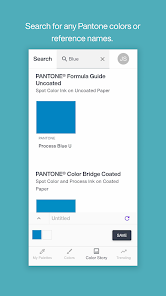
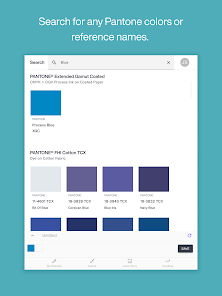
• Search/Finder – View thousands of colors in more than a dozen Pantone libraries to find exactly the colors you want.
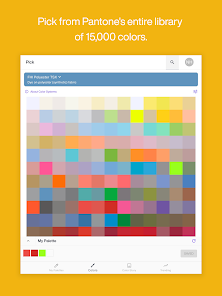
• Pick – Select your desired colors for a given project and see Pantone Reference Numbers for each color selected.
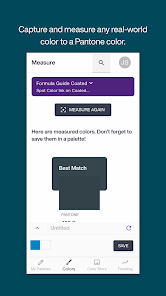
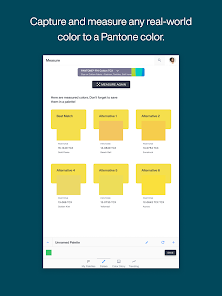
• Measure – Use the Pantone Color Match Card with Pantone Connect Mobile App to capture color inspiration in the real world, wherever you find it.
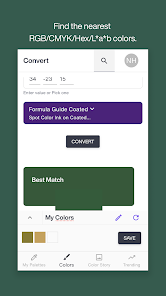
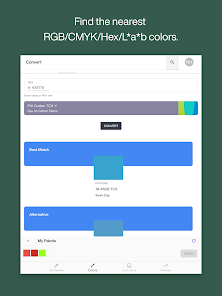
• Convert – Find the nearest RGB/CMYK/Hex/L*a*b* color equivalents to Pantone colors or convert between Pantone colors in different libraries.
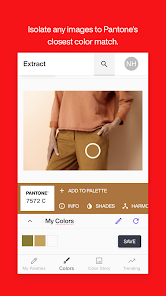
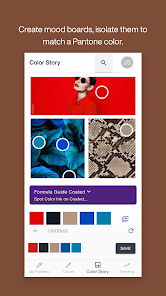
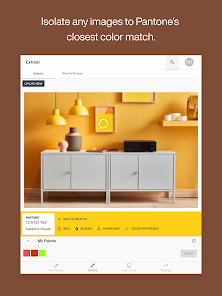
• Extract – Isolate colors in digital files and find their nearest Pantone color matches.
• View Color Data – Get critical color info including RGB/CMYK/Hex/L*a*b* data.
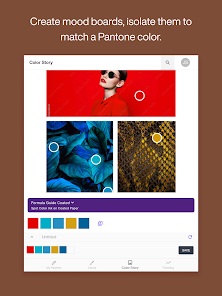
• Color Story – NEW mood board function lets you use 1, 3, or 5 images to create a color collage and isolate relevant colors to create your own original color story.
• Color Harmonies and Color Shades – Build smarter palettes leveraging Pantone's powerful color psychology and theory tools to find ideal pairings for your preferred colors.
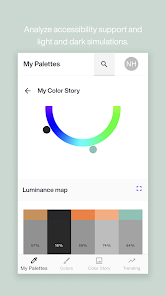
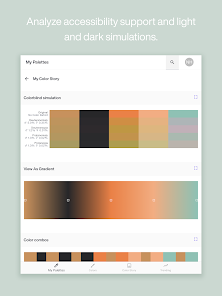
• Accessibility Support – See how your palettes may appear to people with common color blindness.
• Light & Dark Simulations – Compare your color choices against light and dark backgrounds.
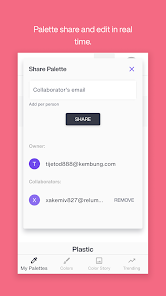
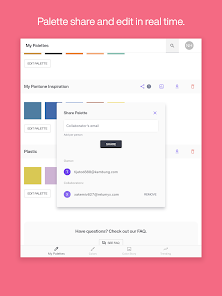
• Share – Send palettes to everyone who needs to use or review your color schemes.
• Collaborate – Build consensus and ensure quality control up and down your entire design workflow.
Color Match Card and Measure Tool
When paired with Pantone's Color Match Card, the Pantone Connect app can calibrate your mobile phone's camera to act as a remarkably accurate color measurement tool. Captured colors are quickly matched to their nearest Pantone Colors and identified for use in your design work. Pantone Color Match Card sold separately.
Technical Requirements
Pantone Connect requires the installation of a Chrome browser on your Android device in order to function.
When using the Measure feature on a tablet, be sure your screen orientation is locked so that tilting the device won't rotate the screen.
Link to our End User License Agreement: https://www.pantone.com/connect/#/end-user-license-agreement
Link to our Privacy Policy: https://www.pantone.com/about/terms-of-use
Need help? Contact us at support@pantone.com for more information.
Pantone Connect Basic is FREE when you create an account. It includes access to 15,000+ Pantone Colors, Search, Pick, and Measure Tools with Pantone Reference Numbers, and the ability to save and share up to 10 palettes on web, mobile, or Adobe® Extension.
In app, you can upgrade to Pantone Connect Premium, which includes all of Basic, PLUS a dozen more tools to create smarter, more impactful palettes. Premium also lets you save and share UNLIMITED palettes for work in all your Adobe® design programs.
Upgrade to Premium in-app for just $7.99*/mo OR $59.99*/yr. Try Premium FREE for 30-days when you subscribe. Cancel anytime.
*Prices subject to change.
Key Features
Pantone Connect key features and tools include:
• Search/Finder – View thousands of colors in more than a dozen Pantone libraries to find exactly the colors you want.
• Pick – Select your desired colors for a given project and see Pantone Reference Numbers for each color selected.
• Measure – Use the Pantone Color Match Card with Pantone Connect Mobile App to capture color inspiration in the real world, wherever you find it.
• Convert – Find the nearest RGB/CMYK/Hex/L*a*b* color equivalents to Pantone colors or convert between Pantone colors in different libraries.
• Extract – Isolate colors in digital files and find their nearest Pantone color matches.
• View Color Data – Get critical color info including RGB/CMYK/Hex/L*a*b* data.
• Color Story – NEW mood board function lets you use 1, 3, or 5 images to create a color collage and isolate relevant colors to create your own original color story.
• Color Harmonies and Color Shades – Build smarter palettes leveraging Pantone's powerful color psychology and theory tools to find ideal pairings for your preferred colors.
• Accessibility Support – See how your palettes may appear to people with common color blindness.
• Light & Dark Simulations – Compare your color choices against light and dark backgrounds.
• Share – Send palettes to everyone who needs to use or review your color schemes.
• Collaborate – Build consensus and ensure quality control up and down your entire design workflow.
Color Match Card and Measure Tool
When paired with Pantone's Color Match Card, the Pantone Connect app can calibrate your mobile phone's camera to act as a remarkably accurate color measurement tool. Captured colors are quickly matched to their nearest Pantone Colors and identified for use in your design work. Pantone Color Match Card sold separately.
Technical Requirements
Pantone Connect requires the installation of a Chrome browser on your Android device in order to function.
When using the Measure feature on a tablet, be sure your screen orientation is locked so that tilting the device won't rotate the screen.
Link to our End User License Agreement: https://www.pantone.com/connect/#/end-user-license-agreement
Link to our Privacy Policy: https://www.pantone.com/about/terms-of-use
Need help? Contact us at support@pantone.com for more information.
Updated on
Safety starts with understanding how developers collect and share your data. Data privacy and security practices may vary based on your use, region, and age. The developer provided this information and may update it over time.


Ratings and reviews
1.9
680 reviews

Gera Perl
- Flag inappropriate
July 6, 2020
The list of supported devices for the color match card is a painful disappointment, this is to start with. For a paid service it is simply unacceptable. This is the main function that would make this app useful for me. None of my 3 devices (Pixel 3, OnePlus 6T, 7T) are supported. The UI is basically just a website with all the shortcomings in its responsiveness and control experience. You cannot call this an app, do the job properly.
34 people found this review helpful
X-Rite Pantone
August 20, 2020
Dear Gera, with our latest update, the Google Pixel 3 should now measure as expected with the Color Match Card, and the app responsiveness is greatly improved. Could you please kindly confirm that you receive the result expected on this device? We are working with partners to profile additional devices in an upcoming batch. - Pantone Digital Team

Cynni
- Flag inappropriate
- Show review history
October 8, 2021
Edit: I understand the free version let's you choose pantone colors, what I'm referring to is the function to convert hex or rgb to Pantone solid coated colors. That feature is locked behind a subscription now and seriously disrupts my workflow. Manually choosing colors by eye and then importing it into my editing program, only to find it's not quite the right shade I want, is incredibly inefficient. Starting with rgb then to Pantone is far quicker. Free trial is great but temporary.
33 people found this review helpful
X-Rite Pantone
October 17, 2021
The app was free during its beta trial. It was never meant to be a perpetual free app, but we sincerely apologize if we failed to communicate this clearly. We continue to offer freemium access with a 30-day trial to our premium features. With our community's support, we can continue servicing and providing future enhancements.

Melissa Jeffrey
- Flag inappropriate
- Show review history
January 9, 2021
Was great. Now there is a crashed tab error message that never goes away. Edit: in case anyone has Samsung and the same issue, Samsung recently did an update that switched my default browser to Samsung Internet. I switched default back to Chrome and the app works again! This app is a must have for anyone who loves and/or works with color!
16 people found this review helpful
X-Rite Pantone
January 10, 2021
Thanks for your updated review! We're glad you use Pantone Connect for your color work. The app works best with a Chrome mobile browser, and will be making some improvements to work well with Samsung Internet following their update.
What's new
Pantone Connect has all the tools it’s had during beta testing, plus a new feature, My Color Story. Use this new tool to create custom collages of one, three, or five images, then sample isolated colors in those images to express your own unique color story!