

PDF Tools: Scanner & Editor

4.4star
2.36K reviews
50K+
Downloads

Everyone
info



About this app
A lightweight & very comprehensive Pdf Tool for Android Devices. very easy to use with multiple ways for modifying and creating Pdf's.
FEATURES
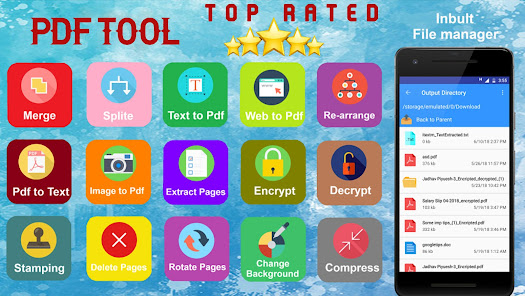
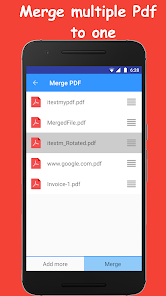
✔️ Merge multiple PDF's into Single PDF
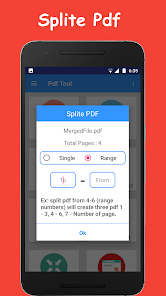
✔️ Split single PDF into Multiple PDF's
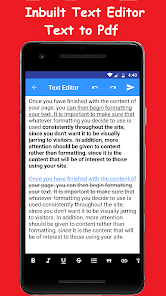
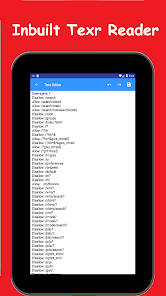
✔️ PDF to Text Converter
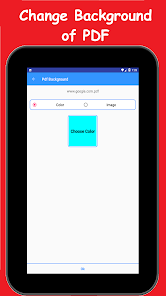
✔️ Change PDF Background (Image & Color)
✔️ Images to PDF converter
✔️ PDF to Image Converter
✔️ Reduce PDF file size on One Click
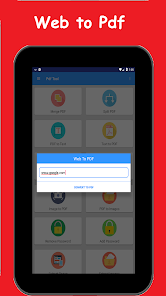
✔️ Web page to PDF converter
✔️ Delete Pages from Pdf
✔️ Encrypt Pdf
✔️ Decrypt Pdf
✔️ Extract Images from PDF
✔️ Extract Pages from Pdf
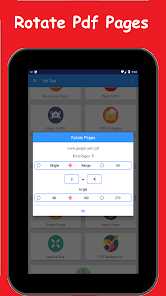
✔️ Rotate Pages in PDF
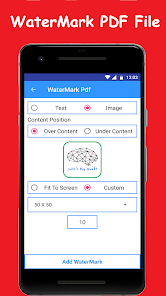
✔️ Add WaterMark in Pdf
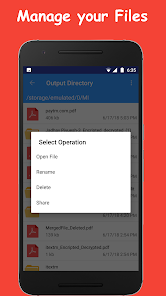
✔️ Output Directory for managing your files (open , Rename , Delete , Share)
FEATURES
✔️ Merge multiple PDF's into Single PDF
✔️ Split single PDF into Multiple PDF's
✔️ PDF to Text Converter
✔️ Change PDF Background (Image & Color)
✔️ Images to PDF converter
✔️ PDF to Image Converter
✔️ Reduce PDF file size on One Click
✔️ Web page to PDF converter
✔️ Delete Pages from Pdf
✔️ Encrypt Pdf
✔️ Decrypt Pdf
✔️ Extract Images from PDF
✔️ Extract Pages from Pdf
✔️ Rotate Pages in PDF
✔️ Add WaterMark in Pdf
✔️ Output Directory for managing your files (open , Rename , Delete , Share)
Updated on
Safety starts with understanding how developers collect and share your data. Data privacy and security practices may vary based on your use, region, and age. The developer provided this information and may update it over time.

No data shared with third parties
Learn more about how developers declare sharing

No data collected
Learn more about how developers declare collection
Ratings and reviews
4.4
2.21K reviews

Ananya Gupta
- Flag inappropriate
January 26, 2023
Not when you do emerge in PDF tools app, it does not just combine the pages, but instead it will rerender all of the pages in different shapes and sizes and different locations of the print sheet. This means that if the source had images then they might get pasted on different areas of the sheet and potentially even get cut off. On account of how this app creates the PDF files, it is actually doing a reprint of the original information because of which that is loss of fidelity.
5 people found this review helpful
Indias Big head
March 29, 2023
Thanks for your feedback! We deeply respect your advice, and we will try to combine your feedback with our R&D, in order to provide better products.

Jack Santos
- Flag inappropriate
- Show review history
May 4, 2023
Excellent app! Love all of the features and ability to manipulate to/from PDFs. UPDATE: I suggested to the developer that there ought to be SHARE functionality from other apps. For example, if I happen to be in Google Photos, I could share a picture with PDF Tools and it would generate a PDF of the photo. HOWEVER, when I try to share, PDF Tools is not an option. I've since installed another app "PDF Conversion Suite" which works. I still love PDF Tools and use it for other tasks.
6 people found this review helpful
Indias Big head
September 26, 2021
Hello sir, we have added the share functionality in current version of the app.
Please update the app from play store.

A Google user
- Flag inappropriate
- Show review history
May 13, 2020
When I first tried this app out it didn't work for me at all, so I gave it a 2 star rating. Now with an updated device I've decided to give it another go and so far I'm very pleased. I managed, quite easily, to merge a number of PDF files and the result looks rather good. I'm now going to see if I can remove some images from them. If all works well, I will improve my star rating to 5 stars.
Indias Big head
September 15, 2018
We sincerely apologise for that Sir! We have fixed the issue and update the application. Please update the application and let us know if issue still persist
What's new
Android 11 support
New Inbuilt PDF Viewer Added
check out NOW.
✔️ DARK MODE
✔️ Preview option for web to pdf.
✔️ Added support for Telugu, Pashto, Spanish, German, Portuguese, Turkish, French, Russian, Italian language.
✔️ Image Watermark option is finally here! Check out Now.
✔️ Print option for PDFs.
✔️ Now Long press For Delete folder in file manager.
✔️ New Select Pages option for Delete PDF Pages, PDF to Text converter Both, Extract Pages.
Best PDF Tool Just got Better :)
New Inbuilt PDF Viewer Added
check out NOW.
✔️ DARK MODE
✔️ Preview option for web to pdf.
✔️ Added support for Telugu, Pashto, Spanish, German, Portuguese, Turkish, French, Russian, Italian language.
✔️ Image Watermark option is finally here! Check out Now.
✔️ Print option for PDFs.
✔️ Now Long press For Delete folder in file manager.
✔️ New Select Pages option for Delete PDF Pages, PDF to Text converter Both, Extract Pages.
Best PDF Tool Just got Better :)
