
PDFUP: PDF Editor & Scanner
Contains adsIn-app purchases


Everyone
info
10+
Downloads


About this app
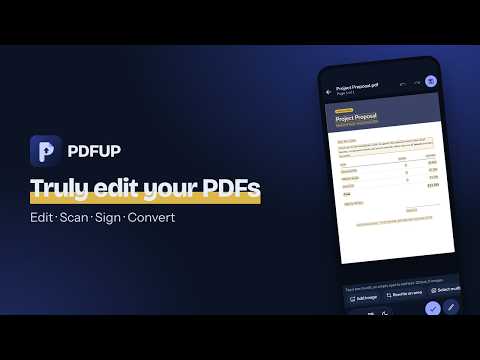
PDFUP is an offline PDF editor that lets you truly edit your PDFs on your phone: change the text on the page, fix a typo, replace an image, fill and sign a form, then save a clean copy. It is also a PDF scanner with OCR, a PDF reader and a PDF converter, in one app that works offline.
WHAT PEOPLE USE IT FOR
• Fix a typo, date or price in a contract, invoice or resume before sending it
• Change text on a scanned letter or form without retyping the page
• Fill in and sign an application, lease or school form on your phone
• Translate a PDF to read it in your own language
EDIT PDF TEXT IN PLACE
• Tap Edit and every text block and image on the page becomes editable
• Change words directly on the page: the original font, size and colour are kept
• Edit scanned PDFs too: the text is recognised on your device, the old text is removed and the new text matches the page
• Scanned pages in Latin, Cyrillic, Arabic, Hindi, Japanese, Chinese and Korean scripts; tilted scans are straightened in one tap
• Find and replace a word across the whole document, undone in one step
• Edit table cells, move and rotate text boxes, change several boxes at once; justified paragraphs and letter spacing are kept
• Move, resize, replace or delete images; add new text anywhere
• Bold and italic words inside a paragraph are kept; make any selected word bold or italic
• Your original file never changes: every edit happens on a copy with undo and redo
PDF SCANNER WITH OCR
• AI-powered document scanner finds the edges, fixes the perspective and scans many pages
• Text recognition (OCR) makes scanned PDFs searchable, copyable and editable
• Turn photos from your gallery into one PDF
PDF CONVERTER
• PDF to Word, PDF to Excel and PDF to PowerPoint
• Word, Excel, PowerPoint, images and web pages to PDF
• PDF/A for archiving
FILL, SIGN AND PROTECT
• Fill in PDF forms; draw your signature, type it in a signature font or snap a photo of it, with the date below
• Fill flat forms with no form fields: blank lines are found for you; whiteout covers what you want hidden
• Certified digital signatures with your own certificate
• Redact: sensitive text is truly removed from the PDF, not just covered
• Password protect PDFs with AES-256 and open protected files
• Smart redaction finds emails, phone numbers, IBANs and card numbers across the whole document; before you share, fake black-box redactions are caught and hidden author info, comments and attachments removed
PDF TOOLS
• Annotate PDF: highlight, underline and strike out text, draw freehand and review all marks in one list
• Merge PDF, split PDF, compress PDF without losing text quality
• Rotate, reorder and delete pages; add page numbers, headers, footers and watermarks
• Compare two PDFs side by side with changed words marked, and process many files at once
PDF READER
• Fast reader with table of contents, bookmarks and search
• Night mode, page-by-page turning, simple view, continue where you left off
• Read aloud at your speed with the sentence highlighted
• Translate PDF files into 20+ languages on your device: one page side by side, or the whole document in one tap, keeping the layout
PRIVATE BY DESIGN
• Your documents are never uploaded to a server
• Editing, scanning and converting work without an internet connection
• An account is optional
FREE PDF EDITOR TO START
• No watermark, no account needed: reading, signing, form filling, basic conversion and page tools such as merge, split and compress have no daily limit
• Free every day: 3 edited or scanned (OCR) saves, 3 translations and 3 redactions, with ads
• Plus: no ads, unlimited editing and translation. Pro adds exact Word, Excel and PowerPoint export, whole-document translation in one tap, PDF comparison, PDF/A and passwords. Premium adds batch processing and certified signatures
• Subscriptions renew automatically and can be cancelled anytime in Google Play
WHAT PEOPLE USE IT FOR
• Fix a typo, date or price in a contract, invoice or resume before sending it
• Change text on a scanned letter or form without retyping the page
• Fill in and sign an application, lease or school form on your phone
• Translate a PDF to read it in your own language
EDIT PDF TEXT IN PLACE
• Tap Edit and every text block and image on the page becomes editable
• Change words directly on the page: the original font, size and colour are kept
• Edit scanned PDFs too: the text is recognised on your device, the old text is removed and the new text matches the page
• Scanned pages in Latin, Cyrillic, Arabic, Hindi, Japanese, Chinese and Korean scripts; tilted scans are straightened in one tap
• Find and replace a word across the whole document, undone in one step
• Edit table cells, move and rotate text boxes, change several boxes at once; justified paragraphs and letter spacing are kept
• Move, resize, replace or delete images; add new text anywhere
• Bold and italic words inside a paragraph are kept; make any selected word bold or italic
• Your original file never changes: every edit happens on a copy with undo and redo
PDF SCANNER WITH OCR
• AI-powered document scanner finds the edges, fixes the perspective and scans many pages
• Text recognition (OCR) makes scanned PDFs searchable, copyable and editable
• Turn photos from your gallery into one PDF
PDF CONVERTER
• PDF to Word, PDF to Excel and PDF to PowerPoint
• Word, Excel, PowerPoint, images and web pages to PDF
• PDF/A for archiving
FILL, SIGN AND PROTECT
• Fill in PDF forms; draw your signature, type it in a signature font or snap a photo of it, with the date below
• Fill flat forms with no form fields: blank lines are found for you; whiteout covers what you want hidden
• Certified digital signatures with your own certificate
• Redact: sensitive text is truly removed from the PDF, not just covered
• Password protect PDFs with AES-256 and open protected files
• Smart redaction finds emails, phone numbers, IBANs and card numbers across the whole document; before you share, fake black-box redactions are caught and hidden author info, comments and attachments removed
PDF TOOLS
• Annotate PDF: highlight, underline and strike out text, draw freehand and review all marks in one list
• Merge PDF, split PDF, compress PDF without losing text quality
• Rotate, reorder and delete pages; add page numbers, headers, footers and watermarks
• Compare two PDFs side by side with changed words marked, and process many files at once
PDF READER
• Fast reader with table of contents, bookmarks and search
• Night mode, page-by-page turning, simple view, continue where you left off
• Read aloud at your speed with the sentence highlighted
• Translate PDF files into 20+ languages on your device: one page side by side, or the whole document in one tap, keeping the layout
PRIVATE BY DESIGN
• Your documents are never uploaded to a server
• Editing, scanning and converting work without an internet connection
• An account is optional
FREE PDF EDITOR TO START
• No watermark, no account needed: reading, signing, form filling, basic conversion and page tools such as merge, split and compress have no daily limit
• Free every day: 3 edited or scanned (OCR) saves, 3 translations and 3 redactions, with ads
• Plus: no ads, unlimited editing and translation. Pro adds exact Word, Excel and PowerPoint export, whole-document translation in one tap, PDF comparison, PDF/A and passwords. Premium adds batch processing and certified signatures
• Subscriptions renew automatically and can be cancelled anytime in Google Play
Edit PDF text in place, OCR scanner, PDF to Word, redact & translate. Offline.
Updated on
Safety starts with understanding how developers collect and share your data. Data privacy and security practices may vary based on your use, region, and age. The developer provided this information and may update it over time.


What’s new
Welcome to PDFUP! Edit text and images right on the page in any PDF, even scanned ones. AI-powered scanning and text recognition, Word/Excel/PowerPoint to PDF and back, smart redaction that finds emails, phones and IBANs, fill & sign, translate and read aloud, merge, split and compress. New: PDFs opened from other apps now open in PDFUP's own window, so you can switch back and forth easily. Fixes and speed improvements.
App support
About the developer
Cem Korkmaz
info@cemkorkmaz.com
İstasyon Mahallesi, Üründül Sokak
59500 Çerkezköy/Tekirdağ
Türkiye