
PixelPort


Everyone
info
1+
Downloads

Everyone
Learn more


About this app
PixelPort is a file transfer tool that allows you to directly receive selected photos, videos, documents, and general files from your Android phone to your PC browser on the same network.
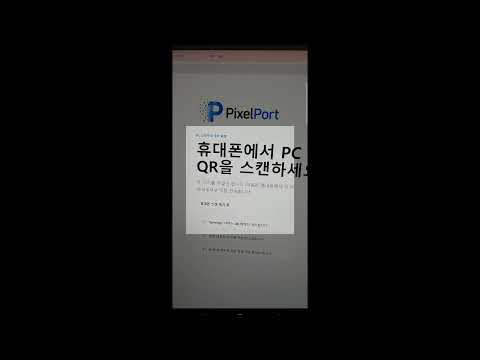
Open pixelport.dealent.com on your PC, select the files you want to send from your phone, and scan the QR code on your PC screen to open the file receiving screen. You can receive files directly in your browser without installing a separate desktop app or logging in.
Key Features
- Selective transfer of photos, videos, documents, and general files
- Receive individual files in your PC browser
- Receive multiple files at once as a ZIP file
- QR code-based connection between PC and phone
- Direct transfer between phone and PC on the same network
- Function to terminate the connection during transfer
Privacy and Transfer Method
The PixelPort server acts only as a temporary match to connect the PC and phone. The body data of the selected files is not uploaded or stored on the PixelPort server; instead, it is transferred directly from the phone to the user's PC browser.
Check Before Use
- Your phone and PC must be connected to the same Wi-Fi network or router.
- Direct connection may be restricted in some corporate/school/public Wi-Fi environments, VPNs, or firewalls. - It is recommended not to close the PixelPort app on your phone while transferring.
Open pixelport.dealent.com on your PC, select the files you want to send from your phone, and scan the QR code on your PC screen to open the file receiving screen. You can receive files directly in your browser without installing a separate desktop app or logging in.
Key Features
- Selective transfer of photos, videos, documents, and general files
- Receive individual files in your PC browser
- Receive multiple files at once as a ZIP file
- QR code-based connection between PC and phone
- Direct transfer between phone and PC on the same network
- Function to terminate the connection during transfer
Privacy and Transfer Method
The PixelPort server acts only as a temporary match to connect the PC and phone. The body data of the selected files is not uploaded or stored on the PixelPort server; instead, it is transferred directly from the phone to the user's PC browser.
Check Before Use
- Your phone and PC must be connected to the same Wi-Fi network or router.
- Direct connection may be restricted in some corporate/school/public Wi-Fi environments, VPNs, or firewalls. - It is recommended not to close the PixelPort app on your phone while transferring.
Easily transfer photos or files from your smartphone to your PC.
Updated on
Featured stories

Safety starts with understanding how developers collect and share your data. Data privacy and security practices may vary based on your use, region, and age. The developer provided this information and may update it over time.
- No data shared with third partiesLearn more about how developers declare sharing
- No data collectedLearn more about how developers declare collection


What’s new
PixelPort 정식 출시 버전입니다.
- 같은 네트워크의 PC 브라우저로 사진, 영상, 문서를 직접 전송할 수 있습니다.
- PC QR 연결과 연결·전송·완료 상태 안내를 개선했습니다.
- 전송 알림에서 진행 상태를 확인하고 연결을 바로 종료할 수 있습니다.
- 15분 유휴 자동 종료와 네트워크 문제 해결 안내를 추가했습니다.
- 알림 권한 안내와 전송 안정성을 개선했습니다.
- 같은 네트워크의 PC 브라우저로 사진, 영상, 문서를 직접 전송할 수 있습니다.
- PC QR 연결과 연결·전송·완료 상태 안내를 개선했습니다.
- 전송 알림에서 진행 상태를 확인하고 연결을 바로 종료할 수 있습니다.
- 15분 유휴 자동 종료와 네트워크 문제 해결 안내를 추가했습니다.
- 알림 권한 안내와 전송 안정성을 개선했습니다.
Everyone
Learn moreApp support
About the developer
김은총
webxrhub@gmail.com
South Korea