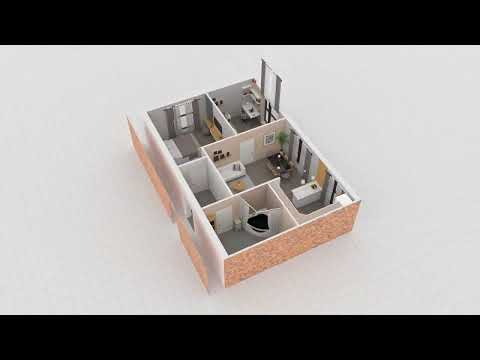

Planner 5D: AI Home Design
In-app purchases

4.5star
519K reviews

Everyone
info
50M+
Downloads


About this app
#1 AI home design and room planner app for your next home project.
From floor planning to interior décor and 3D home design visualisation, the Planner 5D is here to help. Design house of your dreams or renovate your existing home interior with our easy to use, smart 3D home planning and AI room design tools. Your dream home is only a few clicks away with our house design app.
Planner 5D, an AI home design and 3D room planner partner, is designed for both enthusiasts and professionals.
► 40.000.000+ HAPPY USERS!
Need a detailed floor plan for your existing home, or planning to refresh your apartment interior décor using some of the 10.000+ items from our library? Or maybe you want to sketch 2D and 3D floor plans from scratch for your new dream house? No problem! From architectural drawing support to powerful AI home design tools, Planner 5D house design tool has everything you need. Get fresh ideas for both interior and exterior spaces.
► 3D ROOM PLANNER
Use our 3D home design features to build, customize, and explore your space from every angle. Get the help of the AR room planner feature to configure layouts using your real room dimensions and see how your ideas look in real life. With our 3D room planner and AI house design toolkit, you can make the most of every square foot of your space. Planner 5D is your gateway to home makeovers, remodels, and renovation dreams.
► 300.000.000+ HOME DESIGN PROJECTS
Planning some home renovation? With Planner 5D, you can easily become a virtual house flipper, redesigning and redecorating spaces to your heart’s content. Embellish your home design with interior décor like paintings, clocks, vases, lamps, and more. Use our app for house décor planning, whether it’s a cozy bedroom, a functional kitchen, or a stylish living room. Redecorate and redesign with ease, making every space uniquely yours.
► AI INTERIOR DESIGN TOOL
Planner 5D offers far more than other house décor tools. Plan and visualize the design of restaurants, cafés, offices, or gyms with ease. Our home interior design features are flexible, powerful, and built to support any creative project, It’s an all-in-one tool for anyone who loves to redecorate, remodel, or take on home renovation projects. Planner 5D interior design app bridges the gap between imagination and reality, helping you sketch up and create the spaces you’ve always dreamed of.
► JOIN THE COMMUNITY
Join the community - a place where home makeover dreams come true. Share your house-flipper projects and interior design creations, or find inspiration for your next big remodel from other house designs. Inspired by platforms like Houzz and IKEA, Planner 5D becomes your trusted partner in transforming any space, from a simple redecoration to a full home renovation project.
Start your journey with Planner 5D today and take the first step toward your home design or house renovation project.
► AI HOME DESIGN FEATURES:
- AR Room Planner - configure a layout with your room dimensions and see the final picture in real size.
- 3D Home Design – Build and visualise your home in realistic 3D.
- Floor Plan – Create 2D floor plans with ease and convert to 3D model.
- Exterior / Landscape Design - Design your ideal backyard
- Furniture Catalogue – 10.000+ items for home décor.
- Architecture Design (CAD) – Advanced tools for precise planning.
- Realistic HD snapshots: Create high-quality renders with rich colors and realistic lighting
- Gallery of Ideas – Get inspiration from real 3D home design projects and images.
- Online / Offline Mode – Use the room planner anytime, anywhere
- Cross Platform – Work on your house design project on any device.
- Chromecast Support – Cast your designs to any screen.
► JOIN THE COMPETITION:
AI Home Design Competition - join weekly interior design contests inspired by unique themes. Submit your best designs, earn votes and win exclusive prizes.
Support / Contact: support@planner5d.com
From floor planning to interior décor and 3D home design visualisation, the Planner 5D is here to help. Design house of your dreams or renovate your existing home interior with our easy to use, smart 3D home planning and AI room design tools. Your dream home is only a few clicks away with our house design app.
Planner 5D, an AI home design and 3D room planner partner, is designed for both enthusiasts and professionals.
► 40.000.000+ HAPPY USERS!
Need a detailed floor plan for your existing home, or planning to refresh your apartment interior décor using some of the 10.000+ items from our library? Or maybe you want to sketch 2D and 3D floor plans from scratch for your new dream house? No problem! From architectural drawing support to powerful AI home design tools, Planner 5D house design tool has everything you need. Get fresh ideas for both interior and exterior spaces.
► 3D ROOM PLANNER
Use our 3D home design features to build, customize, and explore your space from every angle. Get the help of the AR room planner feature to configure layouts using your real room dimensions and see how your ideas look in real life. With our 3D room planner and AI house design toolkit, you can make the most of every square foot of your space. Planner 5D is your gateway to home makeovers, remodels, and renovation dreams.
► 300.000.000+ HOME DESIGN PROJECTS
Planning some home renovation? With Planner 5D, you can easily become a virtual house flipper, redesigning and redecorating spaces to your heart’s content. Embellish your home design with interior décor like paintings, clocks, vases, lamps, and more. Use our app for house décor planning, whether it’s a cozy bedroom, a functional kitchen, or a stylish living room. Redecorate and redesign with ease, making every space uniquely yours.
► AI INTERIOR DESIGN TOOL
Planner 5D offers far more than other house décor tools. Plan and visualize the design of restaurants, cafés, offices, or gyms with ease. Our home interior design features are flexible, powerful, and built to support any creative project, It’s an all-in-one tool for anyone who loves to redecorate, remodel, or take on home renovation projects. Planner 5D interior design app bridges the gap between imagination and reality, helping you sketch up and create the spaces you’ve always dreamed of.
► JOIN THE COMMUNITY
Join the community - a place where home makeover dreams come true. Share your house-flipper projects and interior design creations, or find inspiration for your next big remodel from other house designs. Inspired by platforms like Houzz and IKEA, Planner 5D becomes your trusted partner in transforming any space, from a simple redecoration to a full home renovation project.
Start your journey with Planner 5D today and take the first step toward your home design or house renovation project.
► AI HOME DESIGN FEATURES:
- AR Room Planner - configure a layout with your room dimensions and see the final picture in real size.
- 3D Home Design – Build and visualise your home in realistic 3D.
- Floor Plan – Create 2D floor plans with ease and convert to 3D model.
- Exterior / Landscape Design - Design your ideal backyard
- Furniture Catalogue – 10.000+ items for home décor.
- Architecture Design (CAD) – Advanced tools for precise planning.
- Realistic HD snapshots: Create high-quality renders with rich colors and realistic lighting
- Gallery of Ideas – Get inspiration from real 3D home design projects and images.
- Online / Offline Mode – Use the room planner anytime, anywhere
- Cross Platform – Work on your house design project on any device.
- Chromecast Support – Cast your designs to any screen.
► JOIN THE COMPETITION:
AI Home Design Competition - join weekly interior design contests inspired by unique themes. Submit your best designs, earn votes and win exclusive prizes.
Support / Contact: support@planner5d.com
Updated on
Events & offers

Safety starts with understanding how developers collect and share your data. Data privacy and security practices may vary based on your use, region, and age. The developer provided this information and may update it over time.


Ratings and reviews
4.5
468K reviews

Sherry Barney
- Flag inappropriate
June 10, 2026
Was required to create an account to use the app. Didn't give me the opportunity to try the app before introducing "rate the app" pop-ups. It took about 10 "skips" to get to the paywall, definitely did not subscribe. None of the preset rooms are the shape of any of my rooms. I probably could have rearranged my furniture in the time it took to get here.
2 people found this review helpful

Bobbyjoe Cantrell
- Flag inappropriate
June 15, 2026
Frustrating. Hitting undo, undos move and not resize. Resize affects all walls attached to the section your indicating and not just the one you want. It's not very intuitive, requires to select a corner to resize from instead of automatically assuming top left, and starts from middle. I don't even understand why that would be wanted in the first place, let alone default. Breaks up design control so it's not all in one place. Can't indicate room size and have to go based on walls.
1 person found this review helpful

Marquie Warren
- Flag inappropriate
- Show review history
May 20, 2026
I LOVE this app!!!!❤️❤️❤️ & im only using the free part of it for the time being. I CAN NOT WAIT to purchase the WHOLE YEAR'S worth of the app. I want to know how everything else works! @ 1st it was hard to use only because im not used to changing the view of my perception, but after a little practice it got easier, & I LOVE being able to see my floor plans come to life. as well as the visuals so I can see what the square footage is. it also makes it ALOT easier with the people inside it.❤
9 people found this review helpful
What’s new
Introducing AI Designer—your smart assistant for transforming any room! With just a few taps, you can completely redefine your space. Explore the latest addition to our app featuring two powerful tools: Furnisher and Styler. Whether you’re updating your current decor or designing a new room from the ground up, AI Designer simplifies the process, making interior design both effortless and enjoyable. Start transforming your space with AI Designer today and unlock the full potential of your home!
App support
phone
Phone number
+37052143071
About the developer
PLANNER5D UAB
support@planner5d.com
Antakalnio g. 17
10312 Vilnius
Lithuania
+370 626 06336


