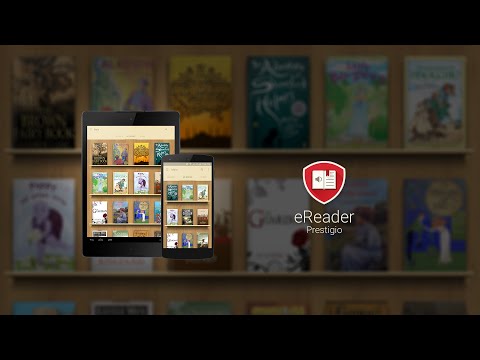

eReader Prestigio: Book Reader
Contains adsIn-app purchases

star
556K reviews

Everyone
info
10M+
Downloads


About this app
eReader Prestigio: Book Reader is a multi lingual, multi format text and audio books reading app. Intuitive interface in over 25 languages and an in app store library with over 50,000 text (for children and adults) books and Text-To-Speech (read along) functionality.
☆ Prestigio ebooks reader is cool - book and text reading never been simpler - you can read text files in multiple text and audio book formats.
☆ Tired of reading? Switch on Text-To-Speech and let the application read the text book file for you! Kids books read along - let us read the best bed time stories for you.
☆ Personalize your reading:
✔ Material Design and simple navigation - its cool
✔ Multiple Shelf Themes and in book backgrounds (add your own)
✔ Scan library for specific file and text book formats
✔ Inbuilt dictionary with Color Dict and others
✔ Text-To-Speech for reading books aloud in multiple languages
✔ In-App Store best books in epub & fb2 formats
✔ Home screen, Recent books, In book Menu, Android Home Widget
✔ Multiple fonts, sizes and styles for best and cool reading
✔ Night mode
✔ Books Collection – create, edit and store your books, organized by desired criteria (genre, author, added time or series) and view them in covers or list views
✔ File Manager - easily find your ebook or text file and set of enjoying reading your stories
✔ Synchronize your books and text files from cloud services such as Google Drive, One Drive & Dropbox directly into books collections
☆ Create ebooks My Prestigio account to
✔ Synchronize books between devices library (only synchronize text files where you left off, not full library)
✔ Download free books (adult and children) and texts from In-App ereader book store
☆ Smart ebooks search function on your device
✔ Scan your library to quickly find text files and books
☆ Multiple book formats support
eReader supports the following ebooks formats:
✔ Text files: epub, djvu, html, fb2, fb2.zip, txt, pdf, mobi, epub3
✔ Audio books stories & video files in books
☆ Multi lingual User Interface Support
25 Interface languages supported and growing: English, Russian, German, Spanish, French, Italian, Dutch, Portuguese, Greek, Finnish, Czech, Polish, Croatian, Latvian, Lithuanian, Hungarian, Romanian, Slovak, Slovenian, Bulgarian, Belorussian, Serbian, Ukrainian and Kazakh
☆ Online epub book store
✔ Over 50,000 books - start reading and enjoying your stories
✔ Discover best and cool book releases, but also best free children & adult books and texts
☆ Coming soon:
✔ ebooks library for kids
☆ Our achievements
- Featured application in 88 countries
- Top Developer
If you like our ereader application, please rate it and recommend it to your friends
☆ Prestigio ebooks reader is cool - book and text reading never been simpler - you can read text files in multiple text and audio book formats.
☆ Tired of reading? Switch on Text-To-Speech and let the application read the text book file for you! Kids books read along - let us read the best bed time stories for you.
☆ Personalize your reading:
✔ Material Design and simple navigation - its cool
✔ Multiple Shelf Themes and in book backgrounds (add your own)
✔ Scan library for specific file and text book formats
✔ Inbuilt dictionary with Color Dict and others
✔ Text-To-Speech for reading books aloud in multiple languages
✔ In-App Store best books in epub & fb2 formats
✔ Home screen, Recent books, In book Menu, Android Home Widget
✔ Multiple fonts, sizes and styles for best and cool reading
✔ Night mode
✔ Books Collection – create, edit and store your books, organized by desired criteria (genre, author, added time or series) and view them in covers or list views
✔ File Manager - easily find your ebook or text file and set of enjoying reading your stories
✔ Synchronize your books and text files from cloud services such as Google Drive, One Drive & Dropbox directly into books collections
☆ Create ebooks My Prestigio account to
✔ Synchronize books between devices library (only synchronize text files where you left off, not full library)
✔ Download free books (adult and children) and texts from In-App ereader book store
☆ Smart ebooks search function on your device
✔ Scan your library to quickly find text files and books
☆ Multiple book formats support
eReader supports the following ebooks formats:
✔ Text files: epub, djvu, html, fb2, fb2.zip, txt, pdf, mobi, epub3
✔ Audio books stories & video files in books
☆ Multi lingual User Interface Support
25 Interface languages supported and growing: English, Russian, German, Spanish, French, Italian, Dutch, Portuguese, Greek, Finnish, Czech, Polish, Croatian, Latvian, Lithuanian, Hungarian, Romanian, Slovak, Slovenian, Bulgarian, Belorussian, Serbian, Ukrainian and Kazakh
☆ Online epub book store
✔ Over 50,000 books - start reading and enjoying your stories
✔ Discover best and cool book releases, but also best free children & adult books and texts
☆ Coming soon:
✔ ebooks library for kids
☆ Our achievements
- Featured application in 88 countries
- Top Developer
If you like our ereader application, please rate it and recommend it to your friends
Multi format Book reader & PDF viewer. Text-To-Speech & Audio book player
Updated on
Safety starts with understanding how developers collect and share your data. Data privacy and security practices may vary based on your use, region, and age. The developer provided this information and may update it over time.


Ratings and reviews
469K reviews

A Google user
- Flag inappropriate
June 8, 2019
I really love this e-reader. I read things in many languages, including Russian and Chinese, and I can look things up with ease, given the dictionary, share, and Google translate options. I also enjoy being able to use it easily with the TTS on my phone or tablet, to have the text read to me in the various languages as well.
51 people found this review helpful

Asta Plemons
- Flag inappropriate
- Show review history
September 24, 2022
Edit* Please fix the english male voices!! Voices aren't working. App is great for different formats of books. It's the only one that will play most of them. I mostly use the audio. There is a decent amount of voices but many don't work. I also have a huge problem with the app shutting down the audio at random. I can't find a reason or solution for it. I would switch if I can find another app. I use it for work and am not allowed to get my phone out to fix the issue.
69 people found this review helpful
Prestigio development team
September 26, 2022
Hello! Thanks for the high rating. Unfortunately, we can't improve TTS engines since they belong to other third parties. Please, try different TTS engines, maybe they will work better.

Whimsical Professor
- Flag inappropriate
September 20, 2020
This is actually the best app I've ever found for reading my pdf books to me! First of all, it's absolutely gorgeous - the interface is beautiful. They made it look like a little library. Next, you have the option of buying some special voices or using the Google voice. The app scans for file types it can read to you and it's really convenient and easy to use. 5 stars isn't enough for this fun, useful, and time-saving app. Definitely a multitasker's dream app!
59 people found this review helpful
What’s new
- Added support Android 15
- Fixed registration errors
- Fixed opening PDF books
- Fixed UI bugs
- Fixed registration errors
- Fixed opening PDF books
- Fixed UI bugs
App support
About the developer
ASBISC ENTERPRISES PLC
sdkprestigio@gmail.com
1 Iapetou
Agios Athanasios 4101
Cyprus
+48 732 080 077


