
Kiosk Browser Lockdown

star
670 reviews

Everyone
info
100K+
Downloads


About this app
Please note Chromebooks are not supported, do not install on Chromebooks.
Designed for use on any Android device and is great for creating public kiosks, interactive digital signage etc.... Lock down the user interface so that the end-user can only access your defined webpage(s) and can't adjust Android system settings or gain access to other applications.
This app uses the Device Administrator permission. You can disable this permissions via Android Settings > Security > Device Admins (before uninstalling).
[How to exit]
Either press the hardware menu button or menu button in the top right hand corner of the screen, enter settings and then tap "Exit to Launcher" or tap anywhere within the webpage 4 times in quick succession to open the password dialog. The default settings password is 0000.
[Key features]
- Password protected settings
- Set as default launcher (prevents app exit)
- Idle page reload
- Hardware control (orientation, screen etc...)
- Cache, cookie & history control
- Disables access to notifications, recent apps, Google Now
- Hides system dialogs
- 70+ configuration options
[More Features]
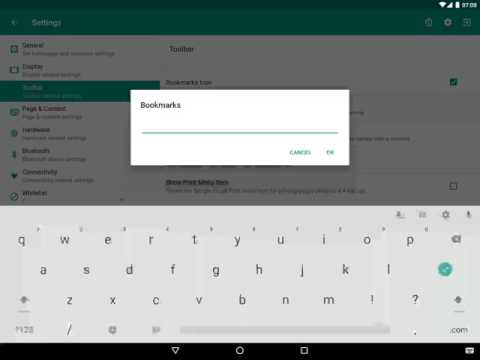
- Bookmarks Bar
- Barcode Scanner
- NFC Reader
- Fullscreen mode / Hidden Toolbar
- Scheduled Sleep and Wake
- JavaScript Interface
- Google Cloud Print & ESC/POS bluetooth printing
- Screensaver (image(s)/video/website(s))
- Colour themes
- Camera Uploads
- Custom Error/Deny Pages
- Url Whitelist & Blacklist
- WiFi Settings Access
- XML Import/Export
[Xiaomi/Huawei/Acer Devices]
You must set the default launcher manually on these devices before Kiosk Browser will start. Normally within Android Settings > Home.
[Remote Management]
Available on a subscription basis, more information can be found on our website.
[Support & Documentation]
https://kioskbrowser.crisp.help/en/
[Licence]
All features are available to test for free, a licence is required for personal or commercial use.
Our licence agreement can be found here: https://www.android-kiosk.com/eula/
Designed for use on any Android device and is great for creating public kiosks, interactive digital signage etc.... Lock down the user interface so that the end-user can only access your defined webpage(s) and can't adjust Android system settings or gain access to other applications.
This app uses the Device Administrator permission. You can disable this permissions via Android Settings > Security > Device Admins (before uninstalling).
[How to exit]
Either press the hardware menu button or menu button in the top right hand corner of the screen, enter settings and then tap "Exit to Launcher" or tap anywhere within the webpage 4 times in quick succession to open the password dialog. The default settings password is 0000.
[Key features]
- Password protected settings
- Set as default launcher (prevents app exit)
- Idle page reload
- Hardware control (orientation, screen etc...)
- Cache, cookie & history control
- Disables access to notifications, recent apps, Google Now
- Hides system dialogs
- 70+ configuration options
[More Features]
- Bookmarks Bar
- Barcode Scanner
- NFC Reader
- Fullscreen mode / Hidden Toolbar
- Scheduled Sleep and Wake
- JavaScript Interface
- Google Cloud Print & ESC/POS bluetooth printing
- Screensaver (image(s)/video/website(s))
- Colour themes
- Camera Uploads
- Custom Error/Deny Pages
- Url Whitelist & Blacklist
- WiFi Settings Access
- XML Import/Export
[Xiaomi/Huawei/Acer Devices]
You must set the default launcher manually on these devices before Kiosk Browser will start. Normally within Android Settings > Home.
[Remote Management]
Available on a subscription basis, more information can be found on our website.
[Support & Documentation]
https://kioskbrowser.crisp.help/en/
[Licence]
All features are available to test for free, a licence is required for personal or commercial use.
Our licence agreement can be found here: https://www.android-kiosk.com/eula/
Kiosk Web Browser is great for creating public kiosks, digital signage etc...
Updated on
Safety starts with understanding how developers collect and share your data. Data privacy and security practices may vary based on your use, region, and age. The developer provided this information and may update it over time.
- No data shared with third partiesLearn more about how developers declare sharing
- This app may collect these data typesLocation, App activity and 2 others
- Data is encrypted in transit
- You can request that data be deleted


Ratings and reviews
481 reviews

A Google user
- Flag inappropriate
- Show review history
October 16, 2019
I am using the software for multiple devices (tablet + mobile computer) and it's absolutely the best! All the configuration (passwords, wifi state, device profile configuration) is just the thing I needed. @ users, who are saying that the app is bad - You should configure it properly, if YOU don't have the know-how then ask someone who does. The best APP for a device lockdown, central management and so on. Satisfied customer.
17 people found this review helpful
ProCo IT
October 16, 2019
Thanks for the kind comments :)
A Google user
- Flag inappropriate
October 7, 2019
We use it mostly to lock our devices (Zebra TC devices) and it does the job well. Some tricks to knows and found if you don't goes via provisioning but so far so good. And also launching a set of app authorized. So we don't really use the browser part. UNLESS for the javascript API provided to be able to show technical information, launch app or service, send back data is working perfectly. That's was not in our plan at first, but now, we couldn't do without. The set of settings available are more than enough for our use cases. And a licence mechanism which is not based on subscription is absolutely game changing. So definitely: Worth it.
18 people found this review helpful
ProCo IT
October 7, 2019
Thanks for your review, glad you are happy with Kiosk Browser :)

Maroon OEC
- Flag inappropriate
- Show review history
August 11, 2021
Powerful application with great support! I have just purchased 75 licences for a fleet of android devices I wanted to run a web based survey on and didn't want them to be used for anything else. I am fairly IT savvy but the support provided by the developers was excellent (even though we live in very different time zones) and helped me sort out a few teething issues. This is a very powerful app and what set it apart for me was that I wasn't locked in to a managed account needing monthly payments like nearly every other kiosk app on the play store. This option is available if you want them to do all the hard work and have them constantly manage your devices, but it was not needed in my circumstances. Couldn't recommend it high enough!
29 people found this review helpful
What’s new
Memory leak fixes
Crash fixes
Fix for remote factory reset on Android 14 and above
"Automatic UI Recovery", now enabled by default
UI recovery now covers Google Play Services and Chrome updates, not just the WebView
Fix for app exiting kiosk mode on screen off when "run above screen lock" is disabled
Scheduled sleep workarounds for devices without exact alarm permission
Fix for QR code provisioning being interrupted
Improved stability on older Android 7 and 9 devices
Crash fixes
Fix for remote factory reset on Android 14 and above
"Automatic UI Recovery", now enabled by default
UI recovery now covers Google Play Services and Chrome updates, not just the WebView
Fix for app exiting kiosk mode on screen off when "run above screen lock" is disabled
Scheduled sleep workarounds for devices without exact alarm permission
Fix for QR code provisioning being interrupted
Improved stability on older Android 7 and 9 devices
App support
About the developer
PROCO-STS LIMITED
support@android-kiosk.com
HIGHER BUCKLAND FARM
BUCKLAND ST MARY
CHARD
TA20 3QZ
United Kingdom
+44 1823 663535