Concentric Native Watchface
4.1star
594 reviews

Everyone
info
50K+
Downloads

Everyone
Learn more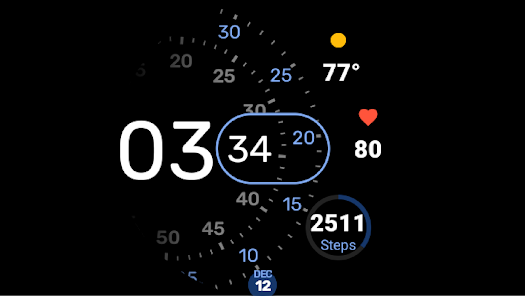
About this app
Concentric Native (Wear OS Watchface)
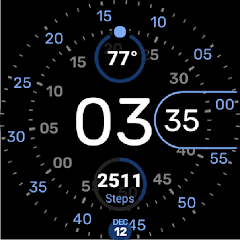
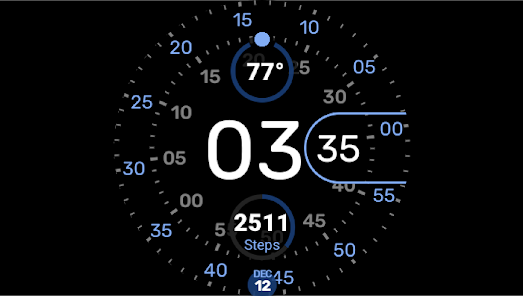
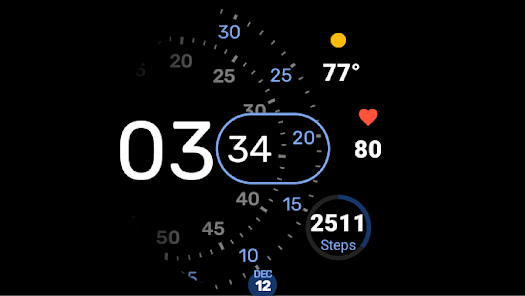
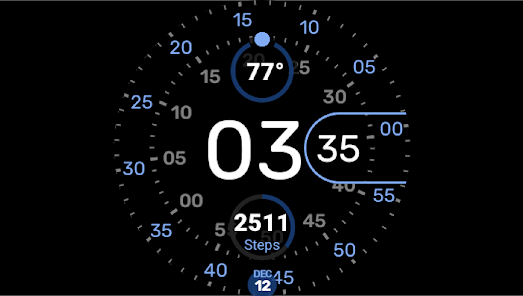
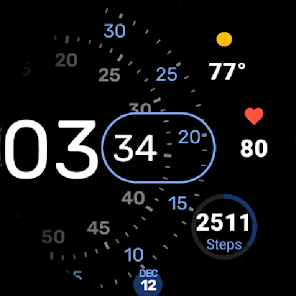
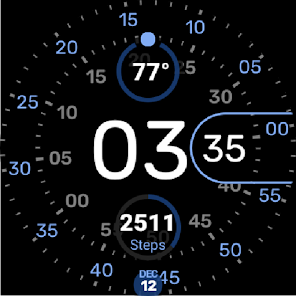
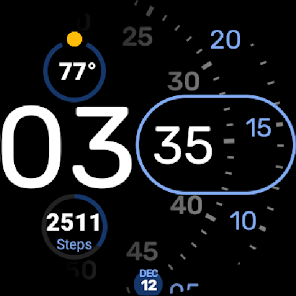
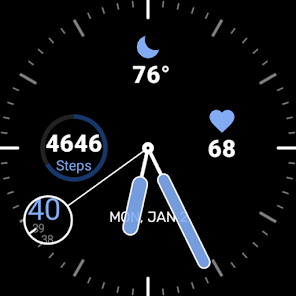
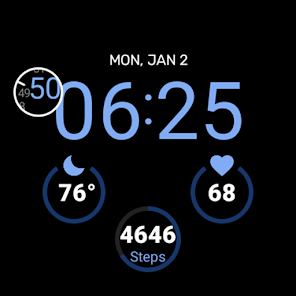
My version of the Pixel Concentric and Digital watchfaces for Wear OS, plus an Analog-style one, and a heart rate complication for Samsung Watch4/Watch5 devices.
Features
3+ watchfaces in one app, with one having 3 styles
Large(r) fonts
2-3 Complications on the watchfaces
Always On Display friendly, and can adjust watchface, complications, and even the time
Full-on AOD for when you want it to show nicely (but probably uses more power)
Multiple colors palettes
Pixel-shifting to avoid burn-in during AOD
Control over colors and complication elements
Ability to show AOD in full colors
Only 15fps for a good battery experience, with a 1fps Low Power mode
Heart Rate Complication that uses the built-in Health Services to provide the latest heart rate BPM. This can be re-used by any other watchface! Note: No data is collected! It is simply displayed. This was done because the built-in Samsung one only displayed a big heart and no data.
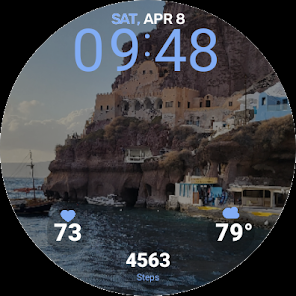
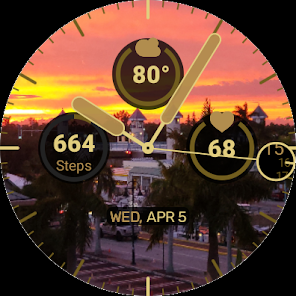
Added background support! Want to add a background to the watchface? Try our Photo Native Complication to show you photos!
https://play.google.com/store/apps/details?id=com.programmersbox.forestwoodass.wearable.watchface.complications.photos
Introduction
This is my version of the Google Pixel Concentric Watchface. It started off being as closely mirroring it as possible, but then I realized I was too old to see the time with those font sizes... and lack of complications for several of the different faces it provided. So I made the fonts bigger and added complications. And made the fonts even bigger when in Always on Display (ambient) mode.
Then I added an Analog watchface (for those classy nights out), and a Digital version (for my son).
Always On Display
The Watchface is optimized for AOD, allowing everything from parts of the watchface, the complications, and even the time to be optionally displayed. It can even be stripped down to just showing just the new notification indicator, enabling those of us with OCD to avoid constantly flipping our wrists to see if we missed a message. But there is also a "Who cares about the battery, show me everthing!" mode, too!
My version of the Pixel Concentric and Digital watchfaces for Wear OS, plus an Analog-style one, and a heart rate complication for Samsung Watch4/Watch5 devices.
Features
3+ watchfaces in one app, with one having 3 styles
Large(r) fonts
2-3 Complications on the watchfaces
Always On Display friendly, and can adjust watchface, complications, and even the time
Full-on AOD for when you want it to show nicely (but probably uses more power)
Multiple colors palettes
Pixel-shifting to avoid burn-in during AOD
Control over colors and complication elements
Ability to show AOD in full colors
Only 15fps for a good battery experience, with a 1fps Low Power mode
Heart Rate Complication that uses the built-in Health Services to provide the latest heart rate BPM. This can be re-used by any other watchface! Note: No data is collected! It is simply displayed. This was done because the built-in Samsung one only displayed a big heart and no data.
Added background support! Want to add a background to the watchface? Try our Photo Native Complication to show you photos!
https://play.google.com/store/apps/details?id=com.programmersbox.forestwoodass.wearable.watchface.complications.photos
Introduction
This is my version of the Google Pixel Concentric Watchface. It started off being as closely mirroring it as possible, but then I realized I was too old to see the time with those font sizes... and lack of complications for several of the different faces it provided. So I made the fonts bigger and added complications. And made the fonts even bigger when in Always on Display (ambient) mode.
Then I added an Analog watchface (for those classy nights out), and a Digital version (for my son).
Always On Display
The Watchface is optimized for AOD, allowing everything from parts of the watchface, the complications, and even the time to be optionally displayed. It can even be stripped down to just showing just the new notification indicator, enabling those of us with OCD to avoid constantly flipping our wrists to see if we missed a message. But there is also a "Who cares about the battery, show me everthing!" mode, too!
Updated on
Safety starts with understanding how developers collect and share your data. Data privacy and security practices may vary based on your use, region, and age. The developer provided this information and may update it over time.

No data shared with third parties
Learn more about how developers declare sharing

No data collected
Learn more about how developers declare collection
Ratings and reviews
4.0
333 reviews

Viktor Lesyk
- Flag inappropriate
September 5, 2023
Good one! I wish I could install just one watch, not 5 or so at once (can't uninstall the rest, though I don't need them) Would maybe like it a bit brighter and more saturated Customizing font size would also be handy (complications have it too big imho) Lastly, date on the bottom is a bit out of the circle, therefore hardly readable

Fish Chippy
- Flag inappropriate
- Show review history
May 30, 2024
This is one of the best watch faces that I have ever used! They are way better than the Galaxy Watch defaults. The only issue I have with Concentric Native, is that there is a bug. I chose to have no complications at all on my concentric native watch face, but whenever I charge my watch during the night, when I wake up and put my watch back on, blank complications show up on my watch, even though I turned them off. One last thing, can you fix the bottom complication being too close to the time?
1 person found this review helpful

Behr
- Flag inappropriate
- Show review history
August 27, 2023
I have this on a Galaxy 6 classic. Love the face but for some reason the rotating seconds won't change colors. If I select green they show green on the wear app but not on the watch. It's strange. I've uninstalled and installed again several times. I'm at a los. Really cool watch face. Edit: after rebooting the watch it works as advertised.My favorite watch face. Thank you!
3 people found this review helpful
Forestwood Associates
August 28, 2023
Hey, thanks for the bug report! Found the issue and the fix should be available in a few days for download.
What’s new
Added WearOS 4 compatibility
Made animation very smooth.
Made animation very smooth.
Everyone
Learn moreApp support
About the developer
David C Rein
rein.david@gmail.com
10009 Seagrass Wy
Palm Beach Gardens, FL 33412-2938
United States
