WEBP Converter - Image to WEBP
Contains adsIn-app purchases
4.8star
271 reviews
10K+
Downloads

Everyone
info
About this app
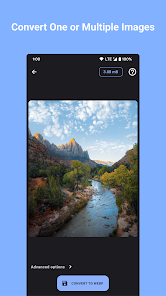
Convert your images to WebP with ease using our Image Converter app!
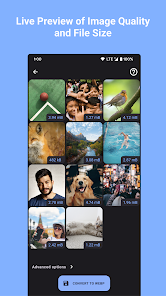
WebP is a modern image format that provides high compression and high image quality, making it ideal for use on the web. Our app makes it simple to convert your images to this format, so you can optimize your images for faster loading times and smaller file sizes.
With a user-friendly interface and fast conversion speeds, our app is the perfect solution for all your WebP conversion needs. Download now and start optimizing your images today!
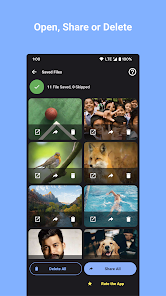
The images can easily be saved in your gallery or shared right after they are converted.
This app allows you to:
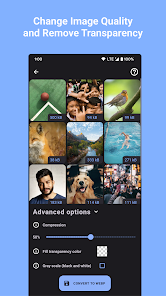
- select file size of the WEBP image
- change transparency value from the original image.
WebP is a modern image format that provides high compression and high image quality, making it ideal for use on the web. Our app makes it simple to convert your images to this format, so you can optimize your images for faster loading times and smaller file sizes.
With a user-friendly interface and fast conversion speeds, our app is the perfect solution for all your WebP conversion needs. Download now and start optimizing your images today!
The images can easily be saved in your gallery or shared right after they are converted.
This app allows you to:
- select file size of the WEBP image
- change transparency value from the original image.
Updated on
Safety starts with understanding how developers collect and share your data. Data privacy and security practices may vary based on your use, region, and age. The developer provided this information and may update it over time.

No data shared with third parties
Learn more about how developers declare sharing

No data collected
Learn more about how developers declare collection

Data is encrypted in transit

Data can’t be deleted
Ratings and reviews
4.8
263 reviews

Kevin Carlos
- Flag inappropriate
- Show review history
January 12, 2024
Good apps. Didn't have option to save setting (something like preset so you can swap between option quickly to min-maxing). Need custom folder output, or just option to overwrite original files. Would be cool to have batch folders
psof apps
December 6, 2023
Hi Kevin! Thanks for the feedback. We apologize for the crashing issue with files over 1,000. We already have fix for this bug and will release an update in the coming weeks :) can you clarify what do you mean with "didn't have option to save setting"?

Hassan Fuad
- Flag inappropriate
September 13, 2023
Functional and Simple, Wish there was an option to disable the ads fully as a one time payment though since they are starting to annoy me. Best of luck to the team working on it 👍
1 person found this review helpful
psof apps
September 14, 2023
Hi Hassan! Thanks for the kind words and the 5-star rating! I really appreciate your support. I understand that ads can be annoying sometimes, the app already has an option to disable ads fully through a one time payment. Please let me know if you have issues finding it :)

Dr Neelesh Aniruddha Dharmadhikari
- Flag inappropriate
- Show review history
February 12, 2024
Excellent performance even in batches upto 300 photos Only issue is that the WebP format images converted are not responding to google sites. Please convey the remedy for that
psof apps
February 12, 2024
Hi Dr Neelesh! Thanks for the amazing review! We're thrilled to hear that our app performed excellently for you, even when processing batches of 300 photos. If you have any other questions or feedback, feel free to reach out. Enjoy using the app!
Edit: what do you mean they are not responding? Please send me an email at support@psof.dev


