
Gamepad Plus
3.0star
906 reviews
100K+
Downloads

Everyone
info
About this app
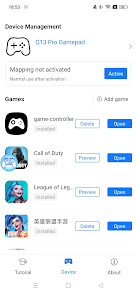
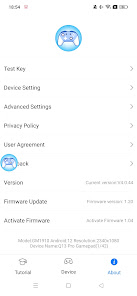
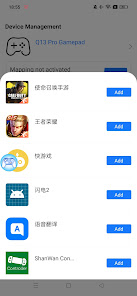
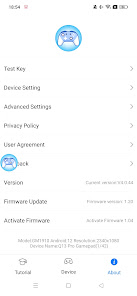
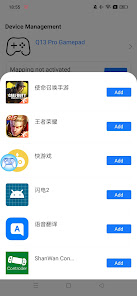
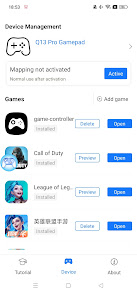
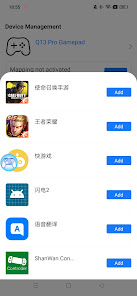
Gamepad Plus is an application APP that activates touch phones after connecting standard Android Bluetooth handles and Bluetooth handles of major mainstream hosts. Through the APP, the standard Android Bluetooth handle buttons can be mapped to touch mobile phones, so that the standard Android Bluetooth handle is no longer limited to playing traditional mobile phone games that support Bluetooth handle control, but can adjust the mapping of the handle buttons according to the needs of touch screen games The location is suitable for the player’s own operating habits or matches the touch screen game the player wants to play. We are committed to using the simplest and purest products to let more controllers play more different experiences!
Updated on
Safety starts with understanding how developers collect and share your data. Data privacy and security practices may vary based on your use, region, and age. The developer provided this information and may update it over time.

No data shared with third parties
Learn more about how developers declare sharing

No data collected
Learn more about how developers declare collection

Data is encrypted in transit
Ratings and reviews
2.9
860 reviews

nima khorasani
- Flag inappropriate
August 16, 2021
This program does not work properly in Android 11. This program detects the gamepad and inside the program can detect all the buttons, even in the test section, all the buttons can be tested, but after entering the game, it does not recognize any of the commands. I hope the production team solves this problem as soon as possible.i will edit the scoring after the problem is solved
49 people found this review helpful

Exponenpro 12
- Flag inappropriate
January 5, 2024
It really good. Good input of the gamepad. A nice feel. But someone if you quickly prest the bottom over and over. The gamepad will get stuck. But you can fix it by going to a new window and go back to the game it will work find.....overall a good app
18 people found this review helpful

DEREK BRADY
- Flag inappropriate
June 25, 2025
The activation option does nothing when you click on it. And even though the controller shows connected in the app the app says no device connected. All you can do with this app really is add your games to the list that's is nothing more. Do not download.
9 people found this review helpful
What’s new
1. Fix some known issues
2. Optimize some user experience
2. Optimize some user experience
App support
phone
Phone number
+8618823379949
About the developer
深圳市七熊科技有限公司
wufuliang@bmchip.com
中国
广东省深圳市
宝安区西乡街道前进二路华盛辉智汇创新中心D栋609
邮政编码: 518000
+86 198 0658 1929


