eSpeak NG Text-to-Speech
Contains adsIn-app purchases
3.4star
1.43K reviews
1L+
Downloads

Everyone
info




About this app
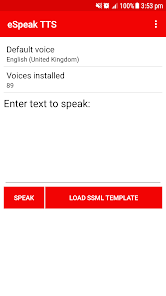
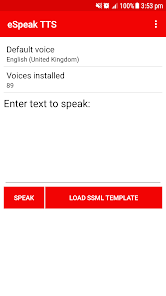
eSpeak NG text-to-speech is a compact open source software speech synthesizer that supports a large number of languages. eSpeak NG text-to-speech uses a "formant synthesis" method. This allows many languages to be provided in a small size. The speech is clear and can be used at high speeds.
This is a port of eSpeak NG to Android for 4.0 (Ice Cream Sandwich) and later (including Android 13), supporting all 107 languages and accents of eSpeak NG text-to-speech Engine.
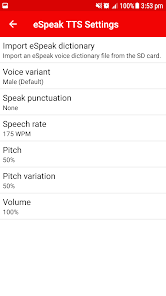
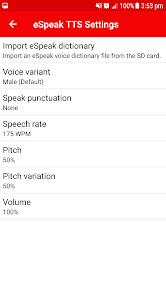
This port of eSpeak NG is built on the eyes-free version. It fixes multiple issues found in the eyes-free version: Fixes crashes on Android 4.3 and later versions, Lot of customization options implemented like eSpeak desktop application, and Various memory leaks and crashes are fixed.
The eSpeak TTS source code is licensed under GPLv3+ by Jonathan Duddington.
The Android port is derived from the eyes-free port by Google under the Apache 2.0 license. Additional modifications have been made by RedZoc Solutions Pvt. Ltd, also under the Apache 2.0 license.
eSpeak NG Text-to-Speech - Developed by
RedZoc Solutions Private Limited
This is a port of eSpeak NG to Android for 4.0 (Ice Cream Sandwich) and later (including Android 13), supporting all 107 languages and accents of eSpeak NG text-to-speech Engine.
This port of eSpeak NG is built on the eyes-free version. It fixes multiple issues found in the eyes-free version: Fixes crashes on Android 4.3 and later versions, Lot of customization options implemented like eSpeak desktop application, and Various memory leaks and crashes are fixed.
The eSpeak TTS source code is licensed under GPLv3+ by Jonathan Duddington.
The Android port is derived from the eyes-free port by Google under the Apache 2.0 license. Additional modifications have been made by RedZoc Solutions Pvt. Ltd, also under the Apache 2.0 license.
eSpeak NG Text-to-Speech - Developed by
RedZoc Solutions Private Limited
Updated on
Safety starts with understanding how developers collect and share your data. Data privacy and security practices may vary based on your use, region and age The developer provided this information and may update it over time.

No data shared with third parties
Learn more about how developers declare sharing

This app may collect these data types
Device or other IDs

Data is encrypted in transit

Data can’t be deleted
Ratings and reviews
3.3
1.38K reviews

Tim Isfeldt
- Flag inappropriate
5 May 2022
Any particular reason why the speech engine switches from switches from English United States to something like English United Kingdom? Usually turning off talk back, and then turning it back on helps, or going into the text to speech settings fixes it. But it's only temporary. Until I go into something like Wikipedia, or Chrome. It's using the default system language.
155 people found this review helpful

Mridul Rabha
- Flag inappropriate
16 July 2024
The app is not working after the last update in this device. Fix it
RedZoc Solutions Private Limited
17 July 2024
Hi,
Thanks for reporting the issue!
The crash is now fixed on Android 14, please update to the latest version.

Nika Tsiklauri
- Flag inappropriate
28 May 2020
Hello! Thanks for the great work. I am giving it 4 stars because of speed limit issues. I am using android 10 on samsung voice assistant. I have installed the former version, and then updated version. now the speed for me is very slow, compared to what it was in the previous version. now in the espeak settings the speed is set at 450 wpm and in general tts settings the speed is at 100%. now, this should be blazingly fast right? It is the maximum speed of espeak, but no. It is very very slow. Could you please take a look in this and fix this as soon as possible, because it is really annoying to listen to this robotic voice on slow speeds. Other everything is good. Hope it will be fixed soon. Thanks in advance.
320 people found this review helpful
What's new
Crash fixed on Android 14