
M Memo
Contains ads
4.6star
41 reviews
1K+
Downloads

Everyone
info


About this app
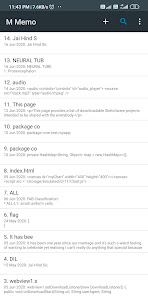
M Memo app is a simple notes app. You can use it to easily write and save notes, reminders, formats, codes, html, and anything else text format.
It contains a robust editor which offers following editing features:
* Find and replace text
* Search text
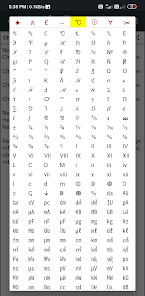
* Insert symbols (from an extensive collection of symbols)
* Undo edits
* Copy/share
* Convert to numbered list or bulleted list
* Convert to Upper case, lower case, bold, italics
* Enable links
* Encode to base64 String
* Sort words alphabetically
* Reverse text
* Remove numbers/punctuations/alphabet
* Character count
The note can be saved as a text file, image or pdf.
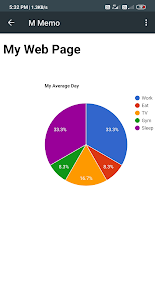
It contains a HTML viewer which can be used to preview any html code in the editor. The html preview can be saved as a pdf file.
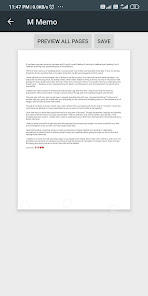
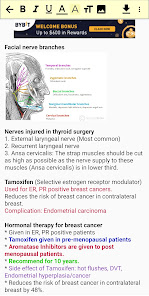
It also contains a 'Reader' page which can be used to format the text. The formatting automatically gets saved and remains available as long as the formatted text is not changed.
The various formatting options for selected text are: bold, italics, text color, text background color, text size, and bullet span.
All these spans or formatting can be applied to the text selected by long press. The formatted text can be saved as a pdf file.
Usage:
* Click on 'NEW NOTE' button on main page to open the editor.
* On the editor page, pressing back button automatically saves the note, even if there is no title.
* Clearing note on editor page removes the note from the list on main page.
* Long pressing any note on main page provides option to delete note or create a copy of the note.
* Delete icon on toolbar on main page provides option to select and delete notes.
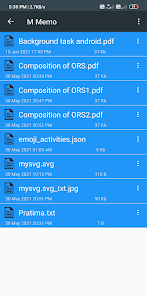
* Folder icon on toolbar on main page provides access to the saved text, pdf or image files.
* To format text on reader page: long press on text to select it, then click any of the formatting icons.
* Back pressing on reader page and settings page saves the changes made on those pages.
Provide your suggestions for improvement of app, and if any new features, or ability to open any new extension should be added.
The app needs permissions to access INTERNET only to serve Ads, and permissions to WRITE_EXTERNAL_STORAGE to save the files.
It contains a robust editor which offers following editing features:
* Find and replace text
* Search text
* Insert symbols (from an extensive collection of symbols)
* Undo edits
* Copy/share
* Convert to numbered list or bulleted list
* Convert to Upper case, lower case, bold, italics
* Enable links
* Encode to base64 String
* Sort words alphabetically
* Reverse text
* Remove numbers/punctuations/alphabet
* Character count
The note can be saved as a text file, image or pdf.
It contains a HTML viewer which can be used to preview any html code in the editor. The html preview can be saved as a pdf file.
It also contains a 'Reader' page which can be used to format the text. The formatting automatically gets saved and remains available as long as the formatted text is not changed.
The various formatting options for selected text are: bold, italics, text color, text background color, text size, and bullet span.
All these spans or formatting can be applied to the text selected by long press. The formatted text can be saved as a pdf file.
Usage:
* Click on 'NEW NOTE' button on main page to open the editor.
* On the editor page, pressing back button automatically saves the note, even if there is no title.
* Clearing note on editor page removes the note from the list on main page.
* Long pressing any note on main page provides option to delete note or create a copy of the note.
* Delete icon on toolbar on main page provides option to select and delete notes.
* Folder icon on toolbar on main page provides access to the saved text, pdf or image files.
* To format text on reader page: long press on text to select it, then click any of the formatting icons.
* Back pressing on reader page and settings page saves the changes made on those pages.
Provide your suggestions for improvement of app, and if any new features, or ability to open any new extension should be added.
The app needs permissions to access INTERNET only to serve Ads, and permissions to WRITE_EXTERNAL_STORAGE to save the files.
Updated on
Safety starts with understanding how developers collect and share your data. Data privacy and security practices may vary based on your use, region, and age. The developer provided this information and may update it over time.

This app may share these data types with third parties
Location, Personal info and 5 others

No data collected
Learn more about how developers declare collection

Data is encrypted in transit

Data can’t be deleted
What’s new
* Bug fixes
App support
About the developer
Sanjeev Kumar
sanjeevk4571@gmail.com
No. 5, 18th Block, Jayappa Complex
Bharathi Nagar, Hunasamaranahalli
Bengaluru, Karnataka 562157
India