
FileShield: Hide Photos, Video
Contains adsIn-app purchases


Everyone
info
1+
Downloads


About this app
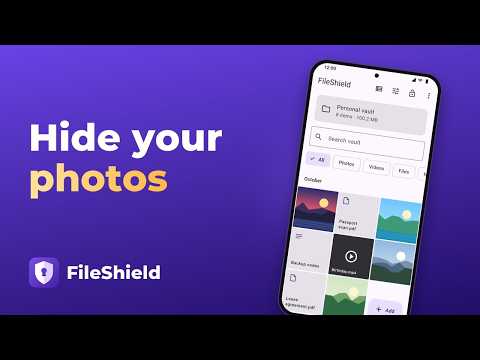
Hide photos and videos in an encrypted photo vault that opens only with your PIN or pattern. Keep private pictures, documents and notes in a secret photo album on your device: no registration, no developer cloud, and the vault works offline.
ENCRYPTION ON YOUR DEVICE
Files, filenames, dates and thumbnails are encrypted with AES-256-GCM. The developer does not receive your vault files or encryption keys.
PIN, PATTERN AND BIOMETRICS
Choose a 6–12 digit PIN or a pattern using 6–9 different dots. Biometric unlock is available on supported devices. Repeated incorrect codes trigger a temporary delay.
DECOY VAULT AND DURESS CODE
A separate code opens a decoy profile with its own files. With Lifetime License, you can configure a duress code that deletes the primary profile on this device and opens the decoy. This deletion cannot be undone.
INTRUDER PHOTOS (LIFETIME LICENSE)
If someone enters a wrong code on the unlock screen or in a disguise, the app takes a photo with the front camera. You choose after how many wrong attempts in a row: 1 to 3. The photos are encrypted and can be viewed only in the primary vault; the decoy profile does not show them.
CALCULATOR VAULT AND OTHER DISGUISES (LIFETIME LICENSE)
On the home screen, the app can look like Calculator, Notes, Weather, Clock or Printer. Each disguise works like a real app: in Calculator, type your code and press “=” to open the vault.
VAULT CAMERA AND VIEWER
Capture photos and videos directly into the vault without adding them to the system gallery. View photos, videos, notes and slideshows inside the app. Screenshots and screen recording are blocked on Android.
TRASH
Deleted files stay in the vault's trash for 30 days, still encrypted, and can be restored. After that, they are deleted permanently.
ORGANIZE YOUR CONTENT
Use separate vaults, search your files and browse a gallery grouped by month. Import content from your device. After a successful import, you can request deletion of the original; your device may ask for confirmation.
ENCRYPTED BACKUP AND TRANSFER
Export an encrypted vault archive and open it on another device with a secret recovery phrase. Keep the phrase separate from the archive. Vault content stays local unless you choose to export or share it.
MORE PROTECTION AND CONVENIENCE
• Encrypted backup to your own Google Drive, with its own recovery phrase (Lifetime License).
• “Hide in FileShield” in the share menu of other apps.
• Quick lock: put the phone face down or shake it.
• Keep a vault on the memory card.
• Seven app colors (Lifetime License).
AUTOMATIC LOCK
The vault locks when the app goes into the background and after two minutes of inactivity. Its contents are hidden in the recent apps screen.
BASIC VERSION AND ONE-TIME PURCHASES
The basic version includes up to 3 vaults, 100 photos and 10 videos, plus files and notes. Ads appear on vault screens, never on the unlock screen.
• Remove Ads is a one-time purchase.
• Lifetime License is a one-time purchase that removes ads and limits on the number of vaults, photos and videos, and unlocks disguises, duress mode and intruder photos. Available device storage still applies.
There are no subscriptions. Purchase prices are shown by Google Play.
KEEP YOUR CODE AND BACKUP SAFE
The developer cannot recover a forgotten code or lost keys. Make an encrypted backup before changing devices or uninstalling. Uninstalling the app removes its local vault data.
ENCRYPTION ON YOUR DEVICE
Files, filenames, dates and thumbnails are encrypted with AES-256-GCM. The developer does not receive your vault files or encryption keys.
PIN, PATTERN AND BIOMETRICS
Choose a 6–12 digit PIN or a pattern using 6–9 different dots. Biometric unlock is available on supported devices. Repeated incorrect codes trigger a temporary delay.
DECOY VAULT AND DURESS CODE
A separate code opens a decoy profile with its own files. With Lifetime License, you can configure a duress code that deletes the primary profile on this device and opens the decoy. This deletion cannot be undone.
INTRUDER PHOTOS (LIFETIME LICENSE)
If someone enters a wrong code on the unlock screen or in a disguise, the app takes a photo with the front camera. You choose after how many wrong attempts in a row: 1 to 3. The photos are encrypted and can be viewed only in the primary vault; the decoy profile does not show them.
CALCULATOR VAULT AND OTHER DISGUISES (LIFETIME LICENSE)
On the home screen, the app can look like Calculator, Notes, Weather, Clock or Printer. Each disguise works like a real app: in Calculator, type your code and press “=” to open the vault.
VAULT CAMERA AND VIEWER
Capture photos and videos directly into the vault without adding them to the system gallery. View photos, videos, notes and slideshows inside the app. Screenshots and screen recording are blocked on Android.
TRASH
Deleted files stay in the vault's trash for 30 days, still encrypted, and can be restored. After that, they are deleted permanently.
ORGANIZE YOUR CONTENT
Use separate vaults, search your files and browse a gallery grouped by month. Import content from your device. After a successful import, you can request deletion of the original; your device may ask for confirmation.
ENCRYPTED BACKUP AND TRANSFER
Export an encrypted vault archive and open it on another device with a secret recovery phrase. Keep the phrase separate from the archive. Vault content stays local unless you choose to export or share it.
MORE PROTECTION AND CONVENIENCE
• Encrypted backup to your own Google Drive, with its own recovery phrase (Lifetime License).
• “Hide in FileShield” in the share menu of other apps.
• Quick lock: put the phone face down or shake it.
• Keep a vault on the memory card.
• Seven app colors (Lifetime License).
AUTOMATIC LOCK
The vault locks when the app goes into the background and after two minutes of inactivity. Its contents are hidden in the recent apps screen.
BASIC VERSION AND ONE-TIME PURCHASES
The basic version includes up to 3 vaults, 100 photos and 10 videos, plus files and notes. Ads appear on vault screens, never on the unlock screen.
• Remove Ads is a one-time purchase.
• Lifetime License is a one-time purchase that removes ads and limits on the number of vaults, photos and videos, and unlocks disguises, duress mode and intruder photos. Available device storage still applies.
There are no subscriptions. Purchase prices are shown by Google Play.
KEEP YOUR CODE AND BACKUP SAFE
The developer cannot recover a forgotten code or lost keys. Make an encrypted backup before changing devices or uninstalling. Uninstalling the app removes its local vault data.
Encrypted photo vault: hide pictures and videos in a private gallery with a PIN
Updated on
Safety starts with understanding how developers collect and share your data. Data privacy and security practices may vary based on your use, region, and age. The developer provided this information and may update it over time.


What’s new
FileShield 1.3:
• Encrypted backup to your own Google Drive with its own phrase (Lifetime License)
• “Hide in FileShield” in the share menu of other apps
• Quick lock: put the phone face down or shake it
• A vault on the memory card
• 7 app colors (Lifetime License)
• Gallery by month, 30-day trash, intruder photos
• A new intro and Help and questions
• Fixed fingerprint sign-in and stronger protection when unlocking
• Encrypted backup to your own Google Drive with its own phrase (Lifetime License)
• “Hide in FileShield” in the share menu of other apps
• Quick lock: put the phone face down or shake it
• A vault on the memory card
• 7 app colors (Lifetime License)
• Gallery by month, 30-day trash, intruder photos
• A new intro and Help and questions
• Fixed fingerprint sign-in and stronger protection when unlocking
App support
About the developer
Удєлов Дмитро
anonimys1992@meta.ua
вулиця Левка Лук'яненка, 7Б
Київ
Ukraine
04207