
Skydive Sim Remote


Everyone
info
1+
Downloads

Everyone
Learn more


About this app
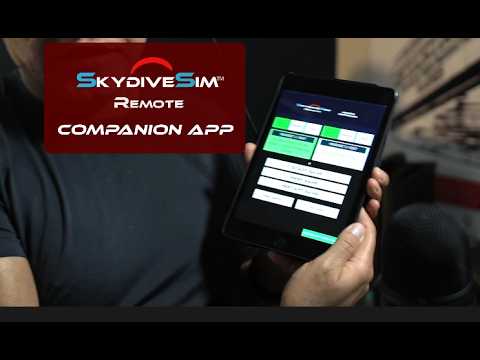
Skydive Sim Remote is a companion app for operating Skydive Sim challenge sessions at events, demonstrations, arcades, training locations, and entertainment venues.
Control and monitor up to two VR headsets running Skydive Sim from a single phone or tablet. Each headset can be managed independently, making it easy for one operator to run multiple participants at the same time.
Features include:
• Connect to and monitor up to two VR headsets running Skydive Sim
• Select Easy, Medium, or Hard difficulty independently for each headset
• Start challenge sessions
• Finish or end the current session
• Restart challenges
• View live headset and session status
• Secure PIN-based headset connections
• Authenticated local-network commands
• Responsive phone and tablet interface
• Portrait and landscape orientation support
• Passwordless email-code sign-in
• In-app account management and permanent account deletion
Secure headset connection
Before a remote operator can control a headset, Skydive Sim displays a temporary connection PIN inside the headset. The operator must enter that PIN in Skydive Sim Remote before controls become available.
This helps prevent an unknown device on the local network from connecting to or controlling a headset without access to the headset session.
Remote commands use authenticated communication between Skydive Sim Remote and Skydive Sim.
Skydive Sim Remote intentionally does not stream headset video, helping reduce network traffic and unnecessary performance load on the VR headsets during events. If desired, headset video can be viewed separately using Meta Quest’s native casting feature.
The app is designed specifically for Skydive Sim Challenge and Event Mode operation. It does not navigate Skydive Sim’s general menus or provide the advanced training and flight-assistance features available in the separate Skydive Sim Instructor app.
Requirements:
• A compatible VR headset running Skydive Sim
• Skydive Sim Event Mode enabled
• An active Skydive Sim challenge scene
• The Remote device and headset connected to the same local network
• Internet connection required
Skydive Sim Remote is a companion application and does not provide a standalone skydiving simulation.
Control and monitor up to two VR headsets running Skydive Sim from a single phone or tablet. Each headset can be managed independently, making it easy for one operator to run multiple participants at the same time.
Features include:
• Connect to and monitor up to two VR headsets running Skydive Sim
• Select Easy, Medium, or Hard difficulty independently for each headset
• Start challenge sessions
• Finish or end the current session
• Restart challenges
• View live headset and session status
• Secure PIN-based headset connections
• Authenticated local-network commands
• Responsive phone and tablet interface
• Portrait and landscape orientation support
• Passwordless email-code sign-in
• In-app account management and permanent account deletion
Secure headset connection
Before a remote operator can control a headset, Skydive Sim displays a temporary connection PIN inside the headset. The operator must enter that PIN in Skydive Sim Remote before controls become available.
This helps prevent an unknown device on the local network from connecting to or controlling a headset without access to the headset session.
Remote commands use authenticated communication between Skydive Sim Remote and Skydive Sim.
Skydive Sim Remote intentionally does not stream headset video, helping reduce network traffic and unnecessary performance load on the VR headsets during events. If desired, headset video can be viewed separately using Meta Quest’s native casting feature.
The app is designed specifically for Skydive Sim Challenge and Event Mode operation. It does not navigate Skydive Sim’s general menus or provide the advanced training and flight-assistance features available in the separate Skydive Sim Instructor app.
Requirements:
• A compatible VR headset running Skydive Sim
• Skydive Sim Event Mode enabled
• An active Skydive Sim challenge scene
• The Remote device and headset connected to the same local network
• Internet connection required
Skydive Sim Remote is a companion application and does not provide a standalone skydiving simulation.
Companion app for events and arcades using Skydive Sim Challenge Scenes
Updated on
Safety starts with understanding how developers collect and share your data. Data privacy and security practices may vary based on your use, region, and age. The developer provided this information and may update it over time.
- No data shared with third partiesLearn more about how developers declare sharing
- This app may collect these data typesPersonal info and App activity
- Data is encrypted in transit
- You can request that data be deleted


What’s new
Initial release of Skydive Sim Remote.
Control and monitor up to two VR headsets running Skydive Sim for events, demonstrations, and arcade-style sessions. Includes secure PIN-based headset connections, independent difficulty controls, and session start, finish, and restart controls.
Control and monitor up to two VR headsets running Skydive Sim for events, demonstrations, and arcade-style sessions. Includes secure PIN-based headset connections, independent difficulty controls, and session start, finish, and restart controls.
Everyone
Learn moreApp support
phone
Phone number
+18325265822
About the developer
VALINIA INC
Support@SkydiveSim.com
3022 Terrace Hills Ln
Houston, TX 77007-7062
United States
+1 832-526-5822