
WinGo Plan: goals & projects
In-app purchases
3.9star
368 reviews
10K+
Downloads

Everyone
info

About this app
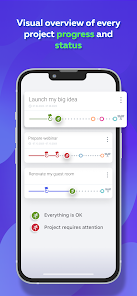
WinGo Plan helps you to manage your work projects as well as to achieve your personal goals. It is a different approach to planning: simple, visual & motivating. Also it helps you to evaluate tasks by importance, not by the time spent.
Our project planning and goals achievement app system will help you:
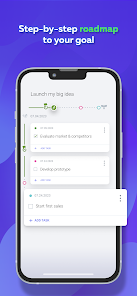
MAKE A PLAN
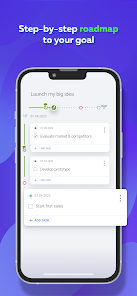
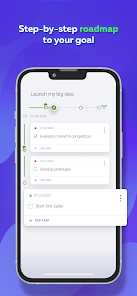
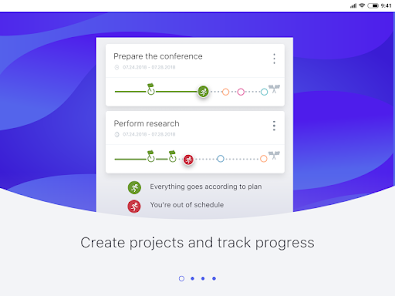
Set a goal and a time frame for achieving it.
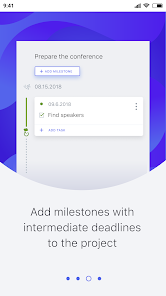
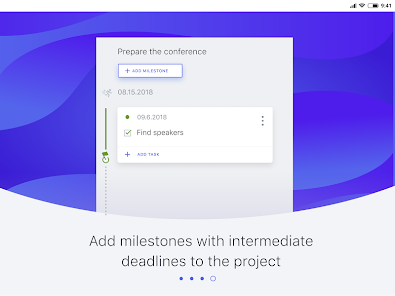
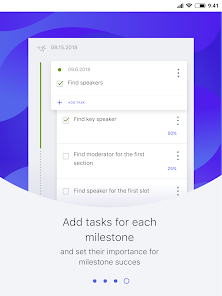
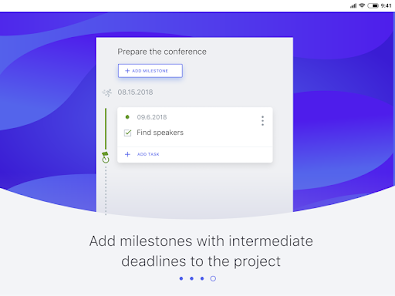
Add milestones - intermediate stages when you need to complete certain work.
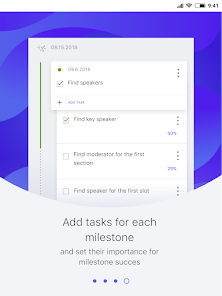
List the tasks for each stage.
MEET DEADLINES
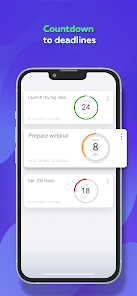
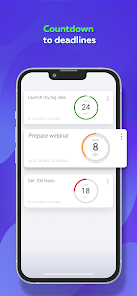
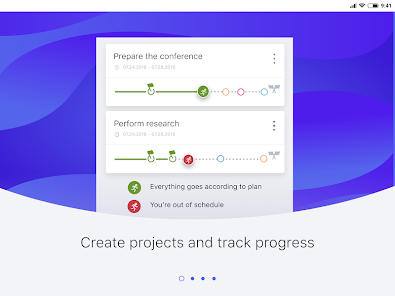
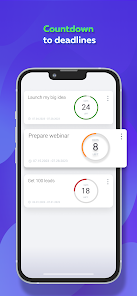
On the Deadlines screen, keep track of how much time is left until the completion of the next stage and the whole project.
ADD MOTIVATION
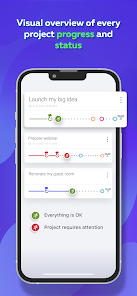
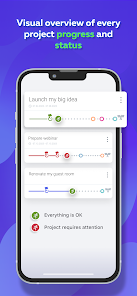
Watch as you get closer to your goal as you complete tasks. Make sure the WinGoman stays green.
According to our users feedback, WinGo Plan is suitable for those who are not satisfied with standard solutions:
- for chaotics who hate daily schedules;
- for scanners doing many tasks at the same time;
- for people who hate routine;
- who are often get distracted by other things or suffer from attention deficit disorder;
- who are afraid to take on something big, but want to realize their dreams;
- who need additional motivation and gamification.
FOR PEOPLE WHO CARE ABOUT THE RESULT MORE THAN ABOUT PROCESS!
When using WinGo Plan:
FOCUS ON THE ESSENTIALS
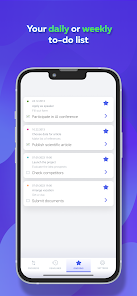
Assign importance to each task depending on how much it affects the result.
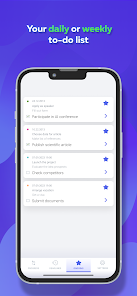
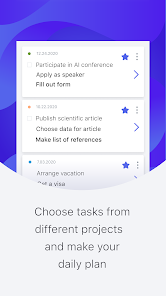
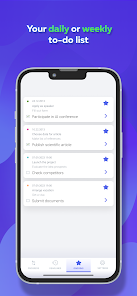
FORM A LIST OF PRIORITY TASKS
Highlight the most important or urgent tasks and steps that need to be done first.
ADD GAMIFICATION
WinGoman will become your constant companion. It will add an element of the game and achievements.
WinGo Plan WILL HELP TO CONVERT YOUR IDEAS INTO ACTIONS!
We plan to develop and expand the functionality of WinGo Plan, so your wishes, comments and feedback are very important. Please share your thoughts with us, tell us how do like the planner and what needs to be added first.
Get more information on https://wingo.io
Or join us in social networks:
Facebook https://www.facebook.com/wingoplan/
LinkedIn https://www.linkedin.com/company/wingoplan/
PREMIUM subscription allows you to use Wingo Plan with unlimited number of projects, milestones, and task and customise individual notifications and other premium features.
For the first subscription you may get 7 days as a free trial period. If you do not cancel Premium subscription before free period ends, your iTunes account will be charged annually. Subscription automatically renews unless auto-renew is turned off at least 24 hours before the end of current period. You can manage your subscription and turn off auto-renew from your iTunes Account settings. Any unused portion of a free trial period, will be forfeited if you purchase the subscription. Subscription means that you agree with Terms of Service:
Privacy Policy - https://wingo.io/en/terms
Our project planning and goals achievement app system will help you:
MAKE A PLAN
Set a goal and a time frame for achieving it.
Add milestones - intermediate stages when you need to complete certain work.
List the tasks for each stage.
MEET DEADLINES
On the Deadlines screen, keep track of how much time is left until the completion of the next stage and the whole project.
ADD MOTIVATION
Watch as you get closer to your goal as you complete tasks. Make sure the WinGoman stays green.
According to our users feedback, WinGo Plan is suitable for those who are not satisfied with standard solutions:
- for chaotics who hate daily schedules;
- for scanners doing many tasks at the same time;
- for people who hate routine;
- who are often get distracted by other things or suffer from attention deficit disorder;
- who are afraid to take on something big, but want to realize their dreams;
- who need additional motivation and gamification.
FOR PEOPLE WHO CARE ABOUT THE RESULT MORE THAN ABOUT PROCESS!
When using WinGo Plan:
FOCUS ON THE ESSENTIALS
Assign importance to each task depending on how much it affects the result.
FORM A LIST OF PRIORITY TASKS
Highlight the most important or urgent tasks and steps that need to be done first.
ADD GAMIFICATION
WinGoman will become your constant companion. It will add an element of the game and achievements.
WinGo Plan WILL HELP TO CONVERT YOUR IDEAS INTO ACTIONS!
We plan to develop and expand the functionality of WinGo Plan, so your wishes, comments and feedback are very important. Please share your thoughts with us, tell us how do like the planner and what needs to be added first.
Get more information on https://wingo.io
Or join us in social networks:
Facebook https://www.facebook.com/wingoplan/
LinkedIn https://www.linkedin.com/company/wingoplan/
PREMIUM subscription allows you to use Wingo Plan with unlimited number of projects, milestones, and task and customise individual notifications and other premium features.
For the first subscription you may get 7 days as a free trial period. If you do not cancel Premium subscription before free period ends, your iTunes account will be charged annually. Subscription automatically renews unless auto-renew is turned off at least 24 hours before the end of current period. You can manage your subscription and turn off auto-renew from your iTunes Account settings. Any unused portion of a free trial period, will be forfeited if you purchase the subscription. Subscription means that you agree with Terms of Service:
Privacy Policy - https://wingo.io/en/terms
Updated on
Safety starts with understanding how developers collect and share your data. Data privacy and security practices may vary based on your use, region, and age. The developer provided this information and may update it over time.


Ratings and reviews
3.9
353 reviews

Rin M
- Flag inappropriate
- Show review history
November 19, 2022
It was great, until it limited what I could do by asking for money, then it became worthless. I got only 3 projects up and it asks for money to do any more than that. It was already lacking enough, I don't need to pay for something that doesn't have what I need. It goes "Project -> Milestone -> Task", unfortunately I need something more extensive than that. Loved the idea of bookmarking certain tasks to make a "to-do" list. I would have liked a way to measure monetary value progress also tho.
1 person found this review helpful
Alphyn Apps
March 3, 2023
Great that got and like the main idea! We will forward your suggestion about monetary value to the team 👌 It is recommended to keep up to 3 projects/goals at once, and you can add them to the planner for free. If you are advanced user, you can buy premium subscription with even more features.

Me
- Flag inappropriate
June 6, 2024
Very good app, it just needs some polishing like better icons, sounds, and maybe animations? It will make it more interactive and interesting, and i think it would be better to give finished tasks and stages a very light green background color. Thank you developer for this app! 😁
Alphyn Apps
June 11, 2024
Thank you very much for your review! We think you are right and really appreciate your suggestion. Hold on a bit, we are already working on new versions 😀 We are planing many new features and redesign, but need some time to implement them. Hope you will like them and find them helpful. BTW your reviews help us a lot on our way to the goal 🤩

Tanzir Ahmed
- Flag inappropriate
- Show review history
December 17, 2021
It's a great app. But I want to suggest one or two things. If it was possible to have an option to manually input how much (percentage) of a subtask has been done, that would have been great. Also, right now we can only add one layer of tasks. Another layer with sub tasks would be a great addition.
3 people found this review helpful
Alphyn Apps
June 25, 2024
Thanks a lot for your review and suggestion! You help us make WinGo Plan better. We carefully gather all users ideas to consider them and to implement in upcoming versions. Hope the planner will be helping you successfully achieve your goals for a long time!
What's new
- small improvements