
PC Mouse


Everyone
info
1K+
Downloads

Everyone
Learn more


About this app
PC Mouse
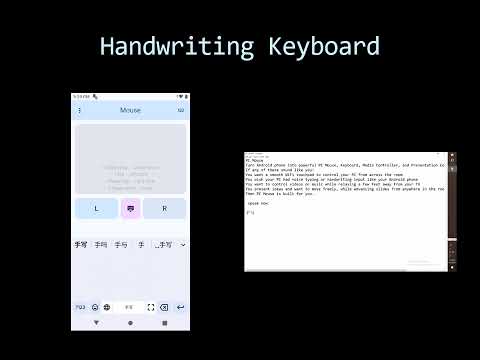
Turn Android phone into powerful PC Mouse, Keyboard, Media Controller, and Presentation Controller for Windows.
If any of these sound like you:
You want a smooth WiFi touchpad to control your PC from across the room
You wish your PC had voice typing or handwriting input like your Android phone
You want to control videos or music while relaxing a few feet away from your TV
You present ideas and want to move freely, while advancing slides from anywhere in the room
Then PC Mouse is built for you.
Step 1) Install Android App from Google Play Store or from Samsung Galaxy Store. How to connect:
- Scan QR code
- or enter IP and port
- Make sure service of Windows App is reachable
Step 2) Install Windows Suite (2.2 or above) from Microsoft Store or Install Windows App in PC.
And for better performance, you have to manually install PC Mouse Driver (kbfiltr).
Turn Android phone into powerful PC Mouse, Keyboard, Media Controller, and Presentation Controller for Windows.
If any of these sound like you:
You want a smooth WiFi touchpad to control your PC from across the room
You wish your PC had voice typing or handwriting input like your Android phone
You want to control videos or music while relaxing a few feet away from your TV
You present ideas and want to move freely, while advancing slides from anywhere in the room
Then PC Mouse is built for you.
Step 1) Install Android App from Google Play Store or from Samsung Galaxy Store. How to connect:
- Scan QR code
- or enter IP and port
- Make sure service of Windows App is reachable
Step 2) Install Windows Suite (2.2 or above) from Microsoft Store or Install Windows App in PC.
And for better performance, you have to manually install PC Mouse Driver (kbfiltr).
Turn Android phone into powerful PC Mouse, Keyboard, and Controller for Windows.
Updated on
Safety starts with understanding how developers collect and share your data. Data privacy and security practices may vary based on your use, region, and age. The developer provided this information and may update it over time.
- No data shared with third partiesLearn more about how developers declare sharing
- No data collectedLearn more about how developers declare collection


What’s new
PC Mouse
Turn Android phone into powerful PC Mouse, Keyboard, Media Controller, and Presentation Controller for Windows.
Turn Android phone into powerful PC Mouse, Keyboard, Media Controller, and Presentation Controller for Windows.
Everyone
Learn moreApp support
About the developer
TIANTU CORP.
tiantutech@gmail.com
27 Olde Village Cir
Wallingford, CT 06492
United States
+1 475-316-3166


