
Screen Calibration
Contains adsIn-app purchases

Everyone
info
1K+
Downloads

Everyone
Learn more



About this app
Touch Screen Calibration app includes screen testing using different guides like single tap, double tap, long press, swipe left-right, pinch-zoom tests. You can also test your screen pixels by swiping on using the Full Screen Test feature of the app. Test your phones multiple touch sensitivity by using the Multi Touch test feature of the app.
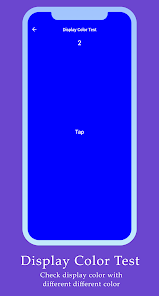
Analyze your device screen sensitivity by testing its response times by conducting touch analyzer feature of the app. Test your device RGB color using the Color Test feature which display RGB colors on your screen.
Key Features:
1. Touch Screen Calibration feature with single tap, double tap, long press, swipe left-right, pinch-zoom tests.
2. Full screen test by tapping on screen.
3. Multi touch test by swiping with multiple fingers.
4. Display Calibration for checking screen response time.
5. Screen test feature for checking screen colors.
Analyze your device screen sensitivity by testing its response times by conducting touch analyzer feature of the app. Test your device RGB color using the Color Test feature which display RGB colors on your screen.
Key Features:
1. Touch Screen Calibration feature with single tap, double tap, long press, swipe left-right, pinch-zoom tests.
2. Full screen test by tapping on screen.
3. Multi touch test by swiping with multiple fingers.
4. Display Calibration for checking screen response time.
5. Screen test feature for checking screen colors.
Screen Calibration app is used to test your device screen touch sensitivity.
Updated on
Safety starts with understanding how developers collect and share your data. Data privacy and security practices may vary based on your use, region, and age. The developer provided this information and may update it over time.
- No data shared with third partiesLearn more about how developers declare sharing
- No data collectedLearn more about how developers declare collection
- Data isn’t encrypted
- Data can’t be deleted


Everyone
Learn moreApp support
About the developer
Karan Gajjar
megatronapps1007@gmail.com
2/2092, Gajjar Mohallo,, Rudarpura
Surat, Gujarat 395002
India


