
TradingView: Track All Markets
Contains adsIn-app purchases
4.8star
578K reviews
10M+
Downloads

Everyone
info



About this app
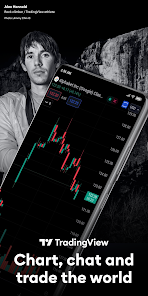
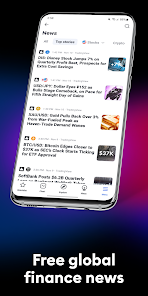
Simple for beginners and effective for technical analysis experts, TradingView has all of the instruments for publication and the viewing of trading ideas. Real-time quotes and charts are available for wherever you are at whatever time.
At TradingView, all data is obtained by professional providers who have direct and extensive access to stock quotes, futures, popular indices, Forex, Bitcoin and CFDs.
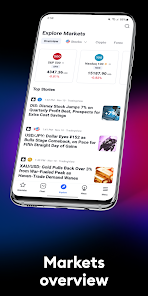
You can effectively track stock market and major global indices such as the NASDAQ Composite, S&P 500 (SPX), NYSE, Dow Jones (DJI), DAX, FTSE 100, NIKKEI 225, etc. You can also learn more about exchange rates, oil prices, mutual funds, bonds, ETFs and other commodities.
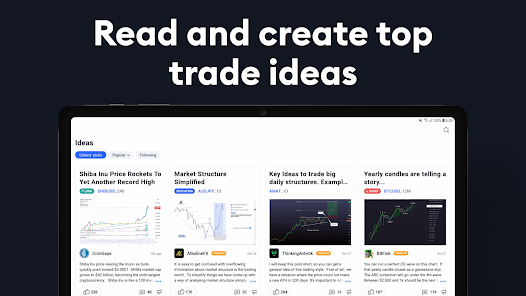
TradingView is the most active social network for traders and investors. Connect with millions of traders from around the world, learn from the experiences of other investors and discuss trading ideas.
Advanced Charts
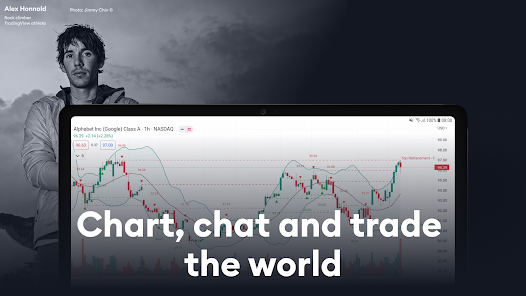
TradingView has excellent charts that surpass even desktop trading platforms in quality.
No compromises. All of the features, settings and tools of our charts will also be available in our app version. Over 10 types of charts for market analysis from different angles. Starting with an elementary chart line and ending with Renko and Kagi charts, which focus heavily on price fluctuations and barely take time into account as a factor. They can be very useful for determining long-term trends and can help you earn money.
Choose from a large selection of price analysis tools, including, but not limited to, indicators, strategies, drawing objects (i.e. Gann, Elliot Wave, moving averages) and more.
Individual watchlists and alerts
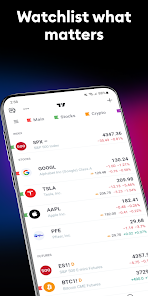
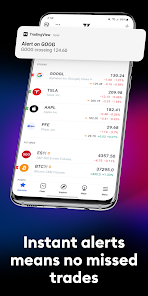
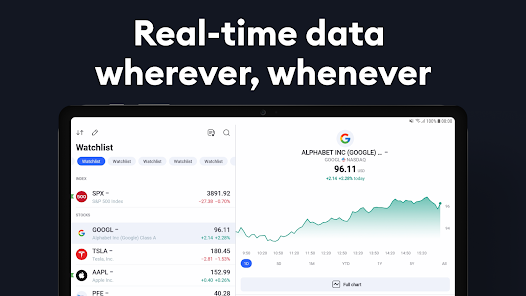
You can track major global indices, stocks, currency pairs, bonds, futures, mutual funds, commodities and cryptocurrencies all in real-time.
Alerts will help you not to miss the smallest of changes in the market and will allow you to react in time to invest or sell profitably, increasing your overall profit.
Flexible settings help you to track the indices you need and also group them in a way that is convenient for you.
Syncing your accounts
All saved changes, notifications, charts, and technical analysis, which you began on the TradingView platform will be automatically accessible from your mobile device through the app.
Real-time data from global exchanges
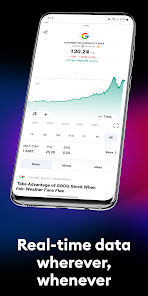
Gain access to data in real-time on more than 100,000 instruments from over 50 exchanges from the United States, the East, and countries in Asia and Europe, such as: NYSE, LSE, TSE, SSE, HKEx, Euronext, TSX, SZSE, FWB, SIX, ASX, KRX, NASDAQ, JSE, Bolsa de Madrid, TWSE, BM&F/B3 and many others!
Commodity prices
In real-time, you can track prices for gold, silver, oil, natural gas, cotton, sugar, wheat, corn, and many other products.
Global indices
Track major indices of the world stock market in real-time:
■ North and South America: Dow Jones, S&P 500, NYSE, NASDAQ Composite, SmallCap 2000, NASDAQ 100, Merval, Bovespa, RUSSELL 2000, IPC, IPSA;
■ Europe: CAC 40, FTSE MIB, IBEX 35, ATX, BEL 20, DAX, BSE Sofia, PX, РТС;
■ Asian-Pacific Ocean Regions: NIKKEI 225, SENSEX, NIFTY, SHANGHAI COMPOSITE, S&P/ASX 200, HANG SENG, KOSPI, KLCI, NZSE 50;
■ Africa: Kenya NSE 20, Semdex, Moroccan All Shares, South Africa 40; and
■ Middle East: EGX 30, Amman SE General, Kuwait Main, TA 25.
Cryptocurrency
Get the opportunity to compare prices from leading cryptocurrency exchanges.
At TradingView, all data is obtained by professional providers who have direct and extensive access to stock quotes, futures, popular indices, Forex, Bitcoin and CFDs.
You can effectively track stock market and major global indices such as the NASDAQ Composite, S&P 500 (SPX), NYSE, Dow Jones (DJI), DAX, FTSE 100, NIKKEI 225, etc. You can also learn more about exchange rates, oil prices, mutual funds, bonds, ETFs and other commodities.
TradingView is the most active social network for traders and investors. Connect with millions of traders from around the world, learn from the experiences of other investors and discuss trading ideas.
Advanced Charts
TradingView has excellent charts that surpass even desktop trading platforms in quality.
No compromises. All of the features, settings and tools of our charts will also be available in our app version. Over 10 types of charts for market analysis from different angles. Starting with an elementary chart line and ending with Renko and Kagi charts, which focus heavily on price fluctuations and barely take time into account as a factor. They can be very useful for determining long-term trends and can help you earn money.
Choose from a large selection of price analysis tools, including, but not limited to, indicators, strategies, drawing objects (i.e. Gann, Elliot Wave, moving averages) and more.
Individual watchlists and alerts
You can track major global indices, stocks, currency pairs, bonds, futures, mutual funds, commodities and cryptocurrencies all in real-time.
Alerts will help you not to miss the smallest of changes in the market and will allow you to react in time to invest or sell profitably, increasing your overall profit.
Flexible settings help you to track the indices you need and also group them in a way that is convenient for you.
Syncing your accounts
All saved changes, notifications, charts, and technical analysis, which you began on the TradingView platform will be automatically accessible from your mobile device through the app.
Real-time data from global exchanges
Gain access to data in real-time on more than 100,000 instruments from over 50 exchanges from the United States, the East, and countries in Asia and Europe, such as: NYSE, LSE, TSE, SSE, HKEx, Euronext, TSX, SZSE, FWB, SIX, ASX, KRX, NASDAQ, JSE, Bolsa de Madrid, TWSE, BM&F/B3 and many others!
Commodity prices
In real-time, you can track prices for gold, silver, oil, natural gas, cotton, sugar, wheat, corn, and many other products.
Global indices
Track major indices of the world stock market in real-time:
■ North and South America: Dow Jones, S&P 500, NYSE, NASDAQ Composite, SmallCap 2000, NASDAQ 100, Merval, Bovespa, RUSSELL 2000, IPC, IPSA;
■ Europe: CAC 40, FTSE MIB, IBEX 35, ATX, BEL 20, DAX, BSE Sofia, PX, РТС;
■ Asian-Pacific Ocean Regions: NIKKEI 225, SENSEX, NIFTY, SHANGHAI COMPOSITE, S&P/ASX 200, HANG SENG, KOSPI, KLCI, NZSE 50;
■ Africa: Kenya NSE 20, Semdex, Moroccan All Shares, South Africa 40; and
■ Middle East: EGX 30, Amman SE General, Kuwait Main, TA 25.
Cryptocurrency
Get the opportunity to compare prices from leading cryptocurrency exchanges.
Updated on
Safety starts with understanding how developers collect and share your data. Data privacy and security practices may vary based on your use, region, and age. The developer provided this information and may update it over time.


Ratings and reviews
4.8
545K reviews

parth parikh
- Flag inappropriate
July 22, 2024
This began a week ago. When drawing lines or fibs, I now see the tool intimates another drawing unless you click on the widet tool again. Almost every single time I have stray lines or fibs that I don't want and then have to delete them. This didn't happen before. Insanely annoying and poorly tested update. Funny thing is I didn't even update my app so not sure how this is a new bug on my app.
TradingView Inc.
July 24, 2024
We would like to know more about your problem. Please contact our Support team from your chart: open "More" menu and find a "Help Center" button at the bottom. Choose the category "Mobile apps". We kindly ask you to start your ticket as "The problem is redirected from Google Play". Thank you!

Dan Baele
- Flag inappropriate
- Show review history
May 20, 2024
Loved TradingView for the past year now, however the latest update has rendered the app almost entirely unusable. If the UI changes aren't made to be more customizable or reverted to an older style of interface I might not continue to be a member anymore. Hopefully we can see some shifts towards custom interfaces so everyone can fine tune their display how they'd like.
24 people found this review helpful
TradingView Inc.
May 22, 2024
Unfortunately, we no longer support the older interface version. We understand that it may feel unfamiliar and frustrating, but it was made to provide more space for charts and to allow us increase the performance and stability of the app. We're also working on its improvement, and if you have any requests - please, let us know.

Ryan RJ
- Flag inappropriate
June 14, 2024
Economic calendar is great, but the app is remarkably clunky. Charting in the app is terrible - they should really take a note out of webull's book for how to bring smooth charting on mobile device. Also, they really need to add algo flow charts. I was going to buy premium but the charting is just unbearable...I strictly use free version for economic calendar. Watchlists are also clunky. Just not worth paying for if you mainly use on phone.
19 people found this review helpful
TradingView Inc.
June 14, 2024
Thanks for the feedback! We are happy to help and solve every problem that you have with the app if you provide a detailed description.
What's new
This new update is concentrated on minor fixes and improvements to make the user experience even better for you. That’s not all. We’ve also added additional brokers to our app. Welcome Questrade, Tokenize and Fusion Markets.


