
Universal Tv Remote
Contains ads


Everyone
info
500+
Downloads

Everyone
Learn more


About this app
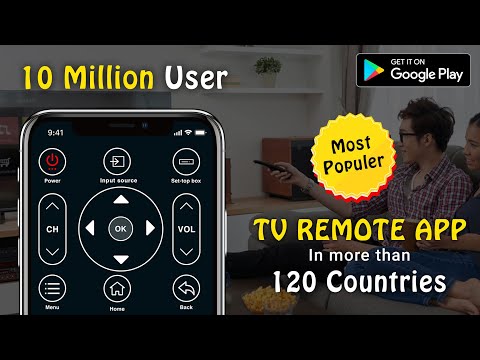
Introducing the 📺 TV Remote App for Smart TVs and IR TVs, your all-in-one solution for seamless control of your television experience.
For IR TVs Remote:
Ensure your phone is equipped with a built-in Infrared (IR) feature for the app to function as a remote control, enabling the transmission of signals from your phone to the TV
📡 Infrared Remote
🔄 Traditional Remote Emulation
📶 Signal Transmission
📱 Smartphone IR Blaster
📺 Classic TV Remote Functionality
For Smart TVs/Devices:
Simply connect your phone and Smart TV/Device to the same WiFi network. Experience a range of smart functionalities at your fingertips.
📡 Wireless TV Control
🔗 Seamless Connectivity
📶 WiFi-enabled Remote
🧠 Smart TV Interaction
🔄 Network Synchronization
📱 Mobile-TV Pairing
📡 Connected Entertainment Experience
Smart TV Functionalities:
🎙️ Intelligent Voice Search
⚡ Power Management
🔊 Audio Adjustment
📱 Wireless Media Sharing
🖱️ Precision Navigation
⌨️ Convenient Keyboard Input
🏠 Access to Home and Apps
🔄 Effortless Channel Navigation
Voice Search 🎤: Effortlessly find your favorite shows and movies.
Power Control ⚡: Turn your TV on and off with ease.
Mute / Volume Control 🔊: Adjust audio settings seamlessly.
Smart Sharing / Casting 📱📺: Cast your Pictures, Videos, and music to your TV screen.
Mouse Navigation 🖱️ and Easy Keyboard ⌨️: Simplify navigation with mouse-like precision.
Input / Home / Apps 🏠📱: Access and control various TV functions.
Channel Lists / Up / Down 🔄: Navigate through channels effortlessly.
Play / Stop / Reverse / Fast Forward ⏯️⏹️⏪⏩: Manage your media playback.
Up / Down / Left / Right Navigation ⬆️⬇️⬅️➡️: Fine-tune your TV experience.
Key Benefits:
Auto-Detect Smart TVs 🔄: Quickly identify and connect to all Smart TVs on the same WiFi network.
Responsive Touchpad 🖐️: Control your TV with precision.
Quick Text Input 📝: Easily search for your favorite shows and movies.
Power On/Off 🔌: Control your Smart TV's power from your phone/tablet.
Media Casting 📸🎥: Cast photos & videos from your local album with the TV control app.
Screen Mirroring 📲📺: Mirror your phone screen to large TVs with low latency.
🔄 Automatic Smart TV Detection
🖐️ Responsive Touchpad Control
📝 Quick Text Input Capability
🔌 Remote Power Control
📸 Local Album Media Casting
⏬ Low Latency Screen Mirroring
Note:
IR TVs Remote: Phone or Tablet with a built-in IR blaster is required.
Smart TVs/Devices: Both the smartTV device and the user's mobile device must be connected to the same network.
Compatibility: This app supports TV brands/models available within the application.
Universal TV Remote Control:
The Remote Control for All TV is designed to work with almost all television models and brands. With a simple and intuitive user interface, this universal remote enables you to control power, volume, channel navigation, and input selection on your TV.
🔄 Compatibility with Diverse TV Models
🖥️ Intuitive User Interface
🎮 Comprehensive TV Control
🔄 Brand-Agnostic Remote
Smart TV Remote Features:
📲 Streaming Content Shortcut Buttons
🔍 Efficient Content Discovery
🔄 Dual Infrared and WiFi Compatibility
🎮 Streaming Device Control
🤖 User-Friendly Interface
Dedicated buttons for quick access to streaming content.
Search button for efficient content discovery.
Compatibility with both infrared and WiFi connections.
Screen Mirroring with All TV:
Experience Screen Mirroring, an innovative tool that allows seamless sharing and viewing of content across multiple devices. This universal remote for TV Screen mirrors your device screen to a compatible receiver, enabling you to stream videos, photos, games, and documents from your mobile to larger displays.
🔄 Seamless Content Sharing
🔄 Cross-Device Screen Mirroring
🔄 Universal Screen Mirroring Tool
📱 Mobile-to-TV Streaming
📺 Multi-Device Content Viewing
Transform your TV control experience with the 📺 Remote Control for All TV app – your ultimate companion for both IR and Smart TVs
For IR TVs Remote:
Ensure your phone is equipped with a built-in Infrared (IR) feature for the app to function as a remote control, enabling the transmission of signals from your phone to the TV
📡 Infrared Remote
🔄 Traditional Remote Emulation
📶 Signal Transmission
📱 Smartphone IR Blaster
📺 Classic TV Remote Functionality
For Smart TVs/Devices:
Simply connect your phone and Smart TV/Device to the same WiFi network. Experience a range of smart functionalities at your fingertips.
📡 Wireless TV Control
🔗 Seamless Connectivity
📶 WiFi-enabled Remote
🧠 Smart TV Interaction
🔄 Network Synchronization
📱 Mobile-TV Pairing
📡 Connected Entertainment Experience
Smart TV Functionalities:
🎙️ Intelligent Voice Search
⚡ Power Management
🔊 Audio Adjustment
📱 Wireless Media Sharing
🖱️ Precision Navigation
⌨️ Convenient Keyboard Input
🏠 Access to Home and Apps
🔄 Effortless Channel Navigation
Voice Search 🎤: Effortlessly find your favorite shows and movies.
Power Control ⚡: Turn your TV on and off with ease.
Mute / Volume Control 🔊: Adjust audio settings seamlessly.
Smart Sharing / Casting 📱📺: Cast your Pictures, Videos, and music to your TV screen.
Mouse Navigation 🖱️ and Easy Keyboard ⌨️: Simplify navigation with mouse-like precision.
Input / Home / Apps 🏠📱: Access and control various TV functions.
Channel Lists / Up / Down 🔄: Navigate through channels effortlessly.
Play / Stop / Reverse / Fast Forward ⏯️⏹️⏪⏩: Manage your media playback.
Up / Down / Left / Right Navigation ⬆️⬇️⬅️➡️: Fine-tune your TV experience.
Key Benefits:
Auto-Detect Smart TVs 🔄: Quickly identify and connect to all Smart TVs on the same WiFi network.
Responsive Touchpad 🖐️: Control your TV with precision.
Quick Text Input 📝: Easily search for your favorite shows and movies.
Power On/Off 🔌: Control your Smart TV's power from your phone/tablet.
Media Casting 📸🎥: Cast photos & videos from your local album with the TV control app.
Screen Mirroring 📲📺: Mirror your phone screen to large TVs with low latency.
🔄 Automatic Smart TV Detection
🖐️ Responsive Touchpad Control
📝 Quick Text Input Capability
🔌 Remote Power Control
📸 Local Album Media Casting
⏬ Low Latency Screen Mirroring
Note:
IR TVs Remote: Phone or Tablet with a built-in IR blaster is required.
Smart TVs/Devices: Both the smartTV device and the user's mobile device must be connected to the same network.
Compatibility: This app supports TV brands/models available within the application.
Universal TV Remote Control:
The Remote Control for All TV is designed to work with almost all television models and brands. With a simple and intuitive user interface, this universal remote enables you to control power, volume, channel navigation, and input selection on your TV.
🔄 Compatibility with Diverse TV Models
🖥️ Intuitive User Interface
🎮 Comprehensive TV Control
🔄 Brand-Agnostic Remote
Smart TV Remote Features:
📲 Streaming Content Shortcut Buttons
🔍 Efficient Content Discovery
🔄 Dual Infrared and WiFi Compatibility
🎮 Streaming Device Control
🤖 User-Friendly Interface
Dedicated buttons for quick access to streaming content.
Search button for efficient content discovery.
Compatibility with both infrared and WiFi connections.
Screen Mirroring with All TV:
Experience Screen Mirroring, an innovative tool that allows seamless sharing and viewing of content across multiple devices. This universal remote for TV Screen mirrors your device screen to a compatible receiver, enabling you to stream videos, photos, games, and documents from your mobile to larger displays.
🔄 Seamless Content Sharing
🔄 Cross-Device Screen Mirroring
🔄 Universal Screen Mirroring Tool
📱 Mobile-to-TV Streaming
📺 Multi-Device Content Viewing
Transform your TV control experience with the 📺 Remote Control for All TV app – your ultimate companion for both IR and Smart TVs
Universal TV remote mobile app for all TV brands
Updated on
Safety starts with understanding how developers collect and share your data. Data privacy and security practices may vary based on your use, region, and age. The developer provided this information and may update it over time.
- No data shared with third partiesLearn more about how developers declare sharing
- No data collectedLearn more about how developers declare collection
- Data is encrypted in transit
- Data can’t be deleted


What’s new
Universal Remote Control for all Tv brands.
Smart Tv & IR in one App.
Smart Tv & IR in one App.
Everyone
Learn moreApp support
About the developer
Shehroz Ammar
smartup566@gmail.com
Muh Kuz khel ziarat kaka sahib
Nowshera, 24130
Pakistan


