

Show Up Anyways: Focus
In-app purchases


Everyone
info
1+
Downloads




About this app
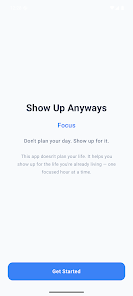
You already know what you want to work on. The problem is the ten seconds where your thumb opens something else before you decide to.
Show Up Anyways: Focus is a quiet companion for those ten seconds. You tell it what this stretch of time is for, you start a Focus, and the apps you picked stop being one tap away until your time is up. No lectures, no streak shaming, no leaderboard. Just a friend holding the door for you.
FOCUS SESSIONS
Pick what you are working on, choose how long, and start. A live countdown keeps you honest, and the session is saved even if your phone restarts or the app gets closed.
APP BLOCKING THAT ACTUALLY INTERRUPTS
Choose the apps that pull you away, and they get a friendly stop screen during a Focus that reminds you what you promised yourself. Nothing is blocked outside a running Focus. Ever. When you genuinely need something, take an intentional override for five minutes, ten minutes, or the rest of the session. Focus is not a cage, it is a pause long enough to remember you meant something else.
TOUCHPOINTS FOR REAL LIFE
Life interrupts. A quick tap logs the interruption and freezes your Focus timer instead of burning your time. You keep the time you actually gave.
FOUNDATIONS
Work, family, health, faith, whatever your life is actually made of. Sort your Focus time by the areas that matter.
WRAP UP AND INSIGHTS
End a session with a short note about how it went. Over time you see where your hours really go, and what keeps pulling you off. It is written like a friend catching you up, not a report card.
START WITHOUT OPENING THE APP
The ten seconds before a Focus starts is where a lot of days quietly get lost, so starting one no longer means finding the app first.
Quick Settings: add a Start Focus tile, one swipe down from anywhere.
Home screen widget: your four most used Foundations become quick start buttons, with your Focus time for the week above them. Once a session is running, the same widget becomes your countdown.
Notifications: a running session keeps a live countdown with Touchpoint and Finish right there, so handling an interruption doesn't cost you the session.
App shortcuts: press and hold the app icon to start a Focus.
BUILT SO YOU CAN TRUST IT
If blocking ever stops working, the app tells you plainly instead of pretending. There is no ad network here and no data broker.
ACCESSIBILITY SERVICE DISCLOSURE
Show Up Anyways: Focus uses Android's Accessibility Service to detect which app is in the foreground, so it can show your Focus reminder when you open an app you chose to block. That is the only thing it uses the Accessibility Service for. It never reads screen content, it never reads what you type, it never captures passwords, and nothing it sees leaves your device. Blocking only runs while a Focus session you started is running, and you can turn the service off in Android Settings at any time.
FREE AND PRO
Free gives you the whole loop: the Focus timer, unlimited Touchpoints, Foundations, your history, and app blocking for up to three apps at a time.
Pro Monthly: $4.99 per month
Pro Annual: $29.99 per year, with a 7-day free trial (about six months free compared to monthly)
Pro Lifetime: $99.99 one time
Pro removes the three app limit, gives each Foundation its own blocklist, adds custom presets, smarter Focus suggestions, and deeper weekly insights. Subscriptions renew automatically unless you cancel in Google Play.
You will not always feel like it. Show up anyways.
Support: showupanyways.com/app/support
Privacy: showupanyways.com/app/privacy
Terms: showupanyways.com/app/terms
Show Up Anyways: Focus is a quiet companion for those ten seconds. You tell it what this stretch of time is for, you start a Focus, and the apps you picked stop being one tap away until your time is up. No lectures, no streak shaming, no leaderboard. Just a friend holding the door for you.
FOCUS SESSIONS
Pick what you are working on, choose how long, and start. A live countdown keeps you honest, and the session is saved even if your phone restarts or the app gets closed.
APP BLOCKING THAT ACTUALLY INTERRUPTS
Choose the apps that pull you away, and they get a friendly stop screen during a Focus that reminds you what you promised yourself. Nothing is blocked outside a running Focus. Ever. When you genuinely need something, take an intentional override for five minutes, ten minutes, or the rest of the session. Focus is not a cage, it is a pause long enough to remember you meant something else.
TOUCHPOINTS FOR REAL LIFE
Life interrupts. A quick tap logs the interruption and freezes your Focus timer instead of burning your time. You keep the time you actually gave.
FOUNDATIONS
Work, family, health, faith, whatever your life is actually made of. Sort your Focus time by the areas that matter.
WRAP UP AND INSIGHTS
End a session with a short note about how it went. Over time you see where your hours really go, and what keeps pulling you off. It is written like a friend catching you up, not a report card.
START WITHOUT OPENING THE APP
The ten seconds before a Focus starts is where a lot of days quietly get lost, so starting one no longer means finding the app first.
Quick Settings: add a Start Focus tile, one swipe down from anywhere.
Home screen widget: your four most used Foundations become quick start buttons, with your Focus time for the week above them. Once a session is running, the same widget becomes your countdown.
Notifications: a running session keeps a live countdown with Touchpoint and Finish right there, so handling an interruption doesn't cost you the session.
App shortcuts: press and hold the app icon to start a Focus.
BUILT SO YOU CAN TRUST IT
If blocking ever stops working, the app tells you plainly instead of pretending. There is no ad network here and no data broker.
ACCESSIBILITY SERVICE DISCLOSURE
Show Up Anyways: Focus uses Android's Accessibility Service to detect which app is in the foreground, so it can show your Focus reminder when you open an app you chose to block. That is the only thing it uses the Accessibility Service for. It never reads screen content, it never reads what you type, it never captures passwords, and nothing it sees leaves your device. Blocking only runs while a Focus session you started is running, and you can turn the service off in Android Settings at any time.
FREE AND PRO
Free gives you the whole loop: the Focus timer, unlimited Touchpoints, Foundations, your history, and app blocking for up to three apps at a time.
Pro Monthly: $4.99 per month
Pro Annual: $29.99 per year, with a 7-day free trial (about six months free compared to monthly)
Pro Lifetime: $99.99 one time
Pro removes the three app limit, gives each Foundation its own blocklist, adds custom presets, smarter Focus suggestions, and deeper weekly insights. Subscriptions renew automatically unless you cancel in Google Play.
You will not always feel like it. Show up anyways.
Support: showupanyways.com/app/support
Privacy: showupanyways.com/app/privacy
Terms: showupanyways.com/app/terms
Focus timer that quietly blocks the apps you chose, for the time you promised.
Updated on
Safety starts with understanding how developers collect and share your data. Data privacy and security practices may vary based on your use, region, and age. The developer provided this information and may update it over time.


What’s new
Focus now works from right where you are:
- Start, pause and finish a Focus from the new home screen widget or Quick Settings tile
- Check-ins and reminders alert every time, and can land right on schedule
- Calendar Smart Guardrails and one-tap Add to Calendar for follow-ups (Pro)
- Save your block lists as presets
- Your account syncs across devices, and you can delete it anytime in Settings
- Clearer partner seat screens and sign-in messages
- Start, pause and finish a Focus from the new home screen widget or Quick Settings tile
- Check-ins and reminders alert every time, and can land right on schedule
- Calendar Smart Guardrails and one-tap Add to Calendar for follow-ups (Pro)
- Save your block lists as presets
- Your account syncs across devices, and you can delete it anytime in Settings
- Clearer partner seat screens and sign-in messages
App support
About the developer
Round Table Strategy LLC
dev@wsbroundtable.com
954 Brian Ln
Forest Park, GA 30297-3311
United States
+1 770-742-7526