
Clipboard - Copy Paste & Notes
Contains adsIn-app purchases


Everyone
info
10K+
Downloads

Everyone
Learn more


About this app
Tired of typing the same addresses, account numbers and replies over and over?
Clipboard - Copy Paste & Notes is a notepad built for copy and paste. Save any text as a note and copy it to your clipboard with a single tap. A built-in text expander turns short shortcuts into full sentences while you type.
■ Tap once to copy
• Tap a note to copy it instantly, long-press to edit
• Organize notes into groups and pin favorites to the top
• Search to find the right snippet in seconds
• Undo accidental deletes, with a confirmation pop-up before deleting
■ Type a shortcut, get the full text — text expander
• Type a short keyword like ";addr" and it expands into your saved phrase
• Works in most apps: messengers, SMS, email, notes and more
• Smart shortcuts insert today's date, current time, D-Day countdown, your location or a random number
• Group your shortcuts, limit them to specific apps or turn them off in others
• Perfect for canned responses, quick replies, email templates and hashtags
■ Your to-do list first — lock screen notes
• See important notes and to-dos every time you turn on your screen
• Swipe away tasks when they are done
• Set quiet days and hours
■ Notes with photos, drawings and voice
• Add photos and descriptions to notes and view them large next to your text
• Sketch on the drawing board and make your own emoticons
• Text to speech reads your notes aloud, with adjustable speed and pitch
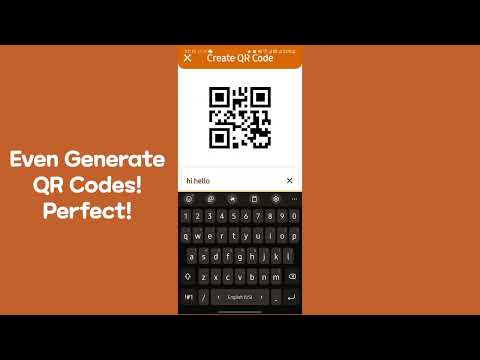
■ QR code & barcode maker
• Turn links, text, Wi-Fi details or contact cards into a QR code or barcode
■ Private and safe
• Lock the app with a password or fingerprint
• Back up notes to a file, move them to a new phone, automatic backup
• Your notes stay on your device and are never sent to a server
■ Make it yours
• Home screen widgets and a notification bar shortcut
• Change fonts, text size and line spacing
Great for
✔ Anyone who copies and pastes the same text many times a day
✔ Online sellers and small business owners sending order, shipping and payment details
✔ Social media users who reuse hashtags, bios and links
✔ People who want their to-do list on screen every time they unlock
[Accessibility permission]
The text expander uses the Accessibility API only to detect the shortcuts you type and replace them with your saved text. What you type is processed on your device and is never collected, stored on a server or shared. All other features work without this permission, and you can turn it on later in settings.
[Location permission]
Location is used only when you use the [자동:위치] shortcut to insert your current address, and for no other purpose.
Contact: seong.lee@yeestudio.co.kr
Save phrases as notes, copy in one tap. Text expander & quick replies too
Updated on
Safety starts with understanding how developers collect and share your data. Data privacy and security practices may vary based on your use, region, and age. The developer provided this information and may update it over time.


What’s new
Update Log: https://www.yeestudio.co.kr/updates
Contact: seong.lee@yeestudio.co.kr
Everyone
Learn moreApp support
phone
Phone number
+821074818368
About the developer
YeeStudio
seong.lee@yeestudio.co.kr
단원구 화정천동로5안길 42(와동)
안산시, 경기도 15248
South Korea
+82 10-7481-8368


