Nebraska 511
3.1star
375 reviews
Government
info
100K+
Downloads

Everyone
info



About this app
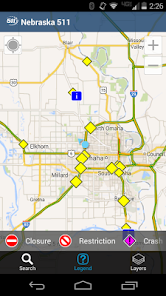
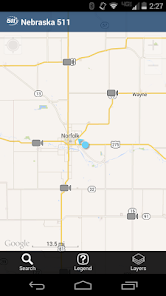
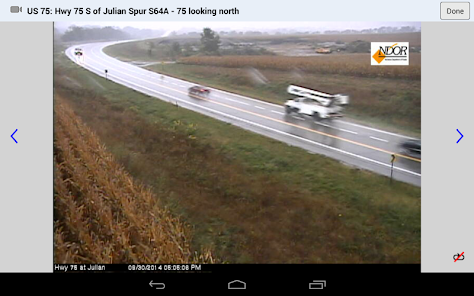
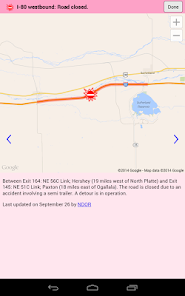
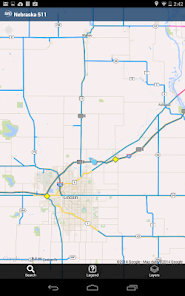
Nebraska 511 is NDOT's official traffic and traveler information resource. The Nebraska 511 app provides statewide, real-time traffic information for interstates, U.S. routes, and state highways in Nebraska, including:
- Winter road conditions
- Traffic incidents
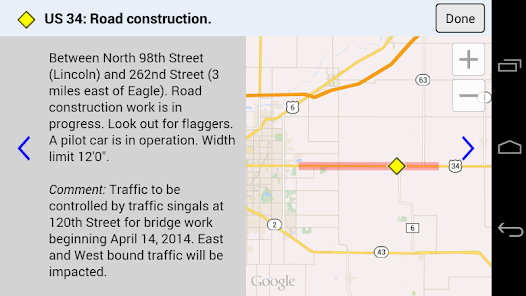
- Construction and closures
- Current traffic speeds
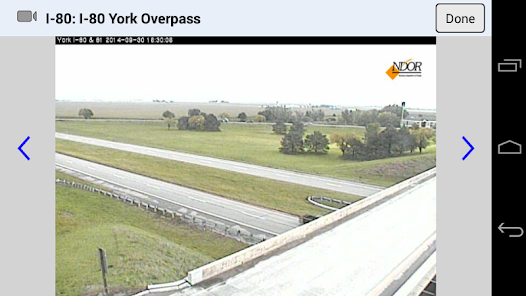
- Roadside camera images
- Weather station data
- Personalized account features and SMS/email alerts
Learn about Nebraska's Law on wireless communication devices in vehicles at http://nebraskalegislature.gov/laws/statutes.php?statute=60-6,179.01
NDOT's privacy policy can be found at https://dot.nebraska.gov/policies-and-disclaimers/privacy-policy-and-terms-of-use/
Drive safely!
- Winter road conditions
- Traffic incidents
- Construction and closures
- Current traffic speeds
- Roadside camera images
- Weather station data
- Personalized account features and SMS/email alerts
Learn about Nebraska's Law on wireless communication devices in vehicles at http://nebraskalegislature.gov/laws/statutes.php?statute=60-6,179.01
NDOT's privacy policy can be found at https://dot.nebraska.gov/policies-and-disclaimers/privacy-policy-and-terms-of-use/
Drive safely!
Updated on
Safety starts with understanding how developers collect and share your data. Data privacy and security practices may vary based on your use, region, and age. The developer provided this information and may update it over time.

No data shared with third parties
Learn more about how developers declare sharing

This app may collect these data types
Personal info, App activity, and App info and performance

Data is encrypted in transit

You can request that data be deleted
Ratings and reviews
3.1
354 reviews

Nova Solarz
- Flag inappropriate
December 8, 2022
This is a great app and it's incredibly useful to see if it is safe to travel, however, there is a strange bug. If you give the app location permissions, it will lock up on launch, becoming completely unresponsive. However, if you don't give it location permissions, the app works just fine, you just can't see where you are on the map. Please fix this!
24 people found this review helpful
Castle Rock ITS
December 11, 2022
Update: we have fixed the bug! Would you mind giving it a try and letting us know your feedback? We are so sorry you had to use that workaround earlier because of the bug.

Auden Riddel
- Flag inappropriate
December 9, 2022
So I booted up the app, allowed access to location while using the app, said I was a driver, said no to the voice assistant, scrolled around the map noticing the traffic warnings and stuff, but couldn't find the location I was looking for, and went to search. Clicking search crashed the app and reopening the app will consistently crash when asking if I am or am not a driver. This app looks very useful, but it's completely disfunctional on my Samsung Galaxy S21+
10 people found this review helpful
Castle Rock ITS
December 11, 2022
Update: we have fixed the problem and released a new version on the app store. Would you please give it another try and see if it is working now on your Samsung Galaxy S21+? Thank you so much and apologies for the bother.

Susie Dueling
- Flag inappropriate
December 9, 2022
I keep having to uninstall and reinstall the app. I can only use it one time once I reinstall it because you can't tap on the driver/not the driver box. I live in the country and work 45 miles away in Omaha. I use this app a lot in the winter months. Please fix the issue. Thanks!
1 person found this review helpful
Castle Rock ITS
December 11, 2022
Update! We have released a fix for the problem. Would you mind giving it another try and letting us know if the app is working for you again? Thanks so much for your patience and kindness.
What's new
- Updated styling for Statewide Alerts
- Fixed a bug that prevented account log ins on Android 14
- Fixed a bug that prevented account log ins on Android 14
App support
About the developer
Castle Rock Associates Inc.
pm@castlerockits.com
830 NE Holladay St
Portland, OR 97232
United States
+1 503-506-0950


