
ImageMeter - photo measure
In-app purchases

star
8.48K reviews

Everyone
info
5M+
Downloads


About this app
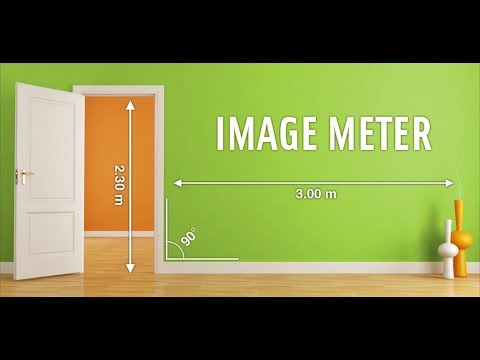
With ImageMeter, you can annotate your photos with length measurements, angles, areas, and text notes. That is much easier and self-explaining than drawing only a sketch. Take photos in buildings to plan construction work and insert the required measurements and notes directly into the picture. Organize and export the images directly on your phone or tablet.
ImageMeter has the broadest support for Bluetooth laser distance measurement devices. Most devices from various manufacturers are supported (see below for list of devices).
A special feature is that ImageMeter enables you to measure within the image once you calibrated it with a reference object of known size. With this feature, you can also easily measure the dimensions for places which are too difficult to reach or hard to measure for other reasons. ImageMeter can take care of all perspective foreshortening and can still compute the measurements correctly.
Features (Pro version):
- measure lengths, angles, circles, and arbitrarily shaped areas based on a single reference measure,
- Bluetooth connectivity to laser distance meters for measuring lengths, areas, and angles,
- metric and imperial units (decimal and fractional inches),
- add text notes,
- freehand drawing, draw basic geometric shapes,
- export to PDF, JPEG and PNG,
- adjust brightness, contrast and saturation for better readbility of your annotations,
- draw sketches on empty canvases,
- model-scale mode (show original sizes and scaled size for building models),
- show values in imperial and metric units simultaneously,
- context sensitive cursor snapping to draw quickly and accurately,
- fast and correct value input with autocompletion,
- measure the height of poles using two reference markings on the pole.
Features of Advanced Annotation Add-On:
- import PDF, measure drawings at scale,
- audio notes, picture-in-picture for detail images,
- draw measurement strings and cumulative strings,
- sort your images into subfolders with color codes.
Business version features:
- automatically upload your photos to your OneDrive, Google Drive, Dropbox, or Nextcloud account,
- access your photos from your desktop PC,
- backup and synchronize the images automatically between multiple devices,
- generate data tables of your measurements,
- export data tables for your spreadsheet program,
- add data tables into exported PDF.
Supported bluetooth laser distance meters:
- Leica Disto D110, D810, D510, S910, D2, X4,
- Leica Disto D3a-BT, D8, A6, D330i,
- Bosch PLR30c, PLR40c, PLR50c, GLM50c, GLM100c, GLM120c, GLM400c,
- Stanley TLM99s, TLM99si,
- Stabila LD520, LD250,
- Hilti PD-I, PD-38,
- CEM iLDM-150, Toolcraft LDM-70BT,
- TruPulse 200 and 360,
- Suaoki D5T, P7,
- Mileseey P7, R2B,
- eTape16,
- Precaster CX100,
- ADA Cosmo 120.
For a full list of supported devices, see here: https://imagemeter.com/manual/bluetooth/devices/
Website with documentation: https://imagemeter.com/manual/measuring/basics/
----------------------------------------------------
ImageMeter is a winner of the "Mopria Tap to Print contest 2017": most creative Android apps with mobile print capabilities.
*** This Old House TOP 100 Best New Home Products: "a superpower for anyone shopping for furnishings to fit a space" ***
----------------------------------------------------
Support email: info@imagemeter.com.
Feel free to contact me if you observe any problems,
or just want to give feedback. I will answer to your
emails and help you resolve problems.
----------------------------------------------------
At this place, I'd like to thank all users for all the valuable feedback I get. Many of your proposals have already been implemented and helped significantly to improved the app. This feedback is very helpful to further enhance the software according to your needs.
ImageMeter has the broadest support for Bluetooth laser distance measurement devices. Most devices from various manufacturers are supported (see below for list of devices).
A special feature is that ImageMeter enables you to measure within the image once you calibrated it with a reference object of known size. With this feature, you can also easily measure the dimensions for places which are too difficult to reach or hard to measure for other reasons. ImageMeter can take care of all perspective foreshortening and can still compute the measurements correctly.
Features (Pro version):
- measure lengths, angles, circles, and arbitrarily shaped areas based on a single reference measure,
- Bluetooth connectivity to laser distance meters for measuring lengths, areas, and angles,
- metric and imperial units (decimal and fractional inches),
- add text notes,
- freehand drawing, draw basic geometric shapes,
- export to PDF, JPEG and PNG,
- adjust brightness, contrast and saturation for better readbility of your annotations,
- draw sketches on empty canvases,
- model-scale mode (show original sizes and scaled size for building models),
- show values in imperial and metric units simultaneously,
- context sensitive cursor snapping to draw quickly and accurately,
- fast and correct value input with autocompletion,
- measure the height of poles using two reference markings on the pole.
Features of Advanced Annotation Add-On:
- import PDF, measure drawings at scale,
- audio notes, picture-in-picture for detail images,
- draw measurement strings and cumulative strings,
- sort your images into subfolders with color codes.
Business version features:
- automatically upload your photos to your OneDrive, Google Drive, Dropbox, or Nextcloud account,
- access your photos from your desktop PC,
- backup and synchronize the images automatically between multiple devices,
- generate data tables of your measurements,
- export data tables for your spreadsheet program,
- add data tables into exported PDF.
Supported bluetooth laser distance meters:
- Leica Disto D110, D810, D510, S910, D2, X4,
- Leica Disto D3a-BT, D8, A6, D330i,
- Bosch PLR30c, PLR40c, PLR50c, GLM50c, GLM100c, GLM120c, GLM400c,
- Stanley TLM99s, TLM99si,
- Stabila LD520, LD250,
- Hilti PD-I, PD-38,
- CEM iLDM-150, Toolcraft LDM-70BT,
- TruPulse 200 and 360,
- Suaoki D5T, P7,
- Mileseey P7, R2B,
- eTape16,
- Precaster CX100,
- ADA Cosmo 120.
For a full list of supported devices, see here: https://imagemeter.com/manual/bluetooth/devices/
Website with documentation: https://imagemeter.com/manual/measuring/basics/
----------------------------------------------------
ImageMeter is a winner of the "Mopria Tap to Print contest 2017": most creative Android apps with mobile print capabilities.
*** This Old House TOP 100 Best New Home Products: "a superpower for anyone shopping for furnishings to fit a space" ***
----------------------------------------------------
Support email: info@imagemeter.com.
Feel free to contact me if you observe any problems,
or just want to give feedback. I will answer to your
emails and help you resolve problems.
----------------------------------------------------
At this place, I'd like to thank all users for all the valuable feedback I get. Many of your proposals have already been implemented and helped significantly to improved the app. This feedback is very helpful to further enhance the software according to your needs.
Annotate your images with measurements and notes. Supports your Bluetooth laser.
Updated on
Safety starts with understanding how developers collect and share your data. Data privacy and security practices may vary based on your use, region, and age. The developer provided this information and may update it over time.
- No data shared with third partiesLearn more about how developers declare sharing
- No data collectedLearn more about how developers declare collection


Ratings and reviews
7.91K reviews

Scott Green
- Flag inappropriate
August 6, 2026
Exceptional app that is truly productive, convenient, and time saving. As an estimator, I use this often on residential walkthroughs with designers and our architect and then export the marked up photos when we return to the office. The dimensions and text are all clear and the lines / arrows plainly show the points you're referring to. I've had many coworkers express their appreciation for giving them such clear field dimensions. Using Pro, btw. Highly recommend to anyone in renovations.
Dirk Farin
August 6, 2026
Thank you, Scott, for the kind review.

Chris
- Flag inappropriate
- Show review history
March 11, 2022
I don't often rate apps, but this is just great. Trying to shoot reference photos to add dimensions to... I tried every app I could find. Went through all the free apps first, came back to this one last because it costed 5 bucks. But it is well worth it. It has settings like a PC program it can do anything. Totally customizable. Super easy to use. If I could lay back and describe the perfect dimensioning app, this is even better. Someone put a lot of thought into this one. Great purchase.
124 people found this review helpful

Kevin Krumwiede
- Flag inappropriate
- Show review history
September 21, 2020
Very slick and easy to use. Love the zoomed picture in picture when you're making fine adjustments to points. Only complaint: I always forget which of the many different kinds of markups is the thing I have to add first in order to measure other things. More guidance in the UI would be nice. Regarding other reviews about the need for more image format support: I mostly use this app on images downloaded from auction listings, not photos from my device camera.
57 people found this review helpful
What’s new
- PDF documents: import a PDF with all pages, annotate it directly, export again to same PDF
- Dark mode
- Adaptation to Android 16
- Dark mode
- Adaptation to Android 16
App support
About the developer
Dirk Farin - Algorithmic Research e.K.
info@imagemeter.com
Kronenstr. 49 B
70174 Stuttgart
Germany
+49 176 61566719


