LocalCast: stream to TV
Contains adsIn-app purchases

3.6star
171K reviews
10M+
Downloads

Everyone
info



About this app
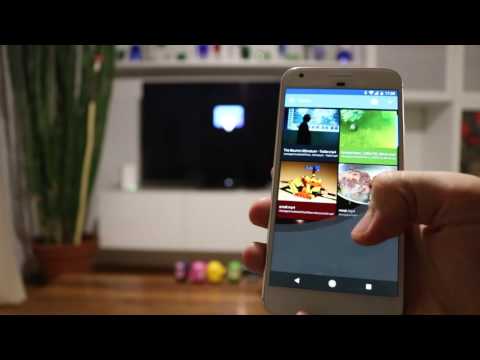
LocalCast is the number one casting solution on Android with over 10,000,000 users!
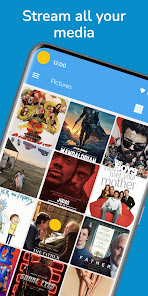
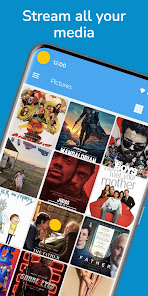
Send videos, music or pictures
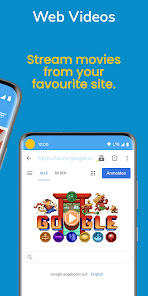
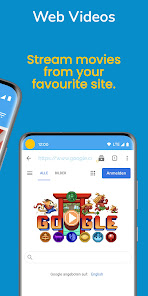
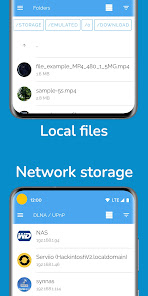
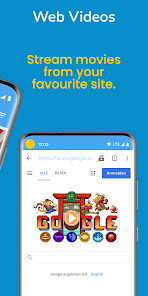
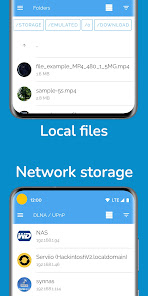
FROM your phone or tablet, other apps, NAS (DLNA/UPnP or Samba), Google Drive, Google+, Dropbox or a webpage
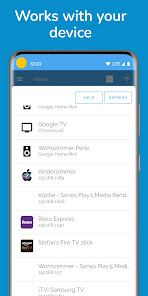
TO Google Cast enabled devices, Chromecast, SmartTVs, Roku, Nexus Player, Apple TV, Amazon Fire TV or Stick, Sony Bravia, Samsung, LG, Panasonic and other SmartTVs, Sonos, Xbox 360, Xbox One or other DLNA Devices.
// FAQ
If you have a problem with LocalCast, please see the FAQ (english only right now):
www.localcast-app.com/faq
// Unique features
- Zoom & rotate & pan (Chromecast & other Google Cast devices)
- NAS: SMB access
- Subtitles: Opensubtitle.org integration
Subtitles only work with Chromecast and Apple TV 4
// Videos
Be aware that the Chromecast only supports a couple of format/codecs.
It can read containers like mp4, mkv, 3gp and m4v, but all these containers can use different codecs.
If something doesn't work, please visit the FAQ (english only right now): www.localcast-app.com/faq
// Pictures
On a Chromecast:
Rotate, zoom and pan pictures easily from the "Now playing" screen, touch the
button with the four arrows.
// Subtitles
Subtitles work with Chromecast and Apple TV 4:
- Use the Opensubtitles.org integration
- Touch a subtitle file after you started a video
Subtitles in the same folder are added automatically.
You can set a subtitle folder which will be searched.
Subtitle timing, font, background and color can be changed.
Subtitle encoding in the settings: e.g. for arabic subtitles choose UTF-8
Some DLNA servers add information about subtitles, some don't.
// Wireless headphones (beta)
Touch "Route audio to phone" on the "Now playing" screen, to stream the sound to your phone.
It's impossible to sync this automatically and network delays make it hard.
This feature is in beta: it might work most of the time.
// Beta
http://goo.gl/8Efbo9
// Chromecast supported formats
https://developers.google.com/cast/docs/media
// Recommended PC software to convert your files:
https://handbrake.fr/
// In app purchases:
The app is free and ads supported, all purchases unlock all Pro version features:
- No ads
- Search (device only)
- Video preview when seeking on the "Now playing" screen
There are subscriptions "/month", "/year" and one time purchases.
I am just one independent developer working on my apps whenever I can, without a big budget for testing on various devices.
If you find a bug please contact me via Google+ or email and I'll try to fix it ASAP!
// App logo
converted to vector graphic by Logain UBiv Tnomal Ablar, check out his blog:
http://candynjuice.blogspot.com/
// Translations:
https://crowdin.com/project/localcast
// Permissions:
Allow WiFi Multicast: for the server
Your accounts: Google Drive/Google+
Phone state/identity: Pause/Resume on incoming calls
// Anonymous Usage Statistics:
This App gathers anonymous usage statistics through Firebase Analytics to find bugs and enhance future user experience.
You can opt out by deactivating this option in the App's settings.
Send videos, music or pictures
FROM your phone or tablet, other apps, NAS (DLNA/UPnP or Samba), Google Drive, Google+, Dropbox or a webpage
TO Google Cast enabled devices, Chromecast, SmartTVs, Roku, Nexus Player, Apple TV, Amazon Fire TV or Stick, Sony Bravia, Samsung, LG, Panasonic and other SmartTVs, Sonos, Xbox 360, Xbox One or other DLNA Devices.
// FAQ
If you have a problem with LocalCast, please see the FAQ (english only right now):
www.localcast-app.com/faq
// Unique features
- Zoom & rotate & pan (Chromecast & other Google Cast devices)
- NAS: SMB access
- Subtitles: Opensubtitle.org integration
Subtitles only work with Chromecast and Apple TV 4
// Videos
Be aware that the Chromecast only supports a couple of format/codecs.
It can read containers like mp4, mkv, 3gp and m4v, but all these containers can use different codecs.
If something doesn't work, please visit the FAQ (english only right now): www.localcast-app.com/faq
// Pictures
On a Chromecast:
Rotate, zoom and pan pictures easily from the "Now playing" screen, touch the
button with the four arrows.
// Subtitles
Subtitles work with Chromecast and Apple TV 4:
- Use the Opensubtitles.org integration
- Touch a subtitle file after you started a video
Subtitles in the same folder are added automatically.
You can set a subtitle folder which will be searched.
Subtitle timing, font, background and color can be changed.
Subtitle encoding in the settings: e.g. for arabic subtitles choose UTF-8
Some DLNA servers add information about subtitles, some don't.
// Wireless headphones (beta)
Touch "Route audio to phone" on the "Now playing" screen, to stream the sound to your phone.
It's impossible to sync this automatically and network delays make it hard.
This feature is in beta: it might work most of the time.
// Beta
http://goo.gl/8Efbo9
// Chromecast supported formats
https://developers.google.com/cast/docs/media
// Recommended PC software to convert your files:
https://handbrake.fr/
// In app purchases:
The app is free and ads supported, all purchases unlock all Pro version features:
- No ads
- Search (device only)
- Video preview when seeking on the "Now playing" screen
There are subscriptions "/month", "/year" and one time purchases.
I am just one independent developer working on my apps whenever I can, without a big budget for testing on various devices.
If you find a bug please contact me via Google+ or email and I'll try to fix it ASAP!
// App logo
converted to vector graphic by Logain UBiv Tnomal Ablar, check out his blog:
http://candynjuice.blogspot.com/
// Translations:
https://crowdin.com/project/localcast
// Permissions:
Allow WiFi Multicast: for the server
Your accounts: Google Drive/Google+
Phone state/identity: Pause/Resume on incoming calls
// Anonymous Usage Statistics:
This App gathers anonymous usage statistics through Firebase Analytics to find bugs and enhance future user experience.
You can opt out by deactivating this option in the App's settings.
Updated on
Safety starts with understanding how developers collect and share your data. Data privacy and security practices may vary based on your use, region and age The developer provided this information and may update it over time.

No data shared with third parties
Learn more about how developers declare sharing

This app may collect these data types
App activity and App info and performance

Data is encrypted in transit

Data can’t be deleted
Ratings and reviews
3.6
155K reviews

Josh Steelman
- Flag inappropriate
17 February 2024
Use case is pixel 6 pro casting from Dropbox to Chromecast. Paid for pro upgrade. App is minimally functional. It does cast from Dropbox. However, the folder list is out of date and I can't figure out how to get it to update, despite clearing all data and even fully uninstalling and reinstalling. But there's more! I frequently see a blank space with only the words "Empty Directory" for Dropbox. I have to use Settings, log out of Dropbox, then log back in, just to get the out-of-date folder list.
4 people found this review helpful

A Google user
- Flag inappropriate
- Show review history
7 April 2019
I have paid for a Pro version since a couple months after launch. Honestly, the developer has always been on top of things. I don't know what to think now. I've had an issue since the updates back in February and was receiving the annoying ads (which my subscription is suppose to protect me from). This app works with older phones and older tvs. I appreciate that. I also appreciated the personal touch but now is 3 months later and I've sent in countless reports, to no avail, received NO response.
A Google user
- Flag inappropriate
- Show review history
12 January 2019
Generally a good app, but lately the web browser hasnt been working. I'll click the icon to show the available videos, but nothing happens. Otherwise it works great. OLD 1 STAR REVIEW: Not sure what changed, but recently I started getting background ads from this app. I'll be using another app, and audio will begin playing. I force close localcast and the audio stops. Completely unacceptable.
2 people found this review helpful
What's new
Fixed Kodi integration
Changed notification to include a seekbar, etc.
Expert Setting: share media link. Touching it copies it to the clipboard. You can then paste it wherever you want
Fixed multiple bugs
Fixed DLNA Servers
Removed cast limit, enjoy!
Fixed web browser input field: text not visible
Removed occasional flickering when browsing items
Improved all dialogs
Multiple design updates
Multiple bug fixes
Changed notification to include a seekbar, etc.
Expert Setting: share media link. Touching it copies it to the clipboard. You can then paste it wherever you want
Fixed multiple bugs
Fixed DLNA Servers
Removed cast limit, enjoy!
Fixed web browser input field: text not visible
Removed occasional flickering when browsing items
Improved all dialogs
Multiple design updates
Multiple bug fixes
