WiFi Analyzer

Contains adsIn-app purchases
3.9
218 reviews
Content rating
Everyone
10K+
Downloads
Content rating
Everyone
Learn more
Screenshot image
Screenshot image
Screenshot image
Screenshot image
Screenshot image
Screenshot image
Screenshot image
Screenshot image

About this app

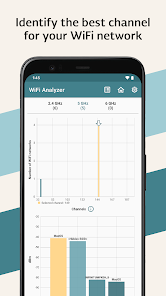
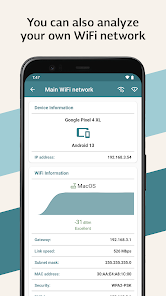
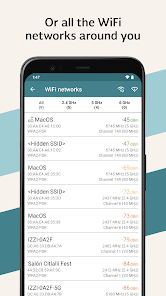
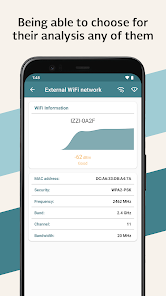
Analyze nearby WiFi networks and get useful information to better configure your network.

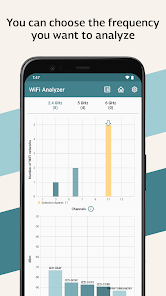
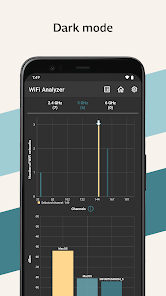
This app shows you co-channel congestion and adjacent-channel interference to help you identify which channels are more saturated and which may be more suitable for your network.

With this information, you can choose a more suitable channel for your WiFi network and make more informed decisions when adjusting your router or access point settings.

It is ideal for identifying interference, checking channel saturation, and making it easier to configure your WiFi network at home, in the office, or in any environment with multiple nearby networks.
Updated on
Mar 24, 2026

Data safety

Safety starts with understanding how developers collect and share your data. Data privacy and security practices may vary based on your use, region, and age. The developer provided this information and may update it over time.
This app may share these data types with third parties
Location, App activity and 2 others
This app may collect these data types
Location, App activity and 2 others
Data is encrypted in transit
Data can’t be deleted

Ratings and reviews

3.9
209 reviews
shubham abhinav
June 11, 2026
it works but his other app feels better for me. which is weird cause it has more features and should objectively be better i guess its the massive meter that tells me if my signal is good or not. even tho the 2 different tabs with a live rssi measure and a full detail of my current network with a dbm (rssi) graph (so a full 1 minute ish of data) exists i really do feel dumb would appreciate that big dumb speedometer graph for rssi and a graph right below it and then the full details page.
Did you find this helpful?
Edgar García Leyva
June 13, 2026
I'm glad both apps are useful to you. This one focuses more on co-channel congestion and adjacent-channel interference to help you spot saturated channels and better options for your network. The other app focuses more on signal strength, but I'll consider adding a similar graph here. Regards! 🤓✌🏼.
Sylvester Alleyne
May 9, 2023
This app sticks to giving out important info without confusing the user....very user friendly. I have been using this app for a day or so. It is an amazing app.
5 people found this review helpful
Did you find this helpful?
ContinentalCrumbs
June 11, 2023
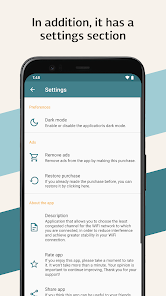
I did pay for remove ads but reinstalling void it.
4 people found this review helpful
Did you find this helpful?
Edgar García Leyva
April 2, 2026
Thank you for your comment. I'm sorry for the inconvenience. If you are using the same Google account, you can find the option to restore your purchase in the Settings section. I also recommend using the latest update, as it includes improvements that may help. Regards! 🤓✌🏼.

What’s new

- You can now change the channel graph to view co-channel congestion or adjacent-channel interference.
- An RSSI detector with sound guidance was added.
- Visual improvements and interface adjustments were incorporated to offer you a smoother experience.