
Cicada Safari
2.9star
217 reviews
50K+
Downloads

Everyone
info



About this app
People have been recording periodical cicada emergences for nearly four centuries. These maps have been critical in verifying the cicadas’ long life cycles and the relationships of the broods to each other.
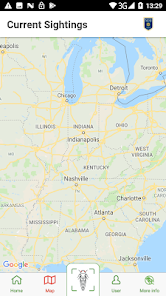
Help us map the 2021 emergence with Cicada Safari! Your submitted photos will be used to determine the range of Brood X.
Help us map the 2021 emergence with Cicada Safari! Your submitted photos will be used to determine the range of Brood X.
Updated on
Safety starts with understanding how developers collect and share your data. Data privacy and security practices may vary based on your use, region, and age. The developer provided this information and may update it over time.


Ratings and reviews
2.9
202 reviews

Katie D
- Flag inappropriate
June 4, 2021
I was pretty excited to see sightings popping up in my area so I went out looking. Read all the instructions about how to take photos and videos. The directions weren't super clear, but I figured it out. Rather than use my cell data to take photos in the app I took pics and then planned to upload them at home. Sadly, nothing will upload because it says there is no geotag. This was not in the instructions and there is definitely a geotag attached. So...big bummer for me.
26 people found this review helpful

Lesley Sackville
- Flag inappropriate
May 5, 2021
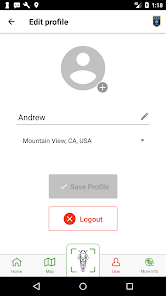
Just installed tonight so the jury is still out but I'm confused already. I thought a good place to start was with my profile. I selected edit, and tried to add a pix, like a profile pix, it let me choose it but won't upload it. Not a good start! Hopefully the functionality of the app will improve tomorrow when I'm out running errands and perhaps finding opportunities to add pictures of the little guys! Stars will be added when things improve!
4 people found this review helpful

Nicholas Gimbrone (Nick)
- Flag inappropriate
- Show review history
May 28, 2021
Crowd sourced research for science matters, making this a great app... that said, as an app it is less then sterling. The most glaring "missing" or "broken" aspects are: (1) that the notifications are useless, no ability to click one to see which image it is talking about and that the number of them seems unrelated to reality (I get hundreds more than I have pictures taken); (2) an "delay uploads of reports until next connected to wifi"; (3) that videos seem to never be accepted or rejected; (4) that jpg files are stored in DCIM rather than a subfolder; (5) I so far have not figured out where videos are stored, seems like with Camera they should be in the same location as the jpg files.
31 people found this review helpful
What’s new
- Updated for newer versions of Android
App support
About the developer
Mount St. Joseph University
chad.montag@msj.edu
5701 Delhi Rd
Cincinnati, OH 45233
United States
+1 513-244-4404


