
OP-mobile
2.3star
13.8K reviews
1M+
Downloads

Everyone
info



About this app
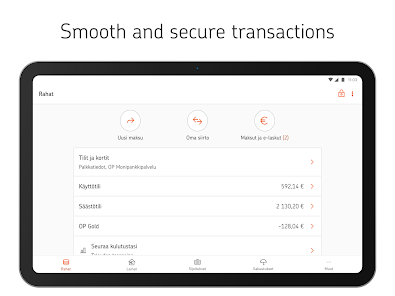
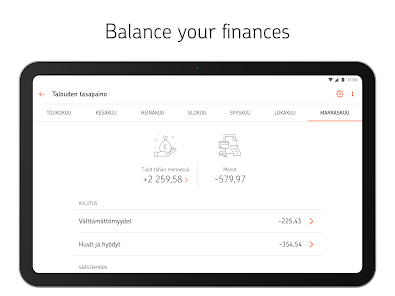
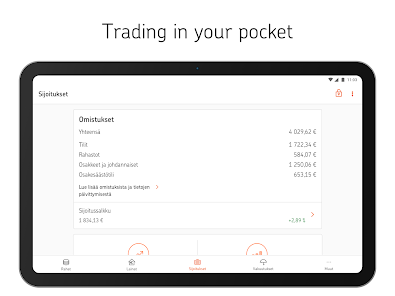
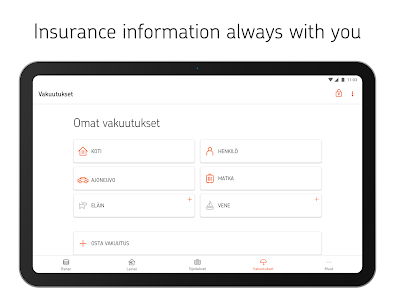
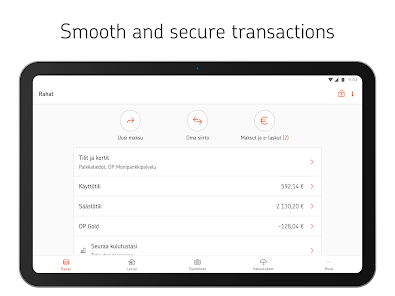
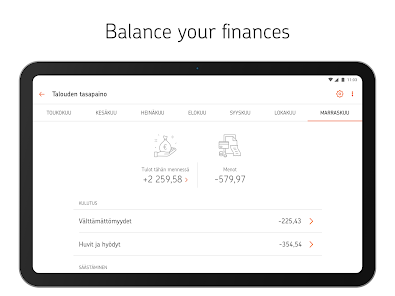
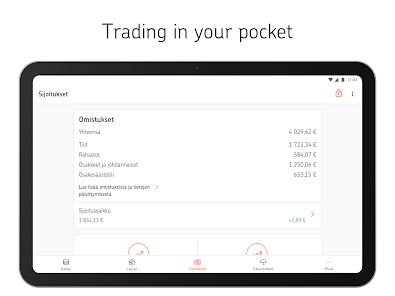
OP-mobile is an easy and secure app for managing your main banking and insurance, wherever you are. You can also have your company’s banking services at hand. You can use Mobile key to identify yourself for OP's digital services and public services, and confirm payments for online purchases.
Frequently Asked Questions
Question: Why does OP-mobile ask permissions to use my device's other applications, such as contacts, camera or phone?
Answer: Here's why OP-mobile needs permissions, by application:
• Contacts: to get the payee's phone number for a Siirto payment
• Location: to locate the nearest branch office and Otto ATM and to provide directions
• Phone calls: to enable you to call directly from OP-mobile the customer service numbers of OP's banking and insurance services
• Photos/Media/Files: to save receipts of payments and account transactions from OP-mobile to your device
• Camera: to scan a bill's barcode
• Phone status: because using the Mobile key requires device information.
Question: Why can't I use OP-mobile with the Developer Preview, LineageOS or other unofficial operating systems for Android?
Answer: We can only guarantee the app's secure use for officially released Android versions.
Question: Why doesn't fingerprint authentication work in my device?
Answer: In some devices, possible shortcomings in fingerprint functionality implementation may prevent enabling fingerprint authentication on OP-mobile.
Question: Where can I find my salary data?
Answer: To view your salary data on OP-mobile, go to Money > Accounts and cards >Salary data.
Question: My device is rooted. Will OP-mobile function normally on my device?
Answer: Use of the Mobile key and fingerprint authentication is prevented in rooted devices for data security reasons.
Question: Why does Google Play say that OP-mobile is not available in my country even if I am in Finland?
Answer: Google determines availability of apps based on the country setting of the user's Google Account. If the country setting is other than Finland, OP-mobile is not available.
Question: Why is OP-mobile not available outside Finland?
Answer: You can download OP-mobile from the app store in a restricted range of countries. OP-mobile is available in the EU and EEA countries. The General Terms and Conditions for OP User IDs and OP eServices define that the OP user IDs and digital services are meant to be used in the Finnish market, and that the laws of Finland apply to this agreement. In practice, US Export regulations prevent us from displaying the application worldwide. In addition, there are countries where it is not allowed to make the application available.
Frequently Asked Questions
Question: Why does OP-mobile ask permissions to use my device's other applications, such as contacts, camera or phone?
Answer: Here's why OP-mobile needs permissions, by application:
• Contacts: to get the payee's phone number for a Siirto payment
• Location: to locate the nearest branch office and Otto ATM and to provide directions
• Phone calls: to enable you to call directly from OP-mobile the customer service numbers of OP's banking and insurance services
• Photos/Media/Files: to save receipts of payments and account transactions from OP-mobile to your device
• Camera: to scan a bill's barcode
• Phone status: because using the Mobile key requires device information.
Question: Why can't I use OP-mobile with the Developer Preview, LineageOS or other unofficial operating systems for Android?
Answer: We can only guarantee the app's secure use for officially released Android versions.
Question: Why doesn't fingerprint authentication work in my device?
Answer: In some devices, possible shortcomings in fingerprint functionality implementation may prevent enabling fingerprint authentication on OP-mobile.
Question: Where can I find my salary data?
Answer: To view your salary data on OP-mobile, go to Money > Accounts and cards >Salary data.
Question: My device is rooted. Will OP-mobile function normally on my device?
Answer: Use of the Mobile key and fingerprint authentication is prevented in rooted devices for data security reasons.
Question: Why does Google Play say that OP-mobile is not available in my country even if I am in Finland?
Answer: Google determines availability of apps based on the country setting of the user's Google Account. If the country setting is other than Finland, OP-mobile is not available.
Question: Why is OP-mobile not available outside Finland?
Answer: You can download OP-mobile from the app store in a restricted range of countries. OP-mobile is available in the EU and EEA countries. The General Terms and Conditions for OP User IDs and OP eServices define that the OP user IDs and digital services are meant to be used in the Finnish market, and that the laws of Finland apply to this agreement. In practice, US Export regulations prevent us from displaying the application worldwide. In addition, there are countries where it is not allowed to make the application available.
Updated on
Safety starts with understanding how developers collect and share your data. Data privacy and security practices may vary based on your use, region, and age. The developer provided this information and may update it over time.

No data shared with third parties
Learn more about how developers declare sharing

This app may collect these data types
Location, App activity and 2 others

Data is encrypted in transit

Data can’t be deleted
Ratings and reviews
2.3
12.2K reviews

ĐⱤ. O Tҽƈԋ
- Flag inappropriate
December 17, 2025
the app is easy to use but it's like every time they update it or do maintenance it gets worse slower/sluggish etc. oh and it doesn't even know how to use NFC. tried multiple times to read a card but it never did. thinking of switching to revolut.
2 people found this review helpful

Petros Kritikos
- Flag inappropriate
- Show review history
December 11, 2025
suddenly " not compatible with my device anymore" which means I am logged out of online banking. Addendum after the developer's response to my original review above: your response is not satisfactory. You should have at least warned me a sufficient amount of time in advance that the app will stop working on a certain date. The fact that you didn't shows that you don't give a damn. I had used the app successfully just 3-4 days ago so for it to stop working so suddenly is simply inconsiderate!
8 people found this review helpful
OP Pohjola
December 11, 2025
If you have an operating system with your device that’s older than 10, we can no longer provide Android support for that. And this means that it’s unfortunately not possible to use OP-mobile with a device with android older than 10.
We’re sorry for the inconvenience this might cause you, but for us too our hands are tied due the regulations.

Henri Haapasaari
- Flag inappropriate
October 24, 2025
I use open-source firewall and filter lists for blocking trackers, malware, phishing, scams, etc., and now OP requires me to uninstall my firewall and allow untrusted links for "increasing security". How does allowing malware and phishing links increase my security??? This is a ridiculous nonsensical policy. Trying to block software from GitHub goes against the EU's Digital Market Act, and it tries to reduce my device's security and safety.
31 people found this review helpful
OP Pohjola
October 27, 2025
Kiitos palautteestasi! Turvallisuussyistä OP-mobiilin käyttö on estetty tilanteissa, jossa laitteella on Play-kaupan ulkopuolelta asennettuja saavutettavuuspalveluja käyttäviä sovelluksia.
App support
About the developer
OP Osuuskunta
op-mobiili-palaute@op.fi
Gebhardinaukio 1
00510 HELSINKI
Finland
+358 40 5377013