
BP Fatár
5 rb+
Hasil download

Semua Umur
info



Tentang aplikasi ini
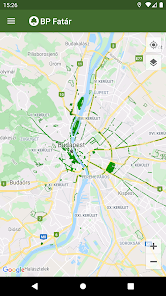
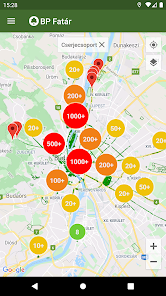
Anda dapat melihat kadaster pohon dan taman umum FőKERT di aplikasi BP Fatár.
Kadaster tambahan yang ditampilkan di aplikasi BP Fatár:
-SAYA. kadaster pohon dan taman kotamadya kabupaten
- VI. kadaster pohon dan taman kotamadya kabupaten
- XI. kadaster pohon dan taman kotamadya kabupaten
-XIII kadaster pohon dan taman kotamadya kabupaten
- XIV. kadaster pohon dan taman kotamadya kabupaten
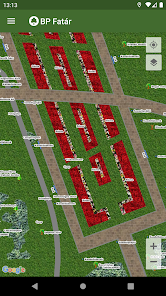
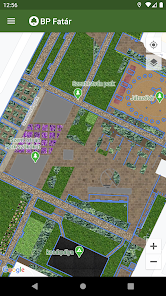
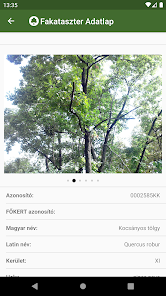
Navigasikan pada peta ke tempat yang Anda minati, lalu klik pada titik, garis, atau permukaan yang mewakili elemen kadaster pada peta untuk membuka lembar data. Pada lembar data, Anda dapat mengetahui informasi tentang elemen kadaster yang dipilih, serta melihat foto.
Kami telah mengintegrasikan mesin pencari terperinci untuk mendukung navigasi:
-Anda dapat mencari berdasarkan spesies pohon di pemindai pohon, berdasarkan nama Hongaria dan Latin
-Anda dapat mencari berdasarkan kategori yang disusun dalam kelompok di kadaster taman
Sebagai hasil dari kedua pencarian tersebut, Anda akan melihat lokasi semua elemen kadaster yang sesuai dengan pencarian di peta.
Anda memiliki opsi untuk melaporkan kesalahan untuk setiap elemen kadaster pohon dan taman (misalnya, pohon rusak, bangku rusak, dll.) kepada karyawan pengelola data yang ditampilkan di lembar data, yang dapat Anda mulai dengan mengklik tombol Tombol laporan kesalahan pada lembar data elemen tertentu.
Kadaster tambahan yang ditampilkan di aplikasi BP Fatár:
-SAYA. kadaster pohon dan taman kotamadya kabupaten
- VI. kadaster pohon dan taman kotamadya kabupaten
- XI. kadaster pohon dan taman kotamadya kabupaten
-XIII kadaster pohon dan taman kotamadya kabupaten
- XIV. kadaster pohon dan taman kotamadya kabupaten
Navigasikan pada peta ke tempat yang Anda minati, lalu klik pada titik, garis, atau permukaan yang mewakili elemen kadaster pada peta untuk membuka lembar data. Pada lembar data, Anda dapat mengetahui informasi tentang elemen kadaster yang dipilih, serta melihat foto.
Kami telah mengintegrasikan mesin pencari terperinci untuk mendukung navigasi:
-Anda dapat mencari berdasarkan spesies pohon di pemindai pohon, berdasarkan nama Hongaria dan Latin
-Anda dapat mencari berdasarkan kategori yang disusun dalam kelompok di kadaster taman
Sebagai hasil dari kedua pencarian tersebut, Anda akan melihat lokasi semua elemen kadaster yang sesuai dengan pencarian di peta.
Anda memiliki opsi untuk melaporkan kesalahan untuk setiap elemen kadaster pohon dan taman (misalnya, pohon rusak, bangku rusak, dll.) kepada karyawan pengelola data yang ditampilkan di lembar data, yang dapat Anda mulai dengan mengklik tombol Tombol laporan kesalahan pada lembar data elemen tertentu.
Diupdate pada
Keamanan dimulai dengan memahami cara developer mengumpulkan dan membagikan data Anda. Praktik privasi dan keamanan data dapat bervariasi berdasarkan penggunaan, wilayah, dan usia Anda. Developer memberikan informasi ini dan dapat memperbaruinya seiring waktu.

Tidak ada data yang dibagikan kepada pihak ketiga
Pelajari lebih lanjut cara developer menyatakan pembagian data

Aplikasi ini dapat mengumpulkan jenis data berikut
Aktivitas aplikasi dan Info dan performa aplikasi

Data dienkripsi saat dalam pengiriman

Anda dapat meminta agar data dihapus
Yang baru
Hibajavítások.