
All Document Reader & Editor


Everyone
info
50+
Downloads

Everyone
Learn more


About this app
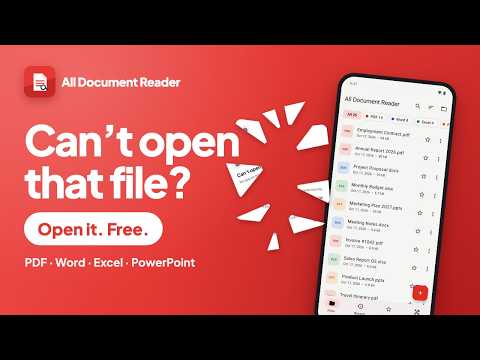
Open, read and edit all your documents in one lightweight app: PDF, Word, Excel, PowerPoint, text and more. All Document Reader is a free document viewer and editor with no ads, no account and no subscription.
📂 ALL YOUR FILES IN ONE PLACE
• Finds every PDF, DOC/DOCX, XLS/XLSX, PPT/PPTX, ODT, RTF, CSV and TXT on your phone automatically
• Browse folders, create folders, copy, move, rename and delete files
• Recent files, favorites, search and multi-select
• Open attachments from Gmail, WhatsApp, Telegram, Drive and other apps
📕 PDF READER & PDF EDITOR
• Fast, smooth PDF viewer with pinch zoom, page thumbnails and bookmarks
• Search text, table of contents, go to page and night mode
• Reading mode re-flows text to fit your screen, with sepia and dark themes
• Select text to copy, highlight, underline or strike through
• Draw, add text, signatures, images and shapes
• Fill PDF forms and save them, optionally locked (flattened)
• Open password-protected PDFs
• Read aloud with text-to-speech
📝 WORD DOCUMENTS
• View DOCX, DOC, RTF and ODT with page layout, tables, images, headers and footnotes
• Edit Word documents: bold, italic, colors, headings, lists, tables, images and find & replace
• Create new Word documents
📊 EXCEL SPREADSHEETS
• View XLSX, XLS, CSV and ODS with formatting, merged cells and frozen panes
• Edit cells and formulas (60+ functions), insert or delete rows and columns, add sheets
• Formatting, number formats, copy & paste, undo and redo
📽️ POWERPOINT SLIDES
• View PPTX, PPT and ODP with charts, tables and SmartArt
• Full-screen slideshow with speaker notes
🛠️ PDF TOOLS & CONVERTER
• Document scanner: scan paper documents to PDF with your camera
• PDF to Word, Word/Excel/PowerPoint to PDF, images to PDF, PDF to images
• OCR: extract text from photos and scanned pages
• Merge PDF, split PDF, compress PDF, organize, rotate and delete pages
• Lock or unlock PDF with a password
• Convert images to JPG, PNG or WebP and resize them
🔒 PRIVATE & OFFLINE
• Your documents stay on your device and are never uploaded
• Works offline — no internet needed to read or edit files
• Optional app lock with fingerprint, face or screen lock
• No ads, no account, no sign-up
✨ MORE
• Light and dark theme, English and Indonesian
• Save a copy anywhere, share, print and rotation lock
• Small app size, fast to open
Free document reader for students, office workers and everyone who needs to open a PDF, Word, Excel or PowerPoint file on the go.
Microsoft, Word, Excel and PowerPoint are trademarks of the Microsoft group of companies. This app is not affiliated with Microsoft.
📂 ALL YOUR FILES IN ONE PLACE
• Finds every PDF, DOC/DOCX, XLS/XLSX, PPT/PPTX, ODT, RTF, CSV and TXT on your phone automatically
• Browse folders, create folders, copy, move, rename and delete files
• Recent files, favorites, search and multi-select
• Open attachments from Gmail, WhatsApp, Telegram, Drive and other apps
📕 PDF READER & PDF EDITOR
• Fast, smooth PDF viewer with pinch zoom, page thumbnails and bookmarks
• Search text, table of contents, go to page and night mode
• Reading mode re-flows text to fit your screen, with sepia and dark themes
• Select text to copy, highlight, underline or strike through
• Draw, add text, signatures, images and shapes
• Fill PDF forms and save them, optionally locked (flattened)
• Open password-protected PDFs
• Read aloud with text-to-speech
📝 WORD DOCUMENTS
• View DOCX, DOC, RTF and ODT with page layout, tables, images, headers and footnotes
• Edit Word documents: bold, italic, colors, headings, lists, tables, images and find & replace
• Create new Word documents
📊 EXCEL SPREADSHEETS
• View XLSX, XLS, CSV and ODS with formatting, merged cells and frozen panes
• Edit cells and formulas (60+ functions), insert or delete rows and columns, add sheets
• Formatting, number formats, copy & paste, undo and redo
📽️ POWERPOINT SLIDES
• View PPTX, PPT and ODP with charts, tables and SmartArt
• Full-screen slideshow with speaker notes
🛠️ PDF TOOLS & CONVERTER
• Document scanner: scan paper documents to PDF with your camera
• PDF to Word, Word/Excel/PowerPoint to PDF, images to PDF, PDF to images
• OCR: extract text from photos and scanned pages
• Merge PDF, split PDF, compress PDF, organize, rotate and delete pages
• Lock or unlock PDF with a password
• Convert images to JPG, PNG or WebP and resize them
🔒 PRIVATE & OFFLINE
• Your documents stay on your device and are never uploaded
• Works offline — no internet needed to read or edit files
• Optional app lock with fingerprint, face or screen lock
• No ads, no account, no sign-up
✨ MORE
• Light and dark theme, English and Indonesian
• Save a copy anywhere, share, print and rotation lock
• Small app size, fast to open
Free document reader for students, office workers and everyone who needs to open a PDF, Word, Excel or PowerPoint file on the go.
Microsoft, Word, Excel and PowerPoint are trademarks of the Microsoft group of companies. This app is not affiliated with Microsoft.
Read & edit PDF, Word, Excel & PPT. Scan, sign, convert. Free, no ads.
Updated on
Safety starts with understanding how developers collect and share your data. Data privacy and security practices may vary based on your use, region, and age. The developer provided this information and may update it over time.
- No data shared with third partiesLearn more about how developers declare sharing
- This app may collect these data typesApp info and performance and Device or other IDs
- Data is encrypted in transit
- Data can’t be deleted


What’s new
First release:
• Read PDF, Word, Excel, PowerPoint, text and more
• Edit Word and Excel files, annotate, sign and fill PDF forms
• Scanner, OCR, PDF to Word, merge, split and compress PDF
• Reading mode, bookmarks, read aloud, dark theme
• Free, offline and no ads
• Read PDF, Word, Excel, PowerPoint, text and more
• Edit Word and Excel files, annotate, sign and fill PDF forms
• Scanner, OCR, PDF to Word, merge, split and compress PDF
• Reading mode, bookmarks, read aloud, dark theme
• Free, offline and no ads
Everyone
Learn moreApp support
About the developer
Ihwan Dede
ihwan.swift@gmail.com
JL. KH Abdul Halim No. 242
Majalengka
Jawa Barat 45418
Indonesia


