Radii - Wear OS Watch Face
In-app purchases
4.3star
4.64K reviews
100K+
Downloads

Everyone
info
About this app
The motion of our planet along its orbit and around the sun brings time to pass in our realities. We were quite intrigued by this fact and decided to recreate this idea in our next watch face.
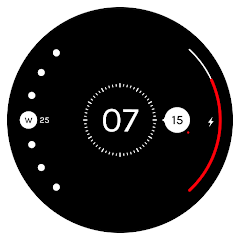
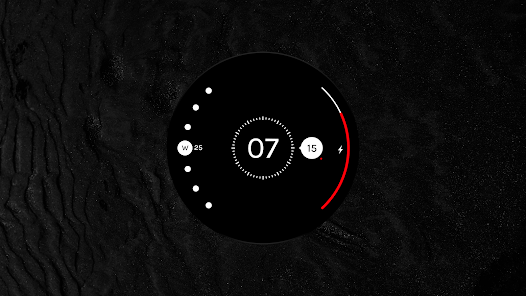
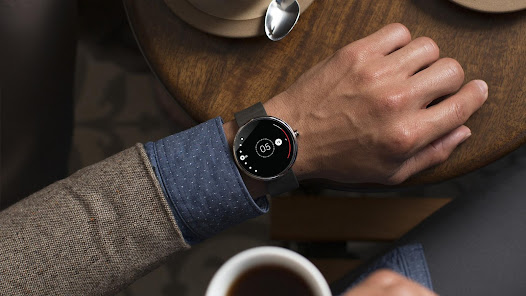
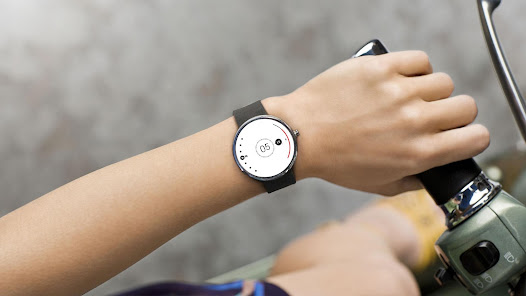
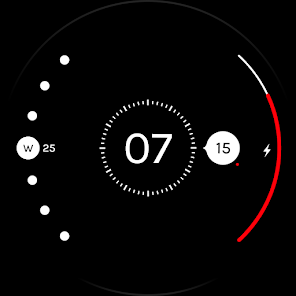
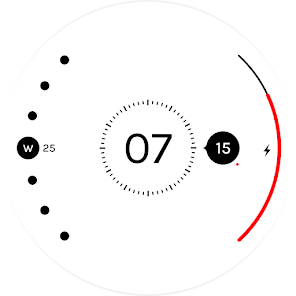
Radii takes inspiration from the dynamics of a planetary system and simulates its workings onto a digital timepiece. The centre—our star—indicates the hour while a sphere carrying the minute rotates around it along its striped orbit. You will also see a tiny moon gliding around this sphere in sync with each stroke of the second hand.
What’s more? The watch face also has a scale that displays your battery life and a crescent that shows the day.
In the event that the watch does not automatically notify you to set up Radii you can manually do so by following these steps:
• On the watch, open Play Store
• Scroll down until the section "Apps on your phone" appears. You should be able to see Radii listed under this section.
• Under Radii, tap on "Install". Once it is installed, select "Set Watch Face".
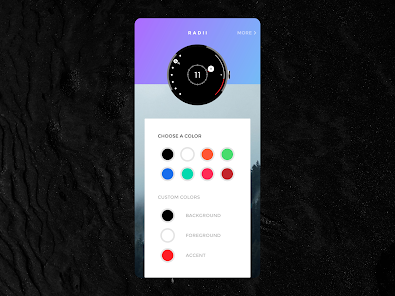
8 Color themes + Customizable color options.
Wear OS smart watch required
Compatible with:
• Google Pixel Watch
• Samsung Galaxy Watch 4 (& 4 Classic)
• Samsung Galaxy Watch 5 (& 5 Pro)
• Mobvoi Ticwatch E & Pro
• Skagen Falster
• Fossil Smartwatches
• Montblanc Summit
• Moto 360
or any wearable running Wear OS
More watch faces by The Design Cycle:
• Roto 360
• Tymometer
• Time Tuner
• Roto Gears
Created by
Gaurav Singh &
Krishna Prajapati
Radii takes inspiration from the dynamics of a planetary system and simulates its workings onto a digital timepiece. The centre—our star—indicates the hour while a sphere carrying the minute rotates around it along its striped orbit. You will also see a tiny moon gliding around this sphere in sync with each stroke of the second hand.
What’s more? The watch face also has a scale that displays your battery life and a crescent that shows the day.
In the event that the watch does not automatically notify you to set up Radii you can manually do so by following these steps:
• On the watch, open Play Store
• Scroll down until the section "Apps on your phone" appears. You should be able to see Radii listed under this section.
• Under Radii, tap on "Install". Once it is installed, select "Set Watch Face".
8 Color themes + Customizable color options.
Wear OS smart watch required
Compatible with:
• Google Pixel Watch
• Samsung Galaxy Watch 4 (& 4 Classic)
• Samsung Galaxy Watch 5 (& 5 Pro)
• Mobvoi Ticwatch E & Pro
• Skagen Falster
• Fossil Smartwatches
• Montblanc Summit
• Moto 360
or any wearable running Wear OS
More watch faces by The Design Cycle:
• Roto 360
• Tymometer
• Time Tuner
• Roto Gears
Created by
Gaurav Singh &
Krishna Prajapati
Updated on
Safety starts with understanding how developers collect and share your data. Data privacy and security practices may vary based on your use, region, and age. The developer provided this information and may update it over time.

No data shared with third parties
Learn more about how developers declare sharing

No data collected
Learn more about how developers declare collection
Ratings and reviews
4.4
4.06K reviews

Brian Johnson
- Flag inappropriate
- Show review history
May 19, 2020
Neat design, basic color controls are plenty. It would be nice to change the size/scale perhaps. But the lack of good burn-in protection is bothersome. I don't feel right using this on an amoled screen for long periods as some of the larger, always-lit sections do not follow burn-in prevention methods. An outline ambient mode or similar option would make this a daily-use face as almost all watches are amoled now.
87 people found this review helpful

Zach Anderson
- Flag inappropriate
May 25, 2024
I'd agree with the other reviewer. The design elements for battery and weekday should be hidden in AOD. I only ever use AOD and disable the twist to view. Sizing could be slightly larger for the center elements. Otherwise nice design.

Will Bozic
- Flag inappropriate
- Show review history
July 15, 2023
Can you add an always on display mode where you remove the battery and day elements, so only the clock face is showing? I think that would make the watch face essentially perfect in my opinion, I really like the spacial design of it & adding this would allow it to be really minimal, reducing the battery usage and helping with screen burn in. Could allow pressing the day to be interactive and take you to the calendar app like complications do, but mainly the AOD change would be amazing!
18 people found this review helpful
What's new
Updated for Wear OS 4


