
Lisar Connect VPN


Everyone
info
0+
Downloads

Everyone
Learn more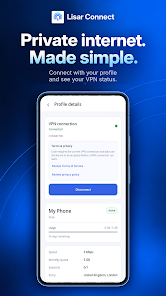


About this app
Your connection. Clear from the start.
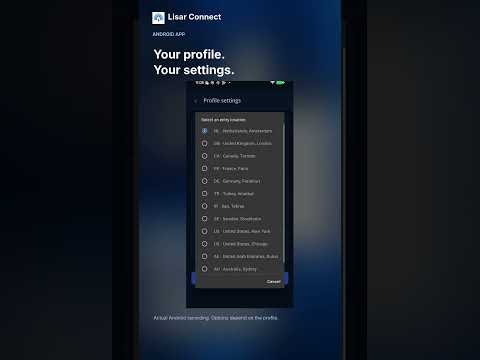
Lisar Connect is a VPN app for Android. Sign in, open an eligible Lisar profile, review the VPN disclosure and connect from your device. Check your connection status and disconnect when you choose.
Connection first
- Connect and disconnect from your Android device.
- See the VPN connection status in the app.
- Review terms and privacy information before connecting.
- View the profiles and current plan information available to your account.
A Lisar account and an eligible connection profile are required. Feature availability depends on your account, profile and current service status.
VPN permission and consent
The app uses Android VpnService to create a device-level VPN tunnel after you review the current in-app VPN disclosure and give explicit consent and the required system permission.
Privacy
Lisar does not store internet destinations, visited domains, visited URLs, DNS query history, traffic content, packet payloads, transferred files, or messages. Operational connection information may be processed and retained for limited service delivery, quota, security, abuse prevention, and troubleshooting purposes as described in the Privacy Policy.
Purchases and payments
Purchases, renewals, upgrades, credit top-ups, invoice payments, checkout, and payment-method management are not available in this app. The app does not direct users to purchase through a website.
Lisar Connect is a VPN app for Android. Sign in, open an eligible Lisar profile, review the VPN disclosure and connect from your device. Check your connection status and disconnect when you choose.
Connection first
- Connect and disconnect from your Android device.
- See the VPN connection status in the app.
- Review terms and privacy information before connecting.
- View the profiles and current plan information available to your account.
A Lisar account and an eligible connection profile are required. Feature availability depends on your account, profile and current service status.
VPN permission and consent
The app uses Android VpnService to create a device-level VPN tunnel after you review the current in-app VPN disclosure and give explicit consent and the required system permission.
Privacy
Lisar does not store internet destinations, visited domains, visited URLs, DNS query history, traffic content, packet payloads, transferred files, or messages. Operational connection information may be processed and retained for limited service delivery, quota, security, abuse prevention, and troubleshooting purposes as described in the Privacy Policy.
Purchases and payments
Purchases, renewals, upgrades, credit top-ups, invoice payments, checkout, and payment-method management are not available in this app. The app does not direct users to purchase through a website.
A VPN connection with clear status and privacy information, on your Android.
Updated on
Safety starts with understanding how developers collect and share your data. Data privacy and security practices may vary based on your use, region, and age. The developer provided this information and may update it over time.
- No data shared with third partiesLearn more about how developers declare sharing
- This app may collect these data typesLocation, Personal info and 3 others
- Data is encrypted in transit
- You can request that data be deleted


What’s new
- Fixed an issue with saving changes.
- Fixed an issue with Secure Session.
- Applied internal code optimizations.
- Fixed an issue with Secure Session.
- Applied internal code optimizations.
Everyone
Learn moreApp support
phone
Phone number
+3197006548129
About the developer
MONTAZERI COMPUTERS & REQUISITES TRADING CO. L.L.C
support@lisar.io
Office No. 1F18, Al Mamzar Bldg, Hor Al Anz, Deira
إمارة دبيّ
United Arab Emirates
+31 970 065 48129