
VidShift: Video Converter
In-app purchases


Everyone
info
0+
Downloads


About this app
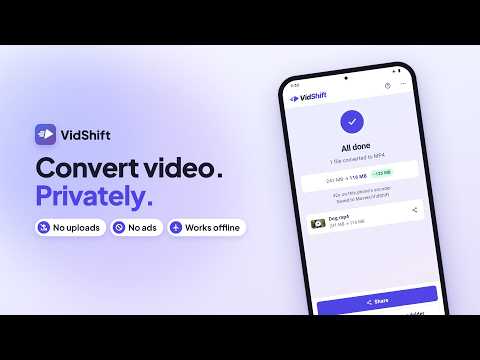
VidShift is a private video converter and compressor. Turn a MOV into an MP4, make a large video small enough to send, or keep just the sound as M4A or WAV, all on your phone, with no uploads, no ads and no watermark.
Convert
MP4, with H.264 or H.265, plays almost everywhere. WebM is for websites, on phones that can make it. M4A or WAV gives you the sound on its own, and GIF a short looping picture. Same as original changes the format without making the video again, so it is quick and loses nothing where the format allows.
Compress
Choose how small. Light keeps the video looking the same, Balanced is the one for sharing, and Strong makes the smallest file. Each shows the size the video will come out at before you start. In our own test on a phone, a 298 MB 4K video came out at 76 MB, about a quarter of the size.
Fit a size
Need a video under a limit, for an email or a message? Choose Fit a size, then 10, 25, 50 or 100 MB, or type a size of your own. VidShift makes the video as good as it can be under that size.
Private by design
Everything is done on this phone, with its own video hardware. Nothing is uploaded, there is no account to make, and the app works with no internet connection. It collects no information about you or how you use it.
No ads, no watermark
There are no ads in VidShift. Your video comes out with nothing added to it, and your original is never changed: VidShift always makes a new file.
Simple, with control when you want it
Every choice starts on a sensible setting, so most videos need nothing more than choosing them and pressing Compress or Convert. Advanced settings let you choose the codec, resolution and frame rate, take the sound out, or remove location data before you share a video publicly.
More tools
• Trim: drag the handles to keep the part you want, or play the video and press Start here and End here at the right moments.
• Several videos at once, with the same settings.
• Keeps HDR where the new file and the phone allow it, or changes it to standard colors so it looks right everywhere.
• Share a video to VidShift from your gallery or any other app.
• Carries on with the screen off, with a notification that shows how far along it is.
• Saves videos to Movies/VidShift, sound to Music/VidShift and GIFs to Pictures/VidShift.
• Help inside the app, with answers to common questions and a way to email us.
• In English, German, Spanish, French, Italian, Portuguese and Japanese.
Fair price
Your first three files are free. After that, one purchase unlocks VidShift for good: no subscription and no account. Restore purchase, in the menu, brings it back on a new phone.
Sample footage
The video clips in the screenshots, shown as still frames, are by Mario Thiel, Felix Huray, Casper Harding and Mark Stinchon, licensed CC BY 4.0 (creativecommons.org/licenses/by/4.0).
Private video converter and compressor. Nothing uploaded, works offline.
Updated on
Safety starts with understanding how developers collect and share your data. Data privacy and security practices may vary based on your use, region, and age. The developer provided this information and may update it over time.
- No data shared with third partiesLearn more about how developers declare sharing
- No data collectedLearn more about how developers declare collection


What’s new
First release. Convert and compress videos on your phone, with nothing uploaded.
App support
About the developer
CONVERT CASE LTD
hello@convertcase.net
C4di @thedock 31-38 Queen Street
HULL
HU1 1UU
United Kingdom
+44 330 229 0527


