MIDI Clef Karaoke Player
Contains adsIn-app purchases
4.7star
5.67K reviews
100K+
Downloads

Everyone
info


About this app
Play your MIDI files and record your Karaoke covers.
Supports the playback of CDG (MP3+G) and MOD tracker files.
MAIN FEATURES
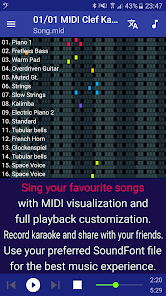
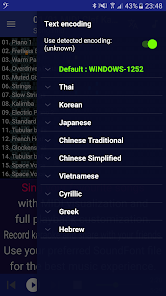
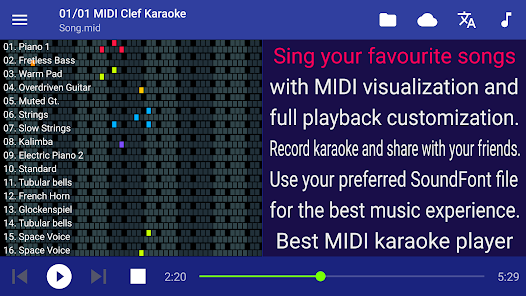
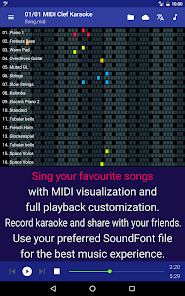
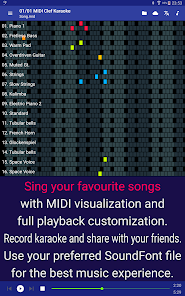
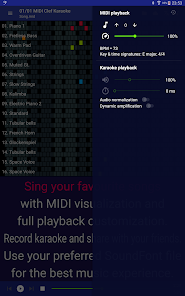
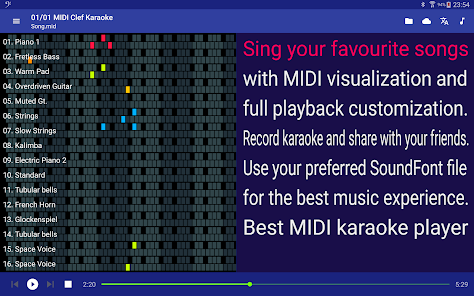
✓ MIDI playback visualization.
✓ Karaoke recording with playback enhancements.
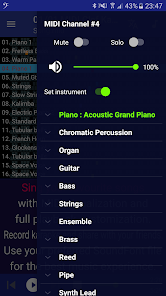
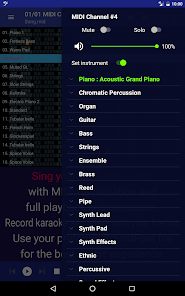
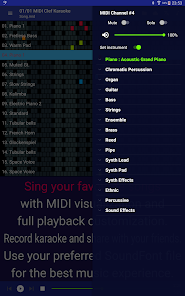
✓ Select your SF2 SoundFont files and instruments for the MIDI playback.
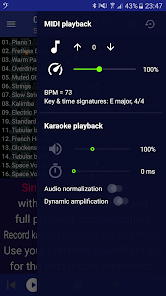
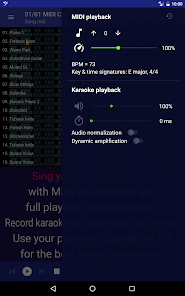
✓ Transpose notes, change tempo, the instrument and the attributes of each track during the playback.
✓ Playback configuration retained for each file.
✓ Export or share with external apps the audio of the music together with the Karaoke recordings.
✓ Add audio effects like Chorus and Reverb.
✓ Designed for tablets and smartphones.
SUPPORTED FILE FORMATS
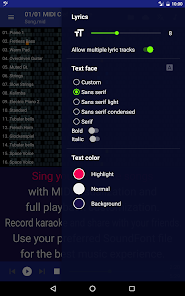
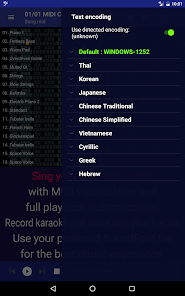
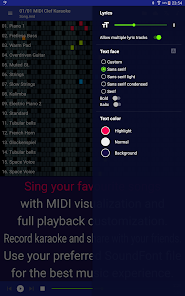
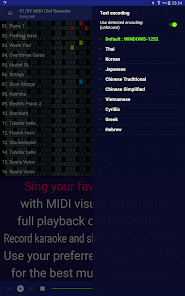
✓ Full support of MID and KAR files with embedded Karaoke lyrics.
✓ NCN Karaoke format (LYR and CUR files).
✓ LRC Karaoke files.
✓ MOD music (XM, IT, S3M, MOD, MTM, UMX).
✓ CDG (CD+G, MP3+G) karaoke files with audio in MP3 or OGG.
This is a music player app, audio files are not included and shall be downloaded separately.
SUPPORT & FEEDBACK
Your feedback is more than welcome. Please send feature requests, suggestions for improvements and bug reports using the contact link within the app or directly by email to zeromem.apps@gmail.com.
★ Join our community and send us your feedback or questions:
→ Facebook: facebook.com/midiclef
Supports the playback of CDG (MP3+G) and MOD tracker files.
MAIN FEATURES
✓ MIDI playback visualization.
✓ Karaoke recording with playback enhancements.
✓ Select your SF2 SoundFont files and instruments for the MIDI playback.
✓ Transpose notes, change tempo, the instrument and the attributes of each track during the playback.
✓ Playback configuration retained for each file.
✓ Export or share with external apps the audio of the music together with the Karaoke recordings.
✓ Add audio effects like Chorus and Reverb.
✓ Designed for tablets and smartphones.
SUPPORTED FILE FORMATS
✓ Full support of MID and KAR files with embedded Karaoke lyrics.
✓ NCN Karaoke format (LYR and CUR files).
✓ LRC Karaoke files.
✓ MOD music (XM, IT, S3M, MOD, MTM, UMX).
✓ CDG (CD+G, MP3+G) karaoke files with audio in MP3 or OGG.
This is a music player app, audio files are not included and shall be downloaded separately.
SUPPORT & FEEDBACK
Your feedback is more than welcome. Please send feature requests, suggestions for improvements and bug reports using the contact link within the app or directly by email to zeromem.apps@gmail.com.
★ Join our community and send us your feedback or questions:
→ Facebook: facebook.com/midiclef
Updated on
Safety starts with understanding how developers collect and share your data. Data privacy and security practices may vary based on your use, region, and age. The developer provided this information and may update it over time.


Ratings and reviews
4.5
4.85K reviews

loser
- Flag inappropriate
- Show review history
June 24, 2024
Great app so far, but I have suggestions; 1. The song that is currently playing in the app still continues through ads. 2. You are unable to change the pitch and other settings on audio and MOD files, except Chorus, Reverb and Equalizer. (I'm not sure if there is something stopping this, but this should be in if there isn't) 3. You are forced to always use the soundfont at top's instruments and they always replace the others and only extra instruments can play from them.
ZeroMem Apps
June 24, 2024
Thank you for your suggestions. Clicking on a SoundFont opens the list of its instruments, where you can selectively disable each one of them: in this way the instruments of the SoundFont next in the list will be used. You can check which instrument is played by each SoundFont by the presence of the green dot near it.

Dennis Conway
- Flag inappropriate
- Show review history
May 19, 2023
Most bang for the buck in my lifetime!!! Played with it for 30 minutes and paid for it! Worth every penny. I have over 6 GB of soundfont files loaded, from 2 MB, to a bit more than 4 GB. I swap them back and forth while it plays to see what I like for a particular song; dragging the one you want to the top is easy. Plus, you can choose any specific instrument from any soundfont for any part. There is an A-B loop function. The "scissors" icon. And the loop, or the whole song can be exported fast!
5 people found this review helpful

A Google user
- Flag inappropriate
- Show review history
September 22, 2018
This app is very awesome! Has a lot of features that you can adjust sound, volume Tempo, Etc. You did a fantastic job with it! The only thing I would suggest and maybe it's there and I haven't found it yet as a way to access the music without going through my photos too. I can't seem to make a playlist. Congratulations on a job well done.
8 people found this review helpful
What's new
Version 7.4
- Karaoke background can be set to a video
- Support for EMK file format
- Support for XF Chord Name messages
- Show file size, type and length in file selection
- Show file tags in music panel for MP3
- New setting to keep the embedded SoundFont always enabled
- Support of LRC lyrics file for all audio types
- Karaoke background can be set to a video
- Support for EMK file format
- Support for XF Chord Name messages
- Show file size, type and length in file selection
- Show file tags in music panel for MP3
- New setting to keep the embedded SoundFont always enabled
- Support of LRC lyrics file for all audio types