
認証アプリ for 北國デジタルバンキング
500+
Downloads

Everyone
info
About this app
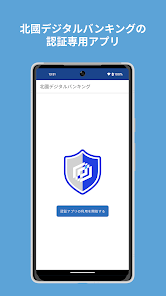
By using this app, you can easily and safely perform approval operations for "Hokkoku Digital Banking".
■Features of the app
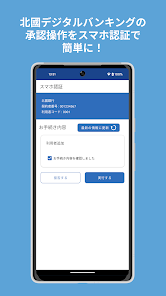
- Easily approve Hokkoku Digital Banking with smartphone authentication (approval operation with this app)!
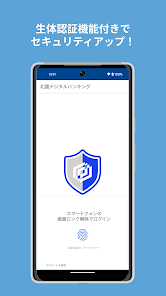
・Improve security with two-way authentication using a web browser and smartphone app!
■Main functions
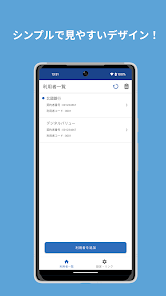
・Transaction approval
・Personal authentication when logging into Hokkoku Digital Banking (risk-based authentication)
■How to use
・To use this app, a separate application for Hokkoku Digital Banking is required.
-This app is an authentication-only app. After logging in to "Hokkoku Digital Banking", start this application and operate according to the instructions on the approval screen.
・To use this app, you need to set the screen lock on your smartphone. Please use your smartphone's settings app to set a PIN code or biometric authentication.
・Please check the recommended environment (OS) for this app on the Hokkoku Bank website before downloading.
https://www.hokkokubank.co.jp/corporation/service/hokkokudb/authenticator_apps/
*If you use a smartphone that does not have the recommended environment, you may not be able to use it. In addition, even if it is within the recommended environment, it may not work properly depending on the usage environment of the smartphone.
■Contact information
Hokkoku Digital Banking Support Desk
0120-508-053
Reception hours/9:00-17:00 (closed during Golden Week and New Year holidays)
■Features of the app
- Easily approve Hokkoku Digital Banking with smartphone authentication (approval operation with this app)!
・Improve security with two-way authentication using a web browser and smartphone app!
■Main functions
・Transaction approval
・Personal authentication when logging into Hokkoku Digital Banking (risk-based authentication)
■How to use
・To use this app, a separate application for Hokkoku Digital Banking is required.
-This app is an authentication-only app. After logging in to "Hokkoku Digital Banking", start this application and operate according to the instructions on the approval screen.
・To use this app, you need to set the screen lock on your smartphone. Please use your smartphone's settings app to set a PIN code or biometric authentication.
・Please check the recommended environment (OS) for this app on the Hokkoku Bank website before downloading.
https://www.hokkokubank.co.jp/corporation/service/hokkokudb/authenticator_apps/
*If you use a smartphone that does not have the recommended environment, you may not be able to use it. In addition, even if it is within the recommended environment, it may not work properly depending on the usage environment of the smartphone.
■Contact information
Hokkoku Digital Banking Support Desk
0120-508-053
Reception hours/9:00-17:00 (closed during Golden Week and New Year holidays)
Updated on
Safety starts with understanding how developers collect and share your data. Data privacy and security practices may vary based on your use, region, and age. The developer provided this information and may update it over time.

No data shared with third parties
Learn more about how developers declare sharing

This app may collect these data types
App info and performance

Data is encrypted in transit

Data can’t be deleted
What's new
軽微な修正を行いました